This article was created with AI writing assistance (ChatGPT, Claude, etc.). Product selection, specifications, and reviews are verified by the Japan Life Lab editorial team.
This article contains promotional / affiliate links.
🚃 Suica 2026 Updates
- Welcome Suica Mobile (iPhone app): Valid 180 days, works with most international credit cards — best option for iPhone users
- Physical Welcome Suica (red card): Valid 28 days, buy at Narita/Haneda airport — best for Android users whose phones lack FeliCa (NFC-F) chip
- Android users: Most non-Japanese Android phones cannot use Mobile Suica — buy a physical card at the airport instead
- Suica works nationwide on all JR lines, subways, buses, and at convenience stores across Japan
If you’re visiting Japan or moving there as an expat, Suica is the most useful tool you’ll carry. This IC card lets you hop on trains, buses, and pay at convenience stores — all with a simple tap. In this complete 2026 guide, we cover everything about Suica from getting one at the airport to using it on your iPhone.
📌 What you will learn
You do not have to read it all — jump to what you need.
- What is Suica?
- Types of Suica Available in 2026
- How to Get Suica: Step-by-Step Guide
- How to Use Suica at Train Gates
- How to Charge (Top Up) Your Suica
- Using Suica for Shopping and Payments
- Suica vs. PASMO vs. ICOCA: Which Should You Get?
※ Start wherever fits your situation.
💳 Japan Payment Setup Quiz
3 questions. Honest answers — including “you don’t need to buy anything.”
Use the Japan Rail Pass calculator — enter your journeys and it tells you instantly whether the pass beats individual tickets.
Prime members get fast, free delivery on millions of items, Prime Video and members-only deals. Eligible new members can try it free for 30 days.
Start your free 30-day Prime trial →Ages 18–24? See Prime for Young Adults
Paid links. As an Amazon Associate, Japan Life Lab earns from qualifying purchases. Trial eligibility and terms are set by Amazon.
What is Suica?
Suica is a rechargeable contactless smart card issued by JR East (East Japan Railway Company). First introduced in 2001, it has become the most widely used IC card in Japan. The name comes from “Super Urban Intelligent Card” and also means watermelon in Japanese. Suica is accepted on trains, subways, buses, at convenience stores, restaurants, vending machines, coin lockers, and taxis — over 900,000 locations nationwide.
Types of Suica Available in 2026
1. Physical Suica Card
The classic green card with the penguin mascot. Available at JR East ticket machines at Narita Airport, Haneda Airport, and all major stations. Requires a refundable ¥500 deposit. Minimum purchase is ¥1,000 (¥500 deposit + ¥500 balance).
2. Mobile Suica (iPhone / Android) — Recommended
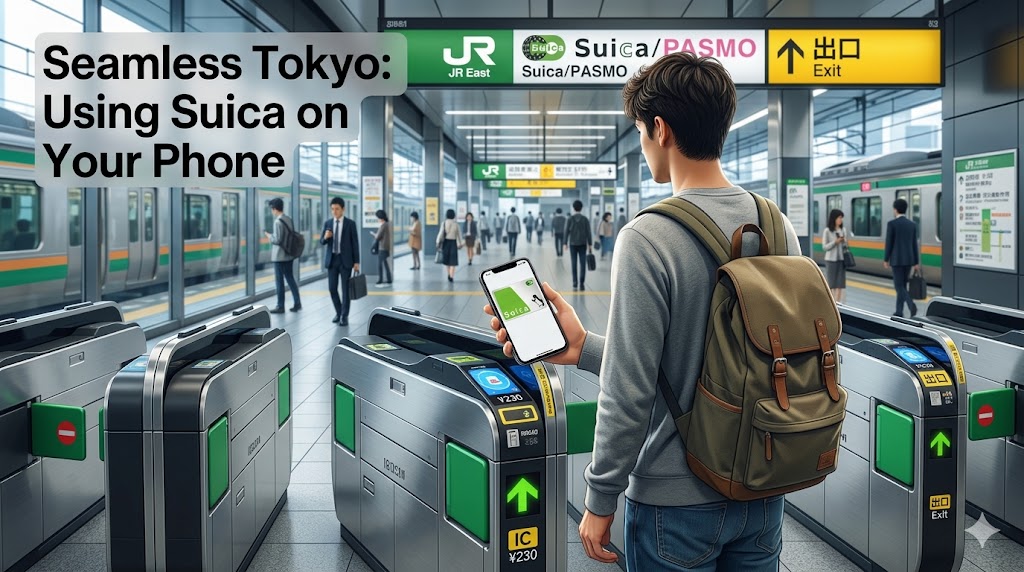
Add Suica directly to Apple Wallet (iPhone 7 or later) or Google Pay. No physical card needed — tap your phone at the gate. Charge your balance anytime via credit card. iPhone Mobile Suica even works with a completely dead battery thanks to a special emergency reserve. This is our top recommendation in 2026.
3. Welcome Suica (Tourists)
Available at airports and major tourist spots. No deposit required. Valid for 28 days only — remaining balance cannot be refunded. Great for short-stay visitors who prefer a hassle-free setup.
How to Get Suica: Step-by-Step Guide
At the Airport (Physical Card)
At Narita or Haneda Airport, look for JR East ticket machines with an English interface. Choose “Suica” then “New Suica”, add ¥1,000 or more (includes ¥500 deposit), and collect your card. Ready to use immediately at airport train gates.
On iPhone (Apple Wallet)
- Open the Wallet app on your iPhone
- Tap the + icon in the top right corner
- Choose “Transit Card” from the list
- Pick Suica from available cards
- Choose the amount to add (minimum ¥1,000)
- Pay with Apple Pay — your Suica is immediately ready!
Works with iPhone 7 or later (including non-Japanese models) and Apple Watch Series 3 or later. The card works even if your battery hits 0% — a special emergency reserve allows a few more taps.
On Android (Google Pay)
- Download the Suica app from Google Play
- Open app and choose “New Suica”
- Enter your details and link a credit card
- Add the desired balance — linked to Google Pay automatically
How to Use Suica at Train Gates
Look for the IC card logo (a wave symbol) on fare gates. Hold your Suica card — or your phone or watch — flat against the reader for about 0.1 seconds. The gate opens and your fare is automatically deducted. Always tap both in AND out at every station. Forgetting to tap out will lock the gate on your next use and may charge the maximum fare.
Your balance is displayed on the gate screen when you tap. If your balance is too low, find a Fare Adjustment Machine (精算機) near the exit — put your card in, pay the difference in cash, and proceed through the gates.
How to Charge (Top Up) Your Suica
- Station ticket machines — put in your card, choose “Charge” (チャージ), add cash in increments of ¥500 to ¥10,000
- Convenience stores — hand your physical card and cash to the cashier; say “Suica ni chaji onegaishimasu” (チャージお願いします)
- Apple Wallet / Google Pay — charge via credit card from anywhere, anytime
Maximum Suica balance: ¥20,000. Recommended minimum for a day of commuting: ¥1,000–¥2,000.
Using Suica for Shopping and Payments
Beyond transit, Suica is accepted at thousands of shops across Japan. Look for the IC card logo at checkout. Simply tap — no PIN or signature needed. Works at 7-Eleven, FamilyMart, Lawson, Ministop, McDonald’s, Yoshinoya, Starbucks (most locations), station kiosks and NewDays shops, and vending machines with IC readers (very common inside stations).
Suica vs. PASMO vs. ICOCA: Which Should You Get?
Japan has 10 interoperable IC cards, all accepted on the same trains and buses nationwide. Bottom line: get Suica. It works everywhere, is available on iPhone and Android, and is the most internationally recognized IC card.
| Card | Issuer | Best For | On iPhone |
|---|---|---|---|
| Suica | JR East | Tokyo and all of Japan | Yes |
| PASMO | PASMO Association | Tokyo Metro users | Yes |
| ICOCA | JR West | Osaka / Kyoto visitors | Yes |
| Kitaca | JR Hokkaido | Hokkaido visitors | Yes |
Pro Tips for Using Suica Like a Local
- Keep at least ¥1,000 on your card — Tokyo fares range from ¥140 to ¥400 per ride
- Use Mobile Suica: charge it from your hotel room at midnight before a full day of sightseeing
- Suica works on some Shinkansen (e.g. Tokyo to Shin-Yokohama) but not for long-distance reserved seats
- Returning home? Visit a JR East staffed counter to get the ¥500 deposit back (minus ¥220 processing fee)
- Lost your physical Suica? Visit JR East to reissue it with the remaining balance if registered (¥510 fee)
Frequently Asked Questions
Can foreigners use Suica?
Yes, absolutely. Any person — tourist, expat, or business traveler — can get a Suica card. No Japanese ID, bank account, or residence status required.
Does Suica work in Osaka and Kyoto?
Yes! Suica is accepted on trains, subways, and buses throughout all of Japan — Tokyo, Osaka, Kyoto, Sapporo, Fukuoka, and everywhere in between.
Can I charge Suica with a foreign credit card?
Yes, on Mobile Suica (iPhone/Android). Station machines require cash in JPY.
Get Japan Travel Ready: Recommended Products
Check out these Japan travel essentials on Amazon:
More Guides from Japan Life Lab
- Best Pocket WiFi and SIM Cards for Japan 2026
- How to Buy on Amazon Japan as a Foreigner
- Best AI Translation Earbuds for Japan Travel 2026
- Best Portable Chargers for Japan Travel 2026
Useful Products for Using Suica in Japan
These accessories make your Suica experience even smoother — whether you’re a tourist or long-term resident:
IC Card Holder / Suica Wallet Case
A dedicated IC card holder lets you tap through gates without taking your card out of your bag. Many attach to your phone case or bag strap.
Travel Wallet / RFID-Blocking Card Holder
Keep your Suica, credit cards, and cash organized in a slim travel wallet. RFID-blocking models protect against contactless skimming.
Mobile Suica Compatible Smartphones
Mobile Suica works on iPhone (iPhone 7+) and Android phones with FeliCa. If you need an unlocked Japan-compatible phone, here are options available on Amazon:
📶 Need mobile data in Japan?
Get an eSIM and stay connected the moment you land — no SIM swapping, instant activation, covers Japan & 100+ countries.
Get a Japan eSIM →Tax-free shopping in Japan changes on 1 November 2026
Until 31 October you show your passport at the till and simply pay without the 10% consumption tax. From 1 November you pay the full tax-included price in the shop and claim the tax back at the airport — at a customs kiosk or through Visit Japan Web — before you check in.
- The ¥5,000 minimum per shop, per day stays the same.
- The general-goods / consumables split is abolished, and so is the ¥500,000 cap on consumables.
- Sealed packaging is abolished — but consumables still have to leave Japan unused.
- Everything on the receipt has to be with you at departure. Customs can ask to see it.
Shopping before 1 November? Nothing changes for you yet.
🗾 More Japan Travel Essentials

Japan Expat Starter Kit 2026 PDF guide
Your first 90 days in Japan, step by step: 17 chapters · 24 pages · 100 phrases in Japanese script · 40 kanji · printable checklists. Bank account, My Number, health insurance, apartment, phone, taxes & pension.
$9.99 $4.99 current price
📥 Get the kit →📄 Read 5 pages free: contents + Chapter 2
⚡ Instant PDF download · 🛡️ 30-day money-back guarantee · 🔄 Free 2026 updates
🔥 Editor’s Picks for Life & Travel in Japan
Practical guides for life and travel in Japan — free, about once a week. No spam, unsubscribe anytime.
☕ Enjoying our Japan guides?
If this article helped you, you can support our work with a coffee!
Did this guide help you? 🍵
Japan Life Lab is a small independent blog, and every guide we publish is completely free — no paywalls, ever. If our work saved you time (or a headache), you can support us with a cup of Japanese tea. Every contribution, big or small, goes straight into keeping these guides free, accurate and up to date for everyone.
☕ Support Japan Life Lab
Leave a Reply