This article was created with AI writing assistance (ChatGPT, Claude, etc.). Product selection, specifications, and reviews are verified by the Japan Life Lab editorial team.
This article contains promotional / affiliate links.
⏱ Quick Answer
Yes — tourists CAN use PayPay in 2026: download the app, register with a Japanese phone number or use PayPay’s tourist-friendly options, then top up at convenience stores. The step-by-step with screenshots (and the ¥1,000 welcome bonus) is below.
📱 PayPay Promotions Change Regularly — Check the App for Current Offers
Welcome bonuses and signup promotions are updated frequently by PayPay. The specific bonus amount mentioned in this guide may have changed. After registering, open the PayPay app → Campaigns tab to find current promotions. Regional cashback campaigns (typically 10–30% back at local merchants, restaurants, and stores) are almost always running somewhere in Japan and can be more valuable than signup bonuses.
PayPay has become Japan’s dominant digital payment platform, accepted at over 4 million locations nationwide — from convenience stores and supermarkets to restaurants, taxis, and even some temples and shrines. If you’re visiting or living in Japan in 2026, knowing how to use PayPay can save you time, earn you cashback rewards, and help you navigate the country’s evolving cashless payment landscape.
In this comprehensive guide, we’ll walk you through everything: setting up PayPay, adding money, paying at stores, and maximizing the cashback rewards that make PayPay so popular among Japanese consumers and savvy expats alike.
💳 Japan Payment Setup Quiz
3 questions. Honest answers — including “you don’t need to buy anything.”
What is PayPay?
PayPay is a QR code-based mobile payment app launched in 2018 by SoftBank and Yahoo Japan (now LY Corporation). It works similarly to Venmo or WeChat Pay — you load money into the app and pay by scanning a QR code at participating merchants. As of 2026, PayPay has over 65 million registered users and is accepted at more than 4.1 million stores across Japan.
PayPay is particularly popular because of its frequent cashback campaigns — you can earn 0.5% to 5%+ back on purchases, and during special campaigns, cashback can reach up to 30%. These promotions make it significantly cheaper than paying with cash or credit cards at participating merchants.
Can Tourists Use PayPay in Japan?
Yes! As of 2024, PayPay allows registration with overseas phone numbers and international credit/debit cards. Tourists can register and use PayPay without a Japanese bank account, making it genuinely accessible for short-term visitors. However, some features (like sending money to friends) may require identity verification with a Japanese address.
How to Set Up PayPay: Step-by-Step
Step 1: Download the PayPay App
PayPay is available on the App Store and Google Play. Search for “PayPay” or “ペイペイ” and download the official app. The app is available in Japanese and English (you can switch languages in settings).
Tip: If you’re in Japan using a foreign iTunes/Google Play account, you may need to switch your App Store region to Japan to find the app easily.
Step 2: Create Your Account
Open the app and tap “New Registration” (新規登録). Enter your mobile phone number — both Japanese and international numbers work. You’ll receive an SMS verification code. Enter the code to verify your number, then set a 4-digit passcode for the app.
For tourists: You can use your home country phone number as long as it can receive international SMS.
Step 3: Add Money to PayPay
There are several ways to load money into your PayPay balance:
Option A: Credit or Debit Card (Easiest for Tourists)
Go to “Charge” → “Credit/Debit Card” and add your Visa, Mastercard, or JCB card. Note: Some foreign-issued cards may be declined. Visa and Mastercard from major banks generally work. American Express cards are not supported.
Option B: Bank Transfer (For Residents)
Link a Japanese bank account (Japan Post Bank, most major banks, and many online banks like Rakuten Bank or PayPay Bank) for free bank transfers. This is the most convenient method for residents.
Option C: PayPay Card
The PayPay Card (issued by PayPay Card Co.) is a Japanese credit card that integrates seamlessly with the app. If you’re a long-term resident, applying for the PayPay Card gives you higher cashback rates and auto-charge functionality.
Option D: Convenience Store ATM (Easy Cash Top-Up)
You can add cash to PayPay at 7-Eleven ATMs (Seven Bank) and other convenience store ATMs that support PayPay. This is perfect for tourists who prefer using cash as their source of funds.
Step 4: Pay at Stores
There are two payment methods in PayPay:
Method 1: Show Your QR Code (お客様提示コード決済)
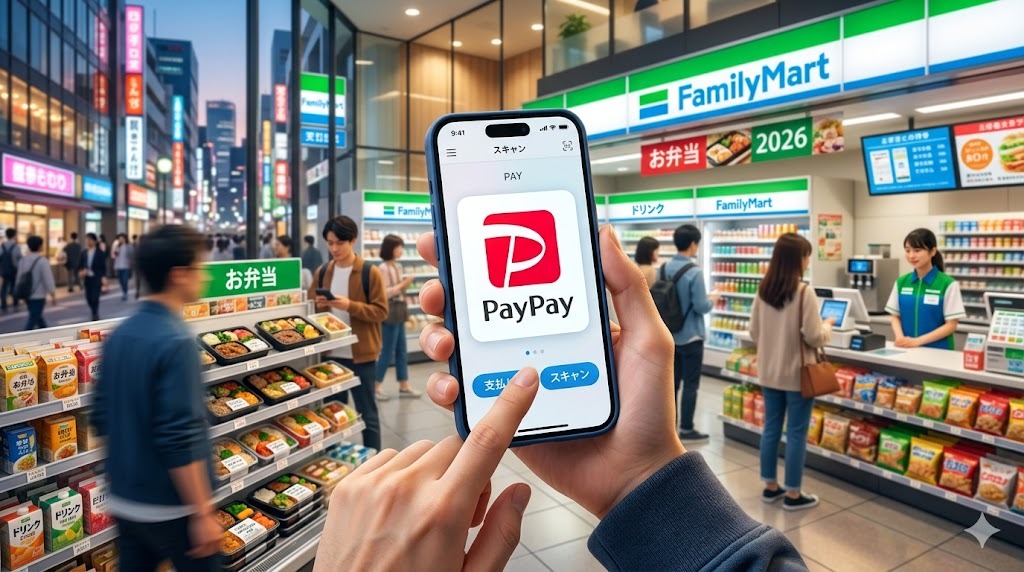
Tap the main “Pay” button on the home screen. A QR code and barcode appear. The cashier scans your screen. Payment is complete in seconds. This is the most common method at convenience stores, supermarkets, and chain restaurants.
Method 2: Scan the Store’s QR Code (ストアスキャン)
Some smaller shops display a static PayPay QR code at the register. Tap “Scan” in PayPay, point your camera at their QR code, enter the amount, and confirm payment. Popular at small restaurants, food stalls, and market vendors.
Where Can You Use PayPay in Japan?
| Category | Examples | PayPay Accepted? |
|---|---|---|
| Convenience Stores | 7-Eleven, Lawson, FamilyMart, MiniStop | ✅ Yes (all) |
| Supermarkets | AEON, Ito-Yokado, Seiyu, Life | ✅ Most locations |
| Restaurants | McDonald’s, Yoshinoya, Matsuya, most izakayas | ✅ Widely accepted |
| Taxis | Most Tokyo taxis, Japan Taxi app | ✅ Yes |
| Drugstores | Matsumoto Kiyoshi, Tsuruha, Welcia | ✅ Yes |
| Electronics Stores | Yodobashi Camera, Bic Camera, Yamada Denki | ✅ Yes |
| Online Shopping | Yahoo! Shopping, PayPay Mall, PayPay Flea Market | ✅ Yes |
| Public Transport | Most trains & buses | ❌ Use Suica instead |
| Vending Machines | Some Dydo, Suntory machines | ⚠️ Selected machines only |
PayPay Cashback & Rewards: How to Earn More
PayPay’s cashback system is one of its biggest draws. Here’s how rewards work:
Standard cashback: 0.5% on all purchases paid with PayPay balance. Payments via linked credit card may earn different rates depending on the card.
PayPay Step (ペイペイステップ): Use PayPay 30+ times or spend ¥30,000+ in a month to unlock 1.5% cashback (or 2% with a PayPay Card).
Campaign bonuses: PayPay regularly runs regional campaigns where local shops offer 10-30% cashback. Check the PayPay app’s “Campaign” tab for current promotions in your area.
PayPay Points: Earned points can be used like cash for future payments or converted to Yahoo! Points for shopping on Yahoo! Japan.
PayPay for Tourists: Important Limitations
Foreign credit card limitations: Some international cards don’t work for PayPay top-up. If your card is declined, try the convenience store ATM cash top-up method.
Identity verification: Some PayPay features require eKYC (identity verification) with a Japanese residence card (在留カード). Tourists can use basic features without this.
Balance limits: Without identity verification, your PayPay balance is capped at ¥100,000. For most tourists, this is more than sufficient.
Merchant QR vs. app QR: Make sure you’re in the right mode. When paying at convenience stores, use the “Show QR Code” mode. When paying at small vendors with a printed QR, use “Scan” mode.
PayPay vs. Other Payment Apps in Japan
| App | Acceptance | Tourist-Friendly | Best For |
|---|---|---|---|
| PayPay | 4.1M+ locations | ✅ High | Everyday shopping, cashback |
| Suica (IC Card) | Very wide | ✅ Very High | Transport + convenience stores |
| d-Barai | 2.9M+ locations | ⚠️ Medium | docomo users |
| au PAY | 2.6M+ locations | ⚠️ Medium | au mobile users |
| LINE Pay | Merged with PayPay | N/A | Merged into PayPay in 2024 |
Frequently Asked Questions
Q: Can I use PayPay at train stations and on buses?
A: No, PayPay is not accepted on JR trains or most city buses. Use a Suica or Pasmo IC card for public transport — they’re also accepted at convenience stores and more.
Q: Is PayPay available in English?
A: The app has limited English support. Main payment functions are easy to use even in Japanese. Settings offer a language toggle for English.
Q: What happens if I leave Japan with money in my PayPay balance?
A: Your balance stays in your account indefinitely. You can use it on your next visit or for online purchases on Yahoo! Shopping from abroad.
Q: Can I use PayPay with Apple Pay or Google Pay?
A: PayPay is a separate app and doesn’t integrate directly with Apple Pay or Google Pay. It uses its own QR code system.
Q: Are there transaction fees?
A: No transaction fees for users. Merchants pay a fee, but it’s free to pay with PayPay as a consumer.
Conclusion
PayPay is genuinely useful for anyone spending time in Japan — whether you’re a tourist for a week or an expat building a life here. Its massive acceptance network, regular cashback campaigns, and ease of use make it the smartest way to pay in Japan’s increasingly cashless society.
Set it up before your trip, load it with your international card or cash at a convenience store ATM, and start earning cashback on everything from your morning convenience store coffee to your izakaya dinner. Welcome to cashless Japan!
Related guides you might find helpful:
How to Use Suica in Japan 2026 | Best SIM Cards for Japan 2026
📶 Need mobile data in Japan?
Get an eSIM and stay connected the moment you land — no SIM swapping, instant activation, covers Japan & 100+ countries.
Get a Japan eSIM →Tax-free shopping in Japan changes on 1 November 2026
Until 31 October you show your passport at the till and simply pay without the 10% consumption tax. From 1 November you pay the full tax-included price in the shop and claim the tax back at the airport — at a customs kiosk or through Visit Japan Web — before you check in.
- The ¥5,000 minimum per shop, per day stays the same.
- The general-goods / consumables split is abolished, and so is the ¥500,000 cap on consumables.
- Sealed packaging is abolished — but consumables still have to leave Japan unused.
- Everything on the receipt has to be with you at departure. Customs can ask to see it.
Shopping before 1 November? Nothing changes for you yet.
💳 More Japan Payment & Travel Guides

Japan Expat Starter Kit 2026 PDF guide
Your first 90 days in Japan, step by step: 17 chapters · 24 pages · 100 phrases in Japanese script · 40 kanji · printable checklists. Bank account, My Number, health insurance, apartment, phone, taxes & pension.
$9.99 $4.99 current price
📥 Get the kit →📄 Read 5 pages free: contents + Chapter 2
⚡ Instant PDF download · 🛡️ 30-day money-back guarantee · 🔄 Free 2026 updates
🔥 Editor’s Picks for Life & Travel in Japan
Practical guides for life and travel in Japan — free, about once a week. No spam, unsubscribe anytime.
☕ Enjoying our Japan guides?
If this article helped you, you can support our work with a coffee!
🇯🇵 Travel & Life Essentials for Japan
Hand-picked gear to make your time in Japan easier. Available on Amazon US & Amazon Japan.
🔋 Portable charger
A must for long days of sightseeing and photos.
View on Amazon (US)View on Amazon Japan🔌 Travel plug adapter
Japan uses Type A outlets. Bring the right adapter.
View on Amazon (US)View on Amazon Japan🎧 Translation earbuds
Real-time translation to talk without barriers.
View on Amazon (US)View on Amazon JapanAs an Amazon Associate, Japan Life Lab earns from qualifying purchases.
Did this guide help you? 🍵
Japan Life Lab is a small independent blog, and every guide we publish is completely free — no paywalls, ever. If our work saved you time (or a headache), you can support us with a cup of Japanese tea. Every contribution, big or small, goes straight into keeping these guides free, accurate and up to date for everyone.
☕ Support Japan Life Lab
Leave a Reply