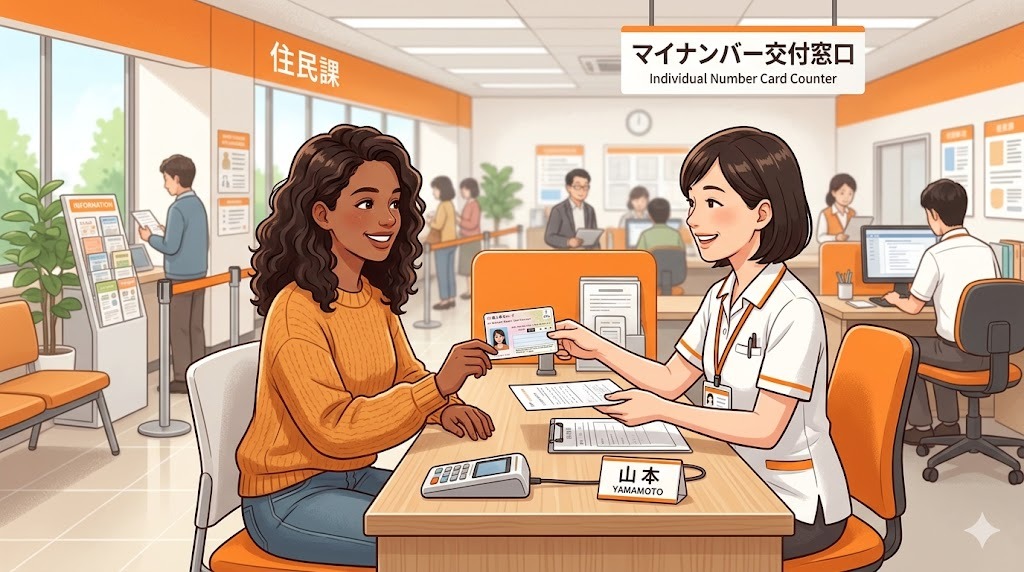
The My Number Card (マイナンバーカード) has become one of the most important documents you can have as a foreign resident in Japan. Since 2024, it’s increasingly required for banking, tax filing, hospital visits, and even convenience store printing. This guide walks you through exactly how to get one as a foreigner.
What Is My Number (マイナンバー)?
My Number (Individual Number / 個人番号) is Japan’s national identification number system, similar to Social Security numbers in the US or National Insurance numbers in the UK. Every resident of Japan — Japanese citizens and foreign residents alike — is assigned a unique 12-digit number.
There are two things to understand:
- My Number (マイナンバー) — the 12-digit number itself
- My Number Card (マイナンバーカード) — the physical IC card that proves your number and identity
When you first register your address in Japan, your local city office sends a notification letter containing your My Number. The card itself requires a separate application.
Why You Need a My Number Card
While not legally mandatory to carry, the My Number Card has become practically essential for expats:
- ✅ Banking: Required by many banks (including Rakuten Bank and Sony Bank) for online identity verification
- ✅ Tax filing: Essential for using the e-Tax (確定申告) online system
- ✅ Health insurance: From 2024, My Number Cards function as health insurance cards at most hospitals
- ✅ Government services: Access to the Myna Portal (マイナポータル) for government procedures online
- ✅ Convenience store services: Print government documents (住民票, etc.) at convenience store kiosks
- ✅ Photo ID: Accepted as official identification at most institutions
Who Can Get a My Number Card?
All residents registered in Japan’s residency system can apply, including:
- Foreign nationals with a valid residence card (在留カード)
- Foreign nationals with a Special Permanent Resident certificate
- Any visa type with a mid-to-long-term stay period
What You Need to Apply
- ✅ Your My Number notification letter (通知カード or 個人番号通知書) — sent to your registered address
- ✅ Residence card (在留カード)
- ✅ Passport
- ✅ Smartphone or computer for online application (easiest method)
How to Apply: 4 Methods
Method 1: Smartphone App (Recommended — Fastest)
- Download the マイナポータル app or follow the QR code on your notification letter
- Take a photo of your face and submit the application in-app
- Wait for a pickup notification (1–2 months)
- Bring your notification letter and ID to your city office to collect the card
Method 2: Online via PC
- Go to mynumber-info.com and click “Apply online”
- Upload a digital photo (white background, face clearly visible)
- Enter your Application ID from your notification letter
- Submit and wait 1–2 months
- Collect the card at your city office
Method 3: At a City Office (In-Person)
- Visit your local city/ward office
- Ask for a My Number Card application form
- Submit your photo and form
- Return when notified (1–2 months) to collect your card
Method 4: At a Post Office or Convenience Store Kiosk
Some post offices and convenience store kiosks (Lawson, FamilyMart) have terminals where you can submit your application. Look for the マイナンバーカード application terminal.
Setting Up Your PIN Codes
When you collect your card, you’ll need to set up 4 PIN codes:
- Signature Electronic Certificate PIN (署名用電子証明書) — 6–16 alphanumeric characters. Used for legal/tax filings.
- User Certificate PIN (利用者証明用電子証明書) — 4 digits. Used for Myna Portal login.
- Basic Resident Register PIN (住民基本台帳用) — 4 digits.
- Card Face PIN (券面事項入力補助用) — 4 digits.
Using Your My Number Card as a Health Insurance Card
Since 2024, My Number Cards double as health insurance cards (保険証) at most hospitals and clinics. When visiting a hospital:
- Look for the card reader at the reception kiosk (it looks like a tablet stand)
- Insert your My Number Card
- Enter your 4-digit User Certificate PIN
- Confirm your insurance information on screen
Not all hospitals have adopted the system yet — always bring your physical insurance card as backup until the transition is complete.
Updating Your My Number Card After Moving
When you move to a new address in Japan, you must update your My Number Card at your new city office within 14 days. Bring your card and residence card to the city office and request an address update (住所変更). This is free and takes about 15 minutes.
What Happens If You Lose Your Card?
- Immediately call the My Number Card suspension hotline: 0120-95-0178 (24/7, free)
- Report to your local city office to request reissuance
- Note: reissuance takes 1–2 months and costs ¥800
Frequently Asked Questions
Is it mandatory to get a My Number Card?
The card itself is not legally mandatory (just your My Number number is assigned automatically). However, it’s increasingly required in practice for banking, tax filing, and medical services. We strongly recommend getting one as early as possible.
How long does the My Number Card take to arrive?
Typically 1–2 months from application submission to when you can collect your card. The process is slow because cards are printed and mailed to city offices in batches.
Can I use My Number Card to open a bank account?
Yes — and this is one of the main reasons expats need one. Rakuten Bank and Sony Bank use My Number Card NFC scanning for identity verification during online account opening.
What is the Myna Portal (マイナポータル)?
The Myna Portal is Japan’s government online service portal. With your My Number Card, you can check your pension records, apply for various government services, complete your tax return, and manage health insurance records — all online. The app is available in English.
Summary: Getting Your My Number Card
- Receive your My Number notification letter at your registered address
- Apply online via smartphone app or mynumber-info.com (fastest method)
- Wait 1–2 months for your pickup notification
- Go to your city office with your ID to collect the card
- Set up your 4 PIN codes
- Register the card with your bank, health insurance, and Myna Portal
Leave a Reply