
This article was created with AI writing assistance (ChatGPT, Claude, etc.). Product selection, specifications, and reviews are verified by the Japan Life Lab editorial team.
This article contains promotional / affiliate links.
🤖 AI Tool Review — Pricing Verified May 2026
AI tool pricing and features change frequently. This review was verified in May 2026. Always check the official website for current pricing — many tools offer free tiers or promotional discounts.
→ Try Taskade Free Now
What if your to-do list could do the tasks itself? That’s the promise of Taskade — an AI-powered productivity platform where autonomous AI agents don’t just help you plan work, they actually complete it for you. Used by over 500,000 teams and individuals worldwide, Taskade is redefining what “project management” means in the AI era.
In this honest review, we cover everything: how Taskade’s AI agents work, its best features, updated 2026 pricing (now cheaper!), pros/cons, and whether it’s worth subscribing.
Yes — especially if you run projects, manage content pipelines, or want AI that actually does tasks rather than just suggesting them. The Starter plan at $6/mo (recently reduced from $8!) is excellent value. The Pro plan at $16/mo is the sweet spot for power users who want 50,000 AI credits monthly.
📌 What you will learn
You do not have to read it all — jump to what you need.
- What is Taskade?
- Key Features
- Taskade Pricing (2026 — Updated!)
- Which Taskade Plan Should You Choose?
- Taskade Pros and Cons
- Is Taskade Worth It in 2026?
※ Start wherever fits your situation.
Prime members get fast, free delivery on millions of items, Prime Video and members-only deals. Eligible new members can try it free for 30 days.
Start your free 30-day Prime trial →Ages 18–24? See Prime for Young Adults
Paid links. As an Amazon Associate, Japan Life Lab earns from qualifying purchases. Trial eligibility and terms are set by Amazon.
What is Taskade?
Taskade is an all-in-one AI workspace that combines project management, note-taking, document creation, and — most importantly — autonomous AI agents that can execute tasks on your behalf. Unlike tools like Notion (documents) or Asana (task tracking), Taskade’s AI doesn’t just assist — it works.
It’s become popular among:
- Solopreneurs and freelancers automating repetitive workflows
- Content creators managing editorial calendars and research
- Small teams collaborating in real-time with AI assistance
- Startup founders running lean operations with AI help
- Developers building custom AI agent workflows
Key Features
🤖 1. Autonomous AI Agents — Work Gets Done While You Sleep
Taskade’s AI Agents are the standout feature: pre-built or custom AI agents that can autonomously browse the web, process information, write content, and execute tasks from your project list. You can:
- Build custom agents with specific instructions and personas
- Chain multiple agents to create automated workflows
- Set agents to research topics and summarize findings
- Automate recurring tasks (weekly reports, content briefs, etc.)
- Connect agents to 700+ integrations via Zapier and Make
Example: “Research top 10 trending topics in sustainable tech this week, write a brief for each, and add them to my content calendar” — one command, fully automated.
📋 2. Multi-View Project Management
Taskade offers multiple ways to visualize and manage your projects — all automatically synced:
- List View — Classic task list with subtasks and priorities
- Board View — Kanban-style columns (like Trello)
- Calendar View — Timeline and deadline management
- Mind Map View — Visual brainstorming and idea mapping
- Org Chart View — Team structure and delegation
- Table View — Spreadsheet-style data management
Switch between views instantly — the same underlying data appears in whatever format works best for your current thinking.
👥 3. Real-Time Collaboration with AI
Taskade is built for teams working together — with AI as an active collaborator:
- Real-time co-editing (like Google Docs, but for projects)
- In-project video calls (no need to switch to Zoom)
- AI can be @mentioned in any workspace to assist on the spot
- Team-specific AI agents with shared knowledge bases
- Guest access for client collaboration
Unlike most PM tools that treat AI as a side feature, in Taskade the AI is fully integrated into every aspect of collaboration.
📝 4. AI Documents & Knowledge Base
Taskade doubles as a powerful document creation tool where AI actively helps you write:
- 1,000+ AI templates for reports, briefs, proposals, SOPs
- AI can draft, summarize, translate, and expand documents
- Knowledge base creation — AI learns from your docs and answers questions about them
- Smart outlines that automatically expand into full documents
- Version history and document organization
Think of it as Notion + GPT-4, deeply integrated from day one.
⚡ 5. Workflow Automation & Integrations
Taskade connects to your existing tools to automate cross-platform workflows:
- 700+ integrations via Zapier and Make
- Native integrations: Slack, Google Calendar, GitHub, Notion
- Recurring tasks with automatic AI execution
- Webhook support for custom integrations
- API access for developers building on Taskade
Build automation flows where, for example, a new customer email triggers an AI agent to create a project, draft a proposal, and add tasks to your pipeline — automatically.
Taskade Pricing (2026 — Updated!)
| Plan | Price | AI Credits/Month | Key Features |
|---|---|---|---|
| Free | $0 | 3,000 (one-time) | Unlimited projects, 5 members, basic AI, 250MB storage |
| Starter ⭐ NEW PRICE! Was $8 → Now $6! |
$6/mo |
10,000 | Unlimited members, custom AI agents, 10GB storage, all views, priority support |
| Pro ⭐ BEST VALUE | $16/mo | 50,000 | Everything in Starter + advanced automations, API access, 50GB storage, custom branding |
| Business | $40/mo | 150,000 | Everything in Pro + admin controls, SSO, 500GB storage, dedicated workspace, SLA |
Note: Annual billing saves ~20% on all plans. Prices shown are per workspace/month on annual billing.
Which Taskade Plan Should You Choose?
- 🆓 Free — Test Taskade with your team. The 3,000 one-time credits are enough to experience AI agents before committing
- 💼 Starter ($6) — Solo users and small teams who need consistent AI agent access. Excellent value at the new lower price
- ⭐ Pro ($16) — Most popular. Power users who run multiple AI workflows and need automation, API access, and higher credit limits
- 🏢 Business ($40) — Growing companies needing team management, SSO, and enterprise-level AI credits for heavy workflows
Taskade Pros and Cons
✅ Pros
- True autonomous AI agents (not just a chatbot)
- 6 project views in one tool
- Recently lowered prices (Starter now $6)
- Real-time collaboration with built-in video calls
- 1,000+ templates across every use case
- 700+ integrations via Zapier
- Free plan is genuinely functional
- Clean, intuitive interface
❌ Cons
- Learning curve for AI agent setup
- Free plan’s 3,000 credits are one-time (not monthly)
- Storage limits on lower plans
- Can feel overwhelming with all features at once
- Mobile app is less polished than web
Is Taskade Worth It in 2026?
Yes — especially after the recent price drop. Taskade’s AI agents represent a fundamentally different approach to productivity: instead of helping you manage tasks, the AI actively completes them. For content creators, marketers, and teams with repetitive workflows, the ROI can be immediate.
The Starter plan at just $6/month (down from $8!) is one of the best values in AI productivity tools. Start with the free plan to test the AI agents, and upgrade when you want consistent monthly credits for your workflows.
🤖 Ready to Let AI Do Your Work?
Start free — no credit card required. Build your first AI agent workflow in minutes!
🆓 Try Taskade Free → ⚡ Start Starter Plan ($6) →Taskade FAQ
Tax-free shopping in Japan changes on 1 November 2026
Until 31 October you show your passport at the till and simply pay without the 10% consumption tax. From 1 November you pay the full tax-included price in the shop and claim the tax back at the airport — at a customs kiosk or through Visit Japan Web — before you check in.
- The ¥5,000 minimum per shop, per day stays the same.
- The general-goods / consumables split is abolished, and so is the ¥500,000 cap on consumables.
- Sealed packaging is abolished — but consumables still have to leave Japan unused.
- Everything on the receipt has to be with you at departure. Customs can ask to see it.
Shopping before 1 November? Nothing changes for you yet.
🔥 Editor’s Picks for Life & Travel in Japan
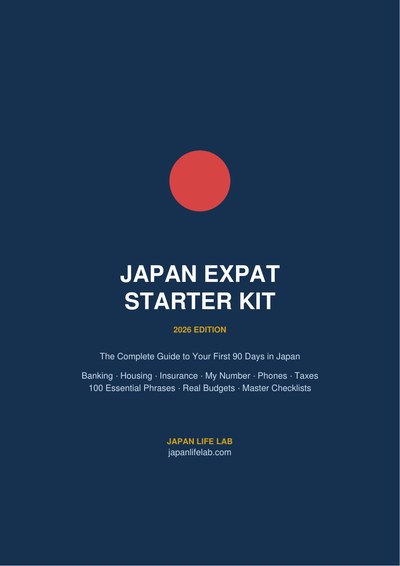
Japan Expat Starter Kit 2026 PDF guide
Your first 90 days in Japan, step by step: 17 chapters · 24 pages · 100 phrases in Japanese script · 40 kanji · printable checklists. Bank account, My Number, health insurance, apartment, phone, taxes & pension.
$9.99 $4.99 current price
📥 Get the kit →📄 Read 5 pages free: contents + Chapter 2
⚡ Instant PDF download · 🛡️ 30-day money-back guarantee · 🔄 Free 2026 updates
🛒 Ready to Buy? Shop These in Japan!
Get fast delivery across Japan — including same-day in major cities
Practical guides for life and travel in Japan — free, about once a week. No spam, unsubscribe anytime.
☕ Enjoying our Japan guides?
If this article helped you, you can support our work with a coffee!
Did this guide help you? 🍵
Japan Life Lab is a small independent blog, and every guide we publish is completely free — no paywalls, ever. If our work saved you time (or a headache), you can support us with a cup of Japanese tea. Every contribution, big or small, goes straight into keeping these guides free, accurate and up to date for everyone.
☕ Support Japan Life Lab
Leave a Reply