Author: Miyabi

  • HeyGen Review 2026: We Used It for 3 Months โ€” Is the AI Video Tool Worth It?

    HeyGen Review 2026: We Used It for 3 Months โ€” Is the AI Video Tool Worth It?

    ๐Ÿค– AI Tool Review โ€” Pricing Verified May 2026

    AI tool pricing and features change frequently. This review was verified in May 2026. Always check the official website for current pricing โ€” many tools offer free tiers or promotional discounts.

    What Is HeyGen Avatar V? The AI Tool That’s Changing Video Creation in 2026

    Imagine cloning yourself in just 15 seconds. No camera crew, no studio, no professional lighting. Just a short video clip of your face โ€” and HeyGen’s AI does the rest.

    โ–ฒ Watch our HeyGen Avatar V review (made with HeyGen!)

    HeyGen Avatar V is the latest generation of AI avatar technology from HeyGen, one of the world’s leading AI video platforms. Released in 2025 and continuously updated into 2026, Avatar V lets you create a hyper-realistic digital twin that speaks, gestures, and presents content on your behalf โ€” in any language, any style, any outfit.

    For expats living in Japan, creators, educators, and small business owners, this is a game-changer. You no longer need to appear on camera, hire a presenter, or book a studio. HeyGen handles everything โ€” and the results are stunning.

    In this review, we break down everything you need to know about HeyGen Avatar V: its features, pricing, pros and cons, and whether it’s worth it for your specific needs in 2026.

    HeyGen Avatar V: Key Features Review

    1. Instant Avatar Creation (15-Second Consent Video)

    The most impressive feature of HeyGen Avatar V is how fast you can create your digital twin. Unlike previous versions that required 2โ€“3 minute consent videos, Avatar V needs just 15 seconds of footage. Point your camera, record a short clip, and within minutes you have a photorealistic AI avatar that mirrors your appearance.

    The system captures facial structure, skin tone, expressions, and even subtle mannerisms. The result is an avatar that genuinely looks like you โ€” not a cartoon, not an obviously fake model.

    FeatureDetails
    Consent video length15 seconds
    Processing time10โ€“20 minutes
    Realism levelPhotorealistic
    Languages supported40+

    Pros: Incredibly fast setup, realistic output, supports 40+ languages
    Cons: Lighting and background quality in your consent video affects results

    2. AI Video Agent (Text-to-Video in Minutes)

    HeyGen’s Video Agent is a powerful tool that turns text prompts into fully produced videos. You describe what you want โ€” the topic, tone, length, and style โ€” and the AI handles scripting, scene composition, avatar presentation, and even background music.

    For Japan Life Lab readers, this is incredibly useful for creating product reviews, how-to guides, and informational content without ever going on camera. We used the Video Agent to produce this very review’s promotional video!

    Video Agent FeatureDetails
    Input methodText prompt
    Output qualityUp to 4K
    Video orientation16:9, 9:16 (Shorts), 1:1
    Avg. generation time5โ€“15 minutes

    Pros: No scripting required, supports vertical Shorts format, fast generation
    Cons: AI-generated scripts may need editing for nuanced topics

    3. Multilingual Voice & Dubbing

    One of HeyGen’s strongest advantages is its multilingual capability. Your AI avatar can speak in over 40 languages with natural-sounding voices โ€” including English, Japanese, French, Spanish, Chinese, and more. You can even clone your own voice for a personalized touch.

    For expats in Japan or creators targeting both Japanese and international audiences, this is invaluable. Create one video in English, then instantly generate a Japanese version with your avatar speaking perfect Japanese.

    Pros: 40+ languages, voice cloning available, natural intonation
    Cons: Some languages sound slightly less natural than English/Japanese

    4. Photo Avatar & Background Customization

    Don’t want to record yourself at all? HeyGen’s Photo Avatar feature animates a single still photo into a speaking avatar. Upload any professional headshot and HeyGen makes it talk โ€” perfect for LinkedIn content, corporate presentations, or privacy-conscious creators.

    Background customization lets you place your avatar in any environment: modern offices, Japanese cityscapes, abstract AI-generated scenes, or a plain solid color. The virtual studio feature is especially useful for branded content.

    Pros: No video required, hundreds of built-in backgrounds, custom uploads supported
    Cons: Photo avatars are slightly less realistic than video avatars

    5. Templates, Branding & Team Collaboration

    HeyGen offers 300+ professional video templates designed for different use cases: product demos, social media Shorts, explainer videos, testimonials, and more. Each template is customizable with your brand colors, logo, and fonts.

    Team features allow multiple users to collaborate on videos, share brand assets, and maintain consistent visual identity across all content. For businesses operating in Japan with international teams, this is a significant advantage.

    Pros: Huge template library, strong branding tools, team workspace
    Cons: Advanced team features require higher-tier plans

    HeyGen Pricing Plans 2026

    PlanPriceCredits/MonthBest For
    Free$01 credit (1 video)Testing the platform
    Creator$29/month15 creditsIndividual creators
    Business$89/month30 credits + extrasSmall businesses
    EnterpriseCustomUnlimitedLarge organizations

    ๐Ÿ’ก Tip: HeyGen’s free plan is genuinely useful for testing โ€” you get 1 free video per month with access to most features. No credit card required to start.

    Pros & Cons of HeyGen Avatar V

    Pros

    • โœ… Fastest avatar creation in the industry (15 seconds)
    • โœ… Photorealistic results that pass as real in many contexts
    • โœ… 40+ languages with natural voice quality
    • โœ… Video Agent automates entire video production
    • โœ… Vertical Shorts format supported natively
    • โœ… Free plan available โ€” no credit card required
    • โœ… Excellent for Japan-based expats creating bilingual content

    Cons

    • โŒ Higher plans are expensive for casual users
    • โŒ Results depend on consent video quality (lighting, background)
    • โŒ AI scripts sometimes need manual editing
    • โŒ No offline mode โ€” requires internet connection

    Is HeyGen Worth It for Expats & Creators in Japan?

    If you’re living in Japan and creating content โ€” whether for YouTube, Instagram, your blog, or your business โ€” HeyGen Avatar V is one of the most powerful tools available in 2026. The ability to create professional videos in both English and Japanese without ever going on camera is genuinely transformative.

    For bloggers like us at Japan Life Lab, it’s opened up an entirely new content format. We can now produce YouTube Shorts, explainer videos, and product reviews in a fraction of the time โ€” and in multiple languages simultaneously.

    The free plan is a great starting point. If you find yourself using it regularly, the Creator plan at $29/month offers excellent value for the number of videos you can produce.

    Our Rating: โญโญโญโญโญ (4.8/5)

    HeyGen Avatar V sets a new standard for AI video creation. Whether you’re a solo creator, a business owner, or an expat building a brand in Japan, it’s worth trying today.

    Try HeyGen Avatar V โ€” Start for Free Today

    Ready to create your own AI avatar? HeyGen offers a free plan with no credit card required:

    * This post contains affiliate links. We may earn a small commission at no extra cost to you.

    Related Articles You Might Like

  • Taskade AI Review 2026: The All-in-One Workspace That Replaces 5 Other Apps

    Taskade AI Review 2026: The All-in-One Workspace That Replaces 5 Other Apps

    ๐Ÿค– AI Tool Review โ€” Pricing Verified May 2026

    AI tool pricing and features change frequently. This review was verified in May 2026. Always check the official website for current pricing โ€” many tools offer free tiers or promotional discounts.

    ๐Ÿ’ฐ Taskade Price Drop! Starter Plan now just $6/mo (was $8) โ€” Same powerful AI agents, lower price!
    โ†’ Try Taskade Free Now

    What if your to-do list could do the tasks itself? That’s the promise of Taskade โ€” an AI-powered productivity platform where autonomous AI agents don’t just help you plan work, they actually complete it for you. Used by over 500,000 teams and individuals worldwide, Taskade is redefining what “project management” means in the AI era.

    In this honest review, we cover everything: how Taskade’s AI agents work, its best features, updated 2026 pricing (now cheaper!), pros/cons, and whether it’s worth subscribing.

    โšก TL;DR โ€” Is Taskade Worth It?
    Yes โ€” especially if you run projects, manage content pipelines, or want AI that actually does tasks rather than just suggesting them. The Starter plan at $6/mo (recently reduced from $8!) is excellent value. The Pro plan at $16/mo is the sweet spot for power users who want 50,000 AI credits monthly.

    What is Taskade?

    Taskade is an all-in-one AI workspace that combines project management, note-taking, document creation, and โ€” most importantly โ€” autonomous AI agents that can execute tasks on your behalf. Unlike tools like Notion (documents) or Asana (task tracking), Taskade’s AI doesn’t just assist โ€” it works.

    It’s become popular among:

    • Solopreneurs and freelancers automating repetitive workflows
    • Content creators managing editorial calendars and research
    • Small teams collaborating in real-time with AI assistance
    • Startup founders running lean operations with AI help
    • Developers building custom AI agent workflows

    Key Features

    ๐Ÿค– 1. Autonomous AI Agents โ€” Work Gets Done While You Sleep

    Taskade’s AI Agents are the standout feature: pre-built or custom AI agents that can autonomously browse the web, process information, write content, and execute tasks from your project list. You can:

    • Build custom agents with specific instructions and personas
    • Chain multiple agents to create automated workflows
    • Set agents to research topics and summarize findings
    • Automate recurring tasks (weekly reports, content briefs, etc.)
    • Connect agents to 700+ integrations via Zapier and Make

    Example: “Research top 10 trending topics in sustainable tech this week, write a brief for each, and add them to my content calendar” โ€” one command, fully automated.

    Best for: Content creators, marketers, and any professional who has recurring research or content tasks they want fully automated.

    ๐Ÿ“‹ 2. Multi-View Project Management

    Taskade offers multiple ways to visualize and manage your projects โ€” all automatically synced:

    • List View โ€” Classic task list with subtasks and priorities
    • Board View โ€” Kanban-style columns (like Trello)
    • Calendar View โ€” Timeline and deadline management
    • Mind Map View โ€” Visual brainstorming and idea mapping
    • Org Chart View โ€” Team structure and delegation
    • Table View โ€” Spreadsheet-style data management

    Switch between views instantly โ€” the same underlying data appears in whatever format works best for your current thinking.

    Best for: Teams and individuals who need to see their work in different contexts โ€” from high-level planning to granular task execution.

    ๐Ÿ‘ฅ 3. Real-Time Collaboration with AI

    Taskade is built for teams working together โ€” with AI as an active collaborator:

    • Real-time co-editing (like Google Docs, but for projects)
    • In-project video calls (no need to switch to Zoom)
    • AI can be @mentioned in any workspace to assist on the spot
    • Team-specific AI agents with shared knowledge bases
    • Guest access for client collaboration

    Unlike most PM tools that treat AI as a side feature, in Taskade the AI is fully integrated into every aspect of collaboration.

    Best for: Remote teams, agencies, and freelancer-client relationships that need seamless collaboration with AI support.

    ๐Ÿ“ 4. AI Documents & Knowledge Base

    Taskade doubles as a powerful document creation tool where AI actively helps you write:

    • 1,000+ AI templates for reports, briefs, proposals, SOPs
    • AI can draft, summarize, translate, and expand documents
    • Knowledge base creation โ€” AI learns from your docs and answers questions about them
    • Smart outlines that automatically expand into full documents
    • Version history and document organization

    Think of it as Notion + GPT-4, deeply integrated from day one.

    Best for: Teams building internal knowledge bases, content writers, and anyone creating SOPs or process documentation.

    โšก 5. Workflow Automation & Integrations

    Taskade connects to your existing tools to automate cross-platform workflows:

    • 700+ integrations via Zapier and Make
    • Native integrations: Slack, Google Calendar, GitHub, Notion
    • Recurring tasks with automatic AI execution
    • Webhook support for custom integrations
    • API access for developers building on Taskade

    Build automation flows where, for example, a new customer email triggers an AI agent to create a project, draft a proposal, and add tasks to your pipeline โ€” automatically.

    Best for: Operations managers, SaaS founders, and power users who want to eliminate manual handoffs between tools.

    Taskade Pricing (2026 โ€” Updated!)

    ๐ŸŽ‰ Price Drop: Starter Plan reduced from $8 โ†’ $6/mo. More AI power, lower price!
    Plan Price AI Credits/Month Key Features
    Free $0 3,000 (one-time) Unlimited projects, 5 members, basic AI, 250MB storage
    Starter โญ NEW PRICE!
    Was $8 โ†’ Now $6!
    $8
    $6/mo
    10,000 Unlimited members, custom AI agents, 10GB storage, all views, priority support
    Pro โญ BEST VALUE $16/mo 50,000 Everything in Starter + advanced automations, API access, 50GB storage, custom branding
    Business $40/mo 150,000 Everything in Pro + admin controls, SSO, 500GB storage, dedicated workspace, SLA

    Note: Annual billing saves ~20% on all plans. Prices shown are per workspace/month on annual billing.

    Which Taskade Plan Should You Choose?

    • ๐Ÿ†“ Free โ€” Test Taskade with your team. The 3,000 one-time credits are enough to experience AI agents before committing
    • ๐Ÿ’ผ Starter ($6) โ€” Solo users and small teams who need consistent AI agent access. Excellent value at the new lower price
    • โญ Pro ($16) โ€” Most popular. Power users who run multiple AI workflows and need automation, API access, and higher credit limits
    • ๐Ÿข Business ($40) โ€” Growing companies needing team management, SSO, and enterprise-level AI credits for heavy workflows

    Taskade Pros and Cons

    โœ… Pros

    • True autonomous AI agents (not just a chatbot)
    • 6 project views in one tool
    • Recently lowered prices (Starter now $6)
    • Real-time collaboration with built-in video calls
    • 1,000+ templates across every use case
    • 700+ integrations via Zapier
    • Free plan is genuinely functional
    • Clean, intuitive interface

    โŒ Cons

    • Learning curve for AI agent setup
    • Free plan’s 3,000 credits are one-time (not monthly)
    • Storage limits on lower plans
    • Can feel overwhelming with all features at once
    • Mobile app is less polished than web

    What Real Users Say

    “Taskade’s AI agents have literally replaced two freelancers I used to hire. My content research and briefing is now fully automated.”

    โ€” Tom B., Content Marketing Director

    “The price drop to $6 made it a no-brainer. I was hesitant at $8 but now it’s cheaper than my Netflix and 10x more productive.”

    โ€” Lisa M., Freelance Writer

    “We replaced Notion, Trello, AND ChatGPT with Taskade. One tool that does it all, with AI that actually executes tasks.”

    โ€” Michael K., Startup Founder

    ๐Ÿค– 500,000+ Teams and Creators Trust Taskade

    Used by solopreneurs, agencies, startups, and enterprise teams to automate workflows and ship work faster with AI agents.

    Is Taskade Worth It in 2026?

    Yes โ€” especially after the recent price drop. Taskade’s AI agents represent a fundamentally different approach to productivity: instead of helping you manage tasks, the AI actively completes them. For content creators, marketers, and teams with repetitive workflows, the ROI can be immediate.

    The Starter plan at just $6/month (down from $8!) is one of the best values in AI productivity tools. Start with the free plan to test the AI agents, and upgrade when you want consistent monthly credits for your workflows.

    ๐Ÿค– Ready to Let AI Do Your Work?

    Start free โ€” no credit card required. Build your first AI agent workflow in minutes!

    ๐Ÿ†“ Try Taskade Free โ†’ โšก Start Starter Plan ($6) โ†’

    Taskade FAQ

    Q: Is Taskade free to use?
    Yes! The free plan includes unlimited projects, 5 team members, and 3,000 one-time AI credits. It’s enough to fully test Taskade’s AI agents and decide if it fits your workflow before paying.
    Q: How is Taskade different from Notion or Asana?
    The key difference is autonomous AI agents. Notion and Asana help you organize and track work โ€” Taskade’s AI agents actually do the work (research, write, summarize, automate). Taskade also combines task management, documents, and collaboration in one place, eliminating the need for multiple tools.
    Q: Why did Taskade reduce prices?
    Taskade lowered the Starter plan from $8 to $6/month as part of their commitment to making AI productivity accessible. The Pro plan pricing and features remain excellent at $16/month with 50,000 credits.
    Q: What are AI credits in Taskade?
    AI credits are used when you run AI agents, generate content, or use AI features. Each AI operation consumes credits. The Starter plan’s 10,000 credits/month is enough for daily AI use โ€” the Pro plan’s 50,000 credits handles heavy automation workflows.
    Q: Does Taskade work in Japanese?
    Yes! Taskade’s interface and AI agents support Japanese. It’s a great choice for Japan-based teams and bilingual professionals who need an AI productivity tool in Japanese or English.
  • Gamma AI Review 2026: Make a Polished Presentation in 60 Seconds (We Researched It)

    Gamma AI Review 2026: Make a Polished Presentation in 60 Seconds (We Researched It)

    ๐Ÿค– AI Tool Review โ€” Pricing Verified May 2026

    AI tool pricing and features change frequently. This review was verified in May 2026. Always check the official website for current pricing โ€” many tools offer free tiers or promotional discounts.

    โœจ Gamma is FREE to start โ€” no credit card required. Create beautiful AI presentations in minutes!
    โ†’ Try Gamma Free Now

    Creating a professional presentation used to take hours โ€” struggling with slide layouts, font choices, and design consistency. Gamma changes all of that. It’s the world’s fastest-growing AI presentation tool, used by 25 million+ people in over 100 countries to create stunning slides, documents, and web pages in minutes.

    In this honest review, we cover everything: how Gamma works, its best features, real pricing, pros/cons, and whether it’s worth it in 2026.

    โšก TL;DR โ€” Is Gamma Worth It?
    Yes โ€” especially if you create presentations, reports, or web content regularly. The free plan is genuinely useful for testing, and the Plus plan (~$10/mo) unlocks unlimited AI generations. For professionals and teams, the Pro plan (~$17/mo) is exceptional value vs. hiring designers.

    What is Gamma?

    Gamma is an AI-powered content creation platform launched in 2020 that transforms text prompts into beautiful, fully designed presentations, documents, and websites in seconds. Unlike traditional tools like PowerPoint or Google Slides, Gamma handles all the design work automatically โ€” you just focus on your content.

    It’s become especially popular among:

    • Startup founders building investor pitch decks
    • Business professionals creating reports and proposals
    • Educators making engaging lesson materials
    • Marketers designing campaign briefs and case studies
    • Content creators turning ideas into shareable web pages

    Key Features

    โœจ 1. AI Slide Generation โ€” From Prompt to Presentation in Seconds

    Gamma’s core magic: describe what you want and it generates a complete, beautifully designed presentation instantly. You can:

    • Type a topic or paste existing text/notes
    • Choose a theme and style preference
    • Let Gamma generate 10โ€“20 slides with images, icons, and formatting
    • Edit any slide with simple text commands or drag-and-drop

    The AI doesn’t just drop text into generic templates โ€” it intelligently structures your content, selects relevant visuals, and applies cohesive design throughout.

    Best for: Anyone who needs to create presentations quickly without design skills โ€” business professionals, students, and startup founders.

    ๐ŸŽจ 2. Smart Templates & Themes

    Gamma offers hundreds of professionally designed templates across categories โ€” business, education, creative, and more. What makes them special:

    • Templates automatically adapt to your content (not just cosmetic)
    • One-click theme switching across the entire presentation
    • Custom brand colors, fonts, and logos on paid plans
    • AI suggests the best layout for each type of content (text-heavy vs. data vs. visual)

    Switch between themes in one click and your entire presentation updates โ€” no manual reformatting needed.

    Best for: Brands and teams who need consistent visual identity across all their presentations and documents.

    ๐ŸŒ 3. Web Publishing โ€” Share Anywhere, No Downloads Needed

    Unlike PowerPoint files that need to be downloaded and opened in specific software, Gamma presentations are web-native. This means:

    • Share with a simple URL โ€” works on any device, any browser
    • Presentations look perfect on mobile, tablet, and desktop
    • Embed Gamma content directly into websites or Notion pages
    • No software installation required for viewers
    • Real-time collaboration โ€” multiple people can edit simultaneously

    You can also export to PDF or PowerPoint format when traditional formats are needed.

    Best for: Remote teams, freelancers presenting to clients, and educators sharing materials online.

    ๐Ÿ“Š 4. Rich Interactive Embeds

    Gamma goes beyond static slides. You can embed interactive content directly into your presentations:

    • YouTube videos and Loom recordings that play inline
    • Live charts and data visualizations
    • Figma designs and prototypes
    • Google Maps, Typeform surveys, and calendars
    • Code blocks with syntax highlighting
    • GIFs and interactive images

    This makes Gamma presentations significantly more engaging than traditional static slides.

    Best for: Product demos, sales presentations, investor pitches, and educational materials that need to show โ€” not just tell.

    ๐Ÿ“ˆ 5. Presentation Analytics

    Gamma’s paid plans include built-in analytics showing how viewers interact with your presentations:

    • Total views and unique visitors
    • Average time spent on each slide
    • Drop-off points (which slides lose viewer attention)
    • Geographic data on viewers
    • Link-specific tracking for different audiences

    This data is invaluable for sales teams to understand which prospects engaged, and for educators to see where students lose interest.

    Best for: Sales professionals, marketers tracking proposals, and educators refining course materials.

    Gamma Pricing (2026)

    ๐Ÿ”’ SOC 2 Type II Certified โ€” Enterprise-grade security for all plans
    Your data is protected with industry-leading security standards
    Plan Price AI Credits Key Features
    Free $0 400 credits AI generation, all templates, web publishing, basic themes
    Plus โญ POPULAR ~$10/mo Unlimited Unlimited AI, remove Gamma branding, custom themes, analytics, PDF/PPT export
    Pro ~$17/mo Unlimited Everything in Plus + custom fonts, advanced analytics, priority support, team features
    Ultra ~$90/mo Unlimited Enterprise-grade, SSO, SAML, advanced admin controls, dedicated support, SLA

    Note: Pricing may vary by region and billing cycle (annual plans offer ~20% discount). Gamma occasionally offers promotional pricing โ€” check via the link below for current deals.

    Which Gamma Plan Should You Choose?

    • ๐Ÿ†“ Free โ€” Start here! 400 credits is enough to build 3โ€“5 complete presentations to test whether Gamma fits your workflow
    • โญ Plus (~$10/mo) โ€” Best for most users. Unlimited AI generations, no Gamma branding, analytics โ€” everything you need for professional use
    • ๐Ÿš€ Pro (~$17/mo) โ€” Teams who need custom branding, advanced analytics, and collaboration features built in
    • ๐Ÿข Ultra (~$90/mo) โ€” Enterprise organizations needing SSO, compliance features, and dedicated support

    Gamma Pros and Cons

    โœ… Pros

    • Fastest AI presentation generation available
    • Genuinely beautiful, professional designs
    • Web-native โ€” share via URL, works on any device
    • Rich embeds (video, charts, code, maps)
    • Free plan actually lets you build real presentations
    • SOC 2 Type II security certified
    • 25M+ users worldwide โ€” proven at scale
    • Export to PDF and PowerPoint

    โŒ Cons

    • Free plan is limited to 400 credits (lifetime, not monthly)
    • Less granular design control than PowerPoint
    • Offline access requires export
    • Analytics only on paid plans
    • Some templates feel similar to each other

    What Real Users Say

    “I made an investor pitch deck in 20 minutes with Gamma. It looked like a professional agency designed it. Got funding.”

    โ€” James R., Startup Founder

    “I switched from PowerPoint entirely. The web-sharing is a game changer โ€” clients just click a link, no more downloading files.”

    โ€” Maria C., Marketing Consultant

    “My students actually look at the materials I share now. Interactive embeds and beautiful design make a huge difference in engagement.”

    โ€” Prof. Daniel T., University Lecturer

    โœจ 25 Million+ Users in 100+ Countries

    Trusted by startups, Fortune 500 companies, educators, and creators worldwide. SOC 2 Type II certified for enterprise security.

    Is Gamma Worth It in 2026?

    Yes, especially for professionals who present regularly. Gamma eliminates the biggest pain points of traditional presentation tools: the design struggle, the formatting frustration, and the file-sharing hassle. With AI doing the heavy lifting, you can create pitch-perfect presentations in a fraction of the time.

    The free plan is the best starting point โ€” you get real access to create complete presentations without entering a credit card. If you love it (and most users do), the Plus plan at around $10/month pays for itself with the first presentation you don’t have to redesign from scratch.

    โœจ Ready to Create AI Presentations with Gamma?

    Start free โ€” no credit card required. Build your first AI presentation in under 2 minutes!

    ๐Ÿ†“ Try Gamma Free โ†’ โšก Start with Plus Plan โ†’

    Gamma FAQ

    Q: Is Gamma really free to use?
    Yes! The free plan includes 400 credits and full access to Gamma’s AI features. 400 credits is enough to create 3โ€“5 complete presentations, giving you a genuine feel for the platform without paying anything.
    Q: Can I export Gamma presentations to PowerPoint?
    Yes! Paid plans include export to both PDF and PowerPoint (.pptx) formats. This makes Gamma compatible with any workflow, even if your client or employer requires traditional formats.
    Q: How does Gamma compare to PowerPoint or Google Slides?
    Gamma is faster and easier for creating professional-looking presentations, especially with AI assistance. PowerPoint offers more granular design control, but requires much more time. Gamma is web-native (no downloads), while PowerPoint/Slides require software. Most users find Gamma produces better-looking results in less time.
    Q: Is Gamma secure for business use?
    Yes โ€” Gamma is SOC 2 Type II certified, meaning it meets rigorous security and compliance standards trusted by enterprise companies. Your data is encrypted and protected.
    Q: Does Gamma support Japanese content?
    Yes! Gamma works with Japanese text and can generate AI presentations in Japanese. It’s a great tool for bilingual content creators and businesses operating in Japan.
  • ElevenLabs Review 2026: Best AI Voice Generator? (We Researched Every Plan)

    ElevenLabs Review 2026: Best AI Voice Generator? (We Researched Every Plan)

    ๐Ÿค– AI Tool Review โ€” Pricing Verified May 2026

    AI tool pricing and features change frequently. This review was verified in May 2026. Always check the official website for current pricing before subscribing โ€” many AI tools offer free tiers or discounts not available when this review was written.

    ๐ŸŽ™๏ธ LIMITED OFFER: Get ElevenLabs Creator Plan at 50% OFF โ€” First month just $11 (usually $22)!
    โ†’ Claim your discount here

    If you’ve ever needed a realistic voiceover, a podcast intro, or a dubbed video โ€” you know how expensive and slow it can be to hire voice actors. ElevenLabs changes all of that. It’s the world’s most advanced AI voice generator, used by over 1 million creators, publishers, and studios worldwide.

    In this review, we cover everything you need to know: how ElevenLabs works, its key features, honest pros and cons, real pricing breakdown, and whether it’s worth subscribing in 2026.

    โšก TL;DR โ€” Is ElevenLabs Worth It?
    Yes โ€” if you need high-quality AI voiceovers, ElevenLabs is the clear industry leader. The Creator plan ($22/mo) is the sweet spot for most users: 100,000 credits/month, commercial rights, and access to 3,000+ voices. Start with the free plan to test, then upgrade when you’re ready.

    What is ElevenLabs?

    ElevenLabs is an AI audio platform founded in 2022 that uses deep learning to generate human-quality speech. Unlike older text-to-speech tools that sound robotic, ElevenLabs captures natural intonation, emotion, and pacing. It’s become the go-to choice for:

    • YouTubers and content creators needing professional voiceovers
    • Publishers creating audiobooks and podcasts
    • Businesses adding voice to apps and websites
    • Video creators dubbing content into multiple languages
    • Developers building voice-enabled AI applications

    Key Features

    ๐ŸŽ™๏ธ 1. Ultra-Realistic Voice Generation

    ElevenLabs’ core feature is its text-to-speech engine, which produces voices so natural they’re nearly indistinguishable from real humans. You get access to a library of 3,000+ pre-made voices across 32 languages, with control over:

    • Stability (consistency of voice)
    • Similarity boost (how closely the AI matches the source)
    • Style exaggeration (emotion intensity)
    • Speaker boost (clarity enhancement)

    The voices range from warm and friendly to authoritative and dramatic โ€” perfect for any content type.

    Best for: Podcasters, YouTubers, e-learning creators, and anyone needing professional narration without hiring voice actors.

    ๐Ÿงฌ 2. Voice Cloning (Instant & Professional)

    One of ElevenLabs’ most powerful features is voice cloning. Upload just 1 minute of audio and ElevenLabs creates a digital clone of any voice. There are two types:

    • Instant Voice Cloning โ€” Available from the Starter plan. Upload a sample, get a clone in seconds. Great for consistent branding across videos.
    • Professional Voice Cloning โ€” Available on Creator plan+. Uses 30+ minutes of studio audio for near-perfect replication. Used by major publishers for audiobooks.

    Clone your own voice to scale content production, or create a consistent brand voice across all your media.

    Best for: Brands, influencers, and audiobook publishers who need consistent voice identity at scale.

    ๐ŸŒ 3. AI Dubbing โ€” Translate Videos in 32 Languages

    ElevenLabs’ AI Dubbing feature lets you translate and dub video content into 32 languages while preserving the original speaker’s voice and emotional tone. This is a game-changer for:

    • YouTubers expanding to international audiences
    • Businesses localizing marketing videos
    • Course creators making multilingual e-learning
    • News publishers distributing content globally

    Unlike traditional dubbing (which costs thousands of dollars), ElevenLabs does it in minutes, maintaining the original speaker’s voice characteristics across languages.

    Best for: Content creators going global, international marketers, and multilingual educators.

    ๐Ÿ”Š 4. AI Sound Effects Generator

    New in 2025, ElevenLabs added a text-to-sound-effect generator. Simply describe a sound and it generates it instantly. Examples:

    • “Heavy rain on a tin roof with distant thunder” โ†’ generates the exact sound
    • “Sci-fi laser blaster powering up” โ†’ instant game-ready SFX
    • “Coffee shop background ambiance with gentle chatter” โ†’ perfect background audio

    This eliminates the need for expensive sound libraries. Creators can generate unlimited custom SFX directly from text descriptions.

    Best for: Game developers, video editors, podcasters, and filmmakers needing custom sound design.

    ๐Ÿค– 5. Conversational AI & Voice Agents

    ElevenLabs now offers Conversational AI โ€” the ability to build voice-enabled AI agents that can talk with users in real-time. This opens up use cases like:

    • AI customer support with natural voice interaction
    • Interactive voice assistants for apps
    • Educational tutors that speak to students
    • Accessible interfaces for visually impaired users

    Developers can use the ElevenLabs API to integrate conversational voice AI into any product with low latency and high naturalness.

    Best for: SaaS developers, app builders, and businesses wanting to add voice AI to their products.

    ElevenLabs Pricing (2026)

    ๐ŸŽ‰ Special Offer: Creator Plan 50% OFF for the First Month โ€” Pay $11 instead of $22!
    Claim this deal โ†’
    Plan Price Credits/Month Key Features
    Free $0 10,000 10 voices, basic voice generation, watermark-free for personal use
    Starter $5/mo 30,000 Instant voice cloning, 30 voices, commercial license
    Creator โญ BEST VALUE
    First month 50% OFF = $11!
    $22
    $11 first month!
    100,000 Professional voice cloning, 3,000+ voices, audio dubbing, sound effects, commercial license
    Pro $99/mo 500,000 High-volume production, priority support, advanced analytics
    Scale $330/mo 2,000,000 3 team seats, enterprise features, priority queue
    Business $1,320/mo 11,000,000 Volume discounts, dedicated support, custom agreements, unlimited seats

    Note: 1 credit โ‰ˆ 1 character of text. The Creator plan’s 100,000 credits equals roughly 70,000โ€“80,000 words of narration โ€” more than enough for most content creators.

    Which Plan Should You Choose?

    • ๐Ÿ†“ Free โ€” Testing the platform, personal projects only (no commercial use)
    • ๐Ÿ’ผ Starter ($5) โ€” Occasional voiceovers for social media, YouTube intros, small projects with commercial rights
    • โญ Creator ($22 โ†’ $11 first month!) โ€” Most popular. Full-time content creators, podcasters, YouTubers who need high-quality voice regularly
    • ๐Ÿš€ Pro ($99) โ€” Agencies, studios, heavy-volume users producing multiple videos/podcasts per week
    • ๐Ÿข Scale/Business โ€” Enterprise teams, SaaS companies, publishers with massive content operations

    ElevenLabs Pros and Cons

    โœ… Pros

    • Most natural-sounding AI voices available
    • 3,000+ voice library in 32 languages
    • Voice cloning from just 1 minute of audio
    • AI Dubbing preserves original voice
    • Sound effects generator from text
    • API access for developers
    • Commercial license from Starter plan
    • Free plan available to test first

    โŒ Cons

    • Credit-based system can deplete quickly for heavy users
    • Professional voice cloning needs 30+ min of audio
    • Pro plan ($99) is a big jump from Creator
    • Some voices can sound slightly unnatural on complex text
    • Dubbing quality varies by language

    What Real Users Say

    “I used to spend $300/month on voice actors. With ElevenLabs Creator plan at $22, I produce the same quality content. The ROI is insane.”

    โ€” Alex M., YouTube Content Creator (250K subscribers)

    “The voice cloning feature is unbelievable. I uploaded 2 minutes of my own voice and now I can produce entire audiobooks in my voice without recording a word.”

    โ€” Sarah K., Self-Published Author

    “We use ElevenLabs API to power our customer service voice bot. Response latency is under 500ms and callers genuinely can’t tell it’s AI.”

    โ€” David L., SaaS Startup CTO

    ๐ŸŒŸ Trusted by 1 Million+ Creators & Enterprises Worldwide

    Partners include major publishers, gaming studios, global news networks, and Fortune 500 companies

    Is ElevenLabs Worth It in 2026?

    Absolutely yes โ€” for anyone who needs consistent, professional-quality voice content. The free plan is a genuine starting point (no credit card required), and the Creator plan at $22/month (or just $11 for your first month with the current promotion) delivers exceptional value compared to hiring voice actors.

    Whether you’re a solo YouTuber, a podcast producer, an e-learning creator, or a developer building voice apps, ElevenLabs is the clear leader in AI voice technology. The combination of natural-sounding voices, voice cloning, multilingual dubbing, and sound effects in one platform is unmatched.

    ๐ŸŽ™๏ธ Ready to Start with ElevenLabs?

    Start free (no credit card needed), or grab the Creator plan at 50% OFF for your first month!

    ๐Ÿ†“ Try ElevenLabs Free โšก Get Creator 50% OFF โ†’

    ElevenLabs FAQ

    Q: Is ElevenLabs free to use?
    Yes! The free plan includes 10,000 credits per month with access to basic voices. No credit card required. It’s enough for short voiceovers and testing the platform.
    Q: How many words does 10,000 credits cover?
    Since 1 credit โ‰ˆ 1 character, 10,000 credits covers approximately 7,000โ€“8,000 words. The Creator plan’s 100,000 credits gives you roughly 70,000โ€“80,000 words โ€” about the length of a novel.
    Q: Can I use ElevenLabs voice for commercial projects?
    Yes, all paid plans (Starter and above) include a commercial license, meaning you can monetize content created with ElevenLabs voices on YouTube, podcasts, and other platforms.
    Q: How accurate is the voice cloning?
    Instant Voice Cloning (from 1 min of audio) is impressive for most use cases. Professional Voice Cloning (30+ min of high-quality audio) achieves near-perfect replication used in audiobook production.
    Q: Does ElevenLabs support Japanese?
    Yes! ElevenLabs supports Japanese among its 32 languages. This makes it excellent for creators in Japan or those targeting Japanese-speaking audiences.
  • Synthesia Review 2026: Create AI Avatar Videos Without a Camera (Honest Review)

    Synthesia Review 2026: Create AI Avatar Videos Without a Camera (Honest Review)

    Looking for an honest Synthesia review? we’ve researched dozens of AI video tools โ€” here’s what you need to know before buying.

    โšก Quick Verdict: Synthesia is the #1 AI avatar video generator for businesses. Text-to-video in minutes, 125+ avatars, 120+ languages. Try Synthesia Free โ†’

    What Is Synthesia?

    Synthesia is a cloud-based AI video platform that converts text scripts into professional videos with realistic AI avatars. Founded in London in 2017, it’s used by 50,000+ companies including IBM and BBC. Write a script, pick an avatar, and get a polished video in minutes โ€” no camera, microphone, or editing needed.

    For Japan-based users and expats, Synthesia’s 120+ language support is especially powerful for multilingual training videos and marketing content without hiring voice actors.

    Key Features

    125+ AI Avatars

    Choose from 125+ diverse avatars covering ages, ethnicities, and professional styles. Enterprise users can create custom avatars with their own face.

    FeatureDetails
    Standard Avatars125+ included
    Languages120+
    Custom AvatarEnterprise only
    Voice CloningEnterprise only

    Text-to-Video in Minutes

    Paste your script, select an avatar and template, hit generate. Most videos are ready in 2โ€“5 minutes. 200+ professional templates available, all customizable with your brand colors and logo.

    120+ Language Support

    Create one video and instantly produce versions in English, Japanese, Spanish, French, and 116+ more languages. Ideal for global companies targeting Japanese or international markets.

    Pricing

    PlanPriceVideos/Month
    Free$03 (watermark)
    PersonalFrom $29/mo10
    BusinessFrom $89/moUnlimited
    EnterpriseCustomUnlimited

    Pros & Cons

    โœ… ProsโŒ Cons
    No camera or mic neededFree plan has watermark + 3 video limit
    125+ diverse avatarsCustom avatars only on Enterprise
    120+ languagesUSD pricing only
    No credit card for free trialTeam features need Business plan+

    Comparison

    ToolAvatarsLanguagesPrice
    Synthesia125+120+$29/mo
    HeyGen100+40+$29/mo
    D-IDPhoto100+$5.9/mo
    Colossyan30+70+$27/mo

    Final Verdict

    Synthesia is the most polished AI video platform in 2026. For businesses and educators needing professional video at scale without a production team, it pays for itself fast. Start free โ€” no credit card required.

    ๐ŸŽฌ Try Synthesia Free

    No credit card required. Create your first AI avatar video today.

    Try Synthesia Free โ†’

    Related Articles

  • Japanese Driver’s License for Foreigners 2026: Convert Yours in 5 Steps

    Japanese Driver’s License for Foreigners 2026: Convert Yours in 5 Steps

    Do You Need a Japanese Driver’s License?

    If you are living in Japan long-term, you will likely want a Japanese driver’s license. While international driving permits (IDP) allow short-term visitors to drive in Japan, they are only valid for up to one year from your entry date โ€” and only for those visiting on a tourist visa. Once you are a resident, you need a Japanese license to drive legally.

    The process depends heavily on your home country. Some countries have a license conversion agreement with Japan, making the switch straightforward. Others require written and practical tests. This guide covers both paths in detail.

    International Driving Permit vs. Japanese License

    International Driving Permit (IDP)Japanese Driver’s License
    Who can use itShort-term visitors (tourist visa)Residents of Japan
    ValidityUp to 1 year from entryRenewable (3โ€“5 years per renewal)
    Where to get itIn your home country before arrivalAt a Japanese license center (้‹่ปขๅ…่จฑใ‚ปใƒณใ‚ฟใƒผ)
    Costยฅ1,000โ€“ยฅ3,000 equivalentยฅ30,000โ€“ยฅ100,000+ depending on process
    Accepts foreign license?Yes, paired with your licenseMust convert or take tests

    Path 1: License Conversion (Gaimen Kirikae) โ€” ๅค–ๅ…ๅˆ‡ๆ›ฟ

    If you hold a valid driver’s license from a country that has a mutual recognition agreement with Japan, you can convert your foreign license to a Japanese one through a process called Gaimen Kirikae (ๅค–ๅ…ๅˆ‡ๆ›ฟ). This is the easiest route.

    Countries with Easy Conversion (Written Test Waived)

    Citizens from the following countries can convert without taking a written exam โ€” just a simple eyesight check and a brief practical confirmation:

    • United Kingdom, Ireland, Germany, France, Switzerland, Belgium, Taiwan, South Korea, Australia, New Zealand, Canada, and most EU member states.

    Countries Requiring a Written Test

    If your home country is not on the above list (e.g., USA, China, Philippines, Brazil, India), you will need to pass a written knowledge test in addition to the practical check. The written test is available in English, Chinese, Portuguese, and several other languages.

    Required Documents for Conversion

    • Your valid foreign driver’s license (original)
    • Official Japanese translation of your license (from JAF โ€” Japan Automobile Federation)
    • Your passport (showing entry stamps to prove the license was obtained before coming to Japan)
    • Residence card (ๅœจ็•™ใ‚ซใƒผใƒ‰, Zairyu Card)
    • One passport-size photo (3cm ร— 2.4cm)
    • Application fee (approximately ยฅ3,000โ€“ยฅ4,000)

    How to Get a JAF Translation

    JAF (Japan Automobile Federation) is the only officially recognized organization for translating foreign driver’s licenses into Japanese. Submit your foreign license at any JAF office or by mail. The translation typically costs ยฅ3,000 and takes about one week by mail, or same-day if done in person at a JAF branch.

    Step-by-Step: License Conversion Process

    1. Get your JAF translation โ€” Apply online at jaf.or.jp or visit your nearest JAF office.
    2. Gather all required documents โ€” License, passport, translation, residence card, photo, and fee.
    3. Visit your prefecture’s license center โ€” Each prefecture has at least one driver’s license center (้‹่ปขๅ…่จฑใ‚ปใƒณใ‚ฟใƒผ). Some allow walk-ins; others require appointments. Check your local center’s website.
    4. Submit your documents and pass the eyesight test โ€” Standard vision check (0.7 in both eyes with glasses allowed).
    5. Take the written test if required โ€” 10 true/false questions about Japanese traffic rules. Must score 7/10 to pass.
    6. Take the practical driving check โ€” A brief test at the license center’s course (not a full road test). You demonstrate basic maneuvers like starting, turning, and stopping.
    7. Receive your Japanese license โ€” Usually issued the same day or next business day.

    Path 2: Obtaining a Japanese License from Scratch

    If you do not hold a foreign license, or your home country’s license is not recognized, you will need to obtain a Japanese license from scratch. This is more involved but very doable.

    Option A: Driving School (ๆ•™็ฟ’ๆ‰€, Kyoshujo) โ€” Recommended

    Most people in Japan obtain their license through a certified driving school. The school handles all the instruction, in-car training, and mock tests. At the end, you only need to take the final license center exam (which has a very high pass rate for driving school graduates โ€” over 95%).

    License TypeDriving School CostDuration
    Standard AT (Automatic)ยฅ250,000โ€“ยฅ350,0001โ€“3 months
    Standard MT (Manual)ยฅ280,000โ€“ยฅ380,0001โ€“3 months
    Accelerated Course (ๅˆๅฎฟๅ…่จฑ)ยฅ150,000โ€“ยฅ250,0002 weeks (intensive)

    Tip: The gasshuku (ๅˆๅฎฟๅ…่จฑ) intensive residential course is far cheaper and faster. You stay at a hotel or dormitory near a rural driving school for 2 weeks and complete everything in one go. Great for those who can take time off.

    Option B: Direct Test at License Center (ไธ€็™บ่ฉฆ้จ“)

    You can attempt to pass the license exams at the license center without attending driving school. This is called a ipppatsu shiken (ไธ€็™บ่ฉฆ้จ“). It is much cheaper, but the pass rate is very low โ€” typically under 10% on the first attempt. Multiple attempts are usually needed. This route is generally only recommended for experienced drivers.

    Tips for Expats Getting a Japanese License

    • Book your JAF translation early โ€” Processing times can vary, especially during busy seasons.
    • Check your prefecture’s license center hours โ€” Most centers are only open weekdays, and some are closed on the 2nd and 4th Monday of the month.
    • Bring extra passport photos โ€” Centers may require specific sizes; bring a few extras to be safe.
    • Study Japanese traffic rules in English โ€” Even if you are exempt from the written test, basic knowledge of Japanese traffic signs and rules will help on the practical check.
    • Renew your license on time โ€” Japanese licenses expire every 3โ€“5 years. First-time holders get a 3-year license; experienced drivers get up to 5 years.

    Frequently Asked Questions

    Can I drive in Japan with a US driver’s license?

    No. Unlike in some countries, the USA does not have a mutual recognition agreement with Japan. US license holders must go through the Gaimen Kirikae process including a written test. Your US license plus an International Driving Permit can be used for up to one year if you are visiting on a tourist visa, but not for residents.

    How long does the conversion process take?

    For countries with easy conversion, the process at the license center typically takes one full day. Add about one week for the JAF translation. Plan for 2โ€“3 weeks total from start to finish.

    Do I need to speak Japanese for the license test?

    The written test is available in English and several other languages. However, the practical test instructions may be given in Japanese โ€” learn basic commands like “stop” (ๆญขใพใ‚Œ, tomare), “turn right” (ๅณๆŠ˜, usetsu), and “turn left” (ๅทฆๆŠ˜, sasetsu).

    What if my foreign license has expired?

    An expired foreign license cannot be used for the Gaimen Kirikae conversion. You will need to renew it in your home country first, or obtain a Japanese license from scratch through driving school.

    Where are the license centers in major cities?

    • Tokyo: Fuchu, Samezu, Koto (multiple centers)
    • Osaka: Kadoma, Namba, Hikone
    • Nagoya: Inuyama
    • Fukuoka: Chikushino
    • Sapporo: Shinoro

    Summary

    Getting a Japanese driver’s license as a foreigner is very manageable once you understand the process. If you are from a country with mutual recognition, the conversion (Gaimen Kirikae) is quick and straightforward โ€” usually done in one day at the license center. If you need to take tests, allow more time and consider studying Japanese traffic rules in advance. And if you are starting from scratch, a driving school is the most reliable path to a Japanese license.

  • Japan Rail Pass 2026: Is It Worth It? (We Did the Math for You)

    Japan Rail Pass 2026: Is It Worth It? (We Did the Math for You)

    What Is the Japan Rail Pass?

    The Japan Rail Pass (JR Pass) is an unlimited travel pass for foreign tourists visiting Japan. It covers most JR (Japan Railways) trains nationwide, including the iconic Shinkansen bullet trains, local JR lines, some JR buses, and even the JR Ferry to Miyajima. For travelers planning to visit multiple cities, it can save you a significant amount of money compared to buying individual tickets.

    However, the JR Pass is not always the best option. Depending on your itinerary, a combination of regional passes or IC card payments may actually be cheaper. In this guide, we break down everything you need to know to decide if the JR Pass is right for your trip in 2026.

    Types of Japan Rail Pass

    1. Nationwide JR Pass

    The most popular option for travelers seeing multiple regions of Japan. The nationwide pass covers JR trains across the entire country, including Shinkansen (except Nozomi and Mizuho on Tokaido/Sanyo lines), JR buses, and some JR ferries.

    DurationOrdinary (Adult)Green Car (Adult)Child (6โ€“11)
    7 Daysยฅ50,000ยฅ70,000ยฅ25,000
    14 Daysยฅ80,000ยฅ110,000ยฅ40,000
    21 Daysยฅ100,000ยฅ140,000ยฅ50,000

    Note: Prices as of 2026. The JR Pass cannot be used on Nozomi or Mizuho Shinkansen โ€” you must take the Hikari or Sakura instead, which are slightly slower but still very fast.

    2. Regional JR Passes

    If you are focusing on one area of Japan, a regional pass offers better value. Popular regional passes include:

    • JR East Pass (Tohoku area) โ€” Great for Tokyo, Nikko, and Tohoku region trips.
    • Kansai Area Pass โ€” Covers Osaka, Kyoto, Nara, and Kobe.
    • JR West Sanyo-San’in Area Pass โ€” Ideal for Hiroshima, Miyajima, and western Honshu.
    • Kyushu Rail Pass โ€” Perfect for exploring Fukuoka, Nagasaki, and Kagoshima.
    • Hokkaido Rail Pass โ€” For Sapporo, Hakodate, and Hokkaido adventures.

    Is the JR Pass Worth It? Cost Comparison

    The best way to know if the JR Pass is worth it is to add up the cost of your planned rail journeys. Here are some popular routes and their standard single-trip prices:

    RouteSingle Ticket (one way)Round Trip
    Tokyo โ†’ Kyoto (Hikari Shinkansen)ยฅ13,920ยฅ27,840
    Kyoto โ†’ Hiroshimaยฅ10,560ยฅ21,120
    Hiroshima โ†’ Fukuoka (Hakata)ยฅ5,940ยฅ11,880
    Tokyo โ†’ Osaka (Hikari)ยฅ14,720ยฅ29,440
    Tokyo โ†’ Sapporo (Hokkaido Shinkansen)ยฅ22,690ยฅ45,380

    Example: If you plan to travel Tokyo โ†’ Kyoto โ†’ Hiroshima โ†’ Fukuoka and back to Tokyo, your total without a pass would be around ยฅ70,000โ€“ยฅ80,000 โ€” which already exceeds the 7-day JR Pass price of ยฅ50,000. In this case, the pass is absolutely worth it.

    On the other hand, if you are staying in only one city (like only Tokyo or only Osaka), the JR Pass is unlikely to be cost-effective. Use an IC card like Suica instead.

    How to Buy the Japan Rail Pass

    Option 1: Buy Online Before Your Trip (Recommended)

    The easiest and most cost-effective method is to purchase your JR Pass online before leaving your home country. You will receive an Exchange Order or a physical pass by mail, which you then activate at a JR ticket office upon arrival in Japan.

    Official and authorized sellers include:

    • JR Pass Official Website (japanrailpass.net)
    • Japan Experience (japan-experience.com)
    • Klook and KKday (often offer discounts)

    Option 2: Buy in Japan

    Since 2023, it is possible to purchase the JR Pass at major JR ticket offices inside Japan (Narita Airport, Haneda Airport, Tokyo Station, Shin-Osaka, etc.). However, the price is the same as online, and the convenience of having it ready before you land makes the online route preferable for most travelers.

    How to Activate and Use Your JR Pass

    Step 1: Activation at a JR Ticket Office

    Upon arriving in Japan, bring your Exchange Order and passport to any major JR ticket office (Midori no Madoguchi). Tell the staff your desired activation date โ€” you can start it up to 30 days after purchase, so plan wisely. They will hand you the actual JR Pass card.

    Step 2: Passing Through the Gates

    Do not use the automatic IC card gates. Instead, always use the staffed gate (ๆœ‰ไบบๆ”นๆœญ, yลซjin kaisatsu) and show your pass to the station staff. They will wave you through after checking the expiry date.

    Step 3: Reserving Shinkansen Seats

    Most Shinkansen trains offer both reserved and unreserved cars. With the JR Pass, you can ride unreserved cars for free, or make free seat reservations at a JR ticket office or at a green ticket machine (ใฟใฉใ‚ŠใฎๅˆธๅฃฒๆฉŸ). During peak seasons (Golden Week, Obon, New Year), it is strongly recommended to reserve your seats in advance.

    Top 5 Routes to Use with Your JR Pass

    1. The Classic Golden Route: Tokyo โ†’ Kyoto โ†’ Osaka

    The most popular itinerary in Japan. Tokyo to Kyoto takes about 2 hours 15 minutes on the Hikari Shinkansen. Add Nara and Hiroshima as day trips, and you have a fantastic 7-day trip fully covered by the JR Pass.

    2. Tokyo to Hiroshima and Miyajima

    Travel from Tokyo to Hiroshima (about 4 hours on Hikari), then take the JR Sanyo Line to Miyajimaguchi and the JR Ferry to Miyajima Island. The floating torii gate of Itsukushima Shrine is a must-see, and the JR Ferry is included in your pass.

    3. Osaka to Kyushu: Fukuoka, Nagasaki, Kumamoto

    From Osaka or Hiroshima, the Shinkansen takes you to Hakata Station in Fukuoka. From there, explore Nagasaki (by JR Nagasaki Line), Kumamoto, and Kagoshima with the Kyushu Shinkansen โ€” all included in the nationwide JR Pass.

    4. Tokyo to Hokkaido via Hokkaido Shinkansen

    Since 2016, the Hokkaido Shinkansen connects Shin-Hakodate-Hokuto to the main Tohoku Shinkansen network. Travel from Tokyo to Hakodate in about 4 hours. Note: Sapporo is only accessible by limited express train from Hakodate (about 3.5 hours), also covered by the JR Pass.

    5. The Scenic Sanin Coast and San’in Loop

    A lesser-known gem: travel through Tottori (sand dunes), Matsue (castle town), and Izumo (one of Japan’s oldest shrines) along the scenic San’in coast. All reachable by JR trains and ideal for off-the-beaten-path explorers.

    JR Pass Tips and Frequently Asked Questions

    Can I use the JR Pass on the Tokyo Metro or Osaka Subway?

    No. The JR Pass only covers JR-operated trains. Tokyo Metro, Toei Subway, Osaka Metro, and other private rail lines are not included. Use an IC card (Suica or ICOCA) for these.

    Can I use the JR Pass on the Nozomi or Mizuho Shinkansen?

    No. The fastest Shinkansen trains โ€” Nozomi (on Tokaido/Sanyo line) and Mizuho โ€” are not covered. Take the Hikari or Sakura instead, which are only slightly slower.

    Can I use the JR Pass on airport trains?

    Partially. The JR Narita Express (N’EX) from Narita Airport to Tokyo is fully covered. However, Haneda Airport’s Tokyo Monorail is also JR-operated and covered. The Kansai Airport Haruka express to Kyoto and Osaka is also included for JR Pass holders.

    Is the JR Pass available for expats living in Japan?

    Unfortunately, no. The JR Pass is only available to foreign tourists visiting Japan on a “Temporary Visitor” visa stamp. If you are living in Japan on a work, student, or residence visa, you are not eligible. Consider regional passes or standard rail pricing instead.

    What happens if I lose my JR Pass?

    Lost passes cannot be replaced or refunded. Keep your pass in a safe place, and consider photographing the pass details as a backup record.

    Summary: Should You Buy the JR Pass in 2026?

    The JR Pass is an excellent investment if your trip covers multiple regions โ€” especially if you plan to ride the Shinkansen between major cities. For a classic 7-day Tokyo-Kyoto-Hiroshima itinerary, the pass pays for itself easily. For single-city trips or short urban stays, skip it and use an IC card instead.

    Plan your route first, add up the individual ticket prices, and compare. If the total exceeds ยฅ50,000, the 7-day pass is your best bet. Happy travels in Japan!

    ๐Ÿ“ถ Need mobile data in Japan?

    Get an eSIM and stay connected the moment you land โ€” no SIM swapping, instant activation, covers Japan & 100+ countries.

    Get a Japan eSIM โ†’
  • Best Robot Vacuums in Japan 2026: Roborock vs Dyson vs Ecovacs (Sized for Japanese Apartments)

    Best Robot Vacuums in Japan 2026: Roborock vs Dyson vs Ecovacs (Sized for Japanese Apartments)

    Robot vacuums have become essential home appliances in Japan, particularly for the compact apartments common in Tokyo, Osaka, and other major cities. In a country where floor cleanliness is culturally significant โ€” shoes are removed at the entrance, tatami mats require gentle care โ€” a quality robot vacuum is more than a convenience, it’s a practical necessity for busy residents and expats alike.

    We’ve researched and compared the top robot vacuums available in Japan in 2026, from affordable entry-level models to premium all-in-one cleaning stations. Whether you’re in a studio apartment in Shinjuku or a family home in the suburbs, there’s a perfect robot vacuum for your space.

    What to Consider When Buying a Robot Vacuum in Japan

    1. Apartment Size & Layout

    Most urban apartments in Japan range from 20-60 sqm. Compact robot vacuums with good navigation algorithms handle these spaces efficiently. For larger homes with multiple rooms, look for models with advanced mapping and room-by-room scheduling.

    2. Tatami & Flooring Compatibility

    Many Japanese homes have tatami mats, which require gentle suction to avoid damage. Look for models with adjustable suction power and soft brushes. Some high-end models have specific tatami-safe modes.

    3. Japanese Language App Support

    Most robot vacuums sold in Japan have Japanese-language apps and voice control compatibility with Amazon Alexa Japan and Google Assistant Japanese. If you prefer English, check whether the companion app offers English language settings.

    4. Auto Empty & Mopping

    The latest robot vacuums combine vacuuming and mopping โ€” perfect for Japan’s frequent cooking (lots of fine particles from rice cooking) and humid climate that attracts dust. Auto-empty bases reduce maintenance to once a month or less.

    5. Noise Level

    Apartment walls in Japan can be thin. Check the robot vacuum’s noise rating โ€” ideally under 65 dB โ€” and schedule cleaning during daytime hours to be considerate of neighbors.

    Top 5 Best Robot Vacuums in Japan 2026

    1. Roborock S8 MaxV Ultra โ€” Best Premium All-in-One

    The Roborock S8 MaxV Ultra is the most advanced robot vacuum available in Japan in 2026, combining powerful vacuuming, precision mopping, and a fully automated base station that empties dust, refills mop water, and washes and dries the mop pads automatically. It’s the ultimate set-and-forget cleaning solution for busy Tokyo professionals.

    The 10,000Pa suction power handles everything from fine rice particles to pet hair on tatami-friendly floors. The ReactiveAI 3.0 obstacle avoidance uses a camera and AI to identify and avoid obstacles โ€” socks, cables, chopsticks โ€” with impressive accuracy. The 3D structured light mapping creates precise floor plans with furniture recognition.

    The companion app (available in English and Japanese) allows room-by-room scheduling, virtual no-go zones (perfect for protecting delicate tatami areas), and customizable suction levels per room.

    SpecDetails
    Suction Power10,000 Pa
    MoppingSonic vibration mop, auto-wash & dry
    Battery5,200 mAh (~3 hours runtime)
    Noise Level~65 dB (max suction)
    Price (Japan)~ยฅ130,000 / ~$900 USD

    โœ… Pros: Best-in-class suction, auto-empty + auto-mop wash, excellent AI obstacle avoidance, precise mapping
    โŒ Cons: Premium price, large base station footprint, occasional app connectivity issues

    ๐Ÿ›’ Where to Buy Roborock S8 MaxV Ultra in Japan

    Buy on Amazon Japan | Buy on Amazon.com

    2. Ecovacs Deebot X2 Omni โ€” Best for Square/Modern Apartments

    The Ecovacs Deebot X2 Omni stands out with its unique square body design โ€” an innovation that allows it to clean corners more effectively than traditional circular robot vacuums. This makes it particularly well-suited to the angular layouts of modern Japanese apartments and condos.

    With 8,000Pa suction, AIVI 3D obstacle detection, and TrueMapping LiDAR navigation, the X2 Omni creates accurate floor maps and navigates complex furniture arrangements with ease. The all-in-one OMNI station handles auto-empty, auto-wash, hot air drying, and auto-refill โ€” minimizing maintenance to a minimum.

    The AI-powered voice assistant integration works well with both Alexa Japanese and Google Assistant Japanese. The YIKO AI voice control (built-in) lets you command the robot without opening the app โ€” a genuinely convenient feature when you’re cooking or busy.

    SpecDetails
    Suction Power8,000 Pa
    ShapeSquare body (better corner cleaning)
    NavigationTrueMapping LiDAR + AIVI 3D
    Battery5,200 mAh
    Price (Japan)~ยฅ110,000 / ~$750 USD

    โœ… Pros: Square design for corner cleaning, strong suction, full OMNI station, YIKO AI voice control
    โŒ Cons: Taller than some competitors (may struggle under low furniture), app can be complex

    ๐Ÿ›’ Where to Buy Ecovacs Deebot X2 Omni in Japan

    Buy on Amazon Japan | Buy on Amazon.com

    3. iRobot Roomba Combo j9+ โ€” Best Brand Reputation & Reliability

    iRobot’s Roomba series has been a trusted name in Japan’s robot vacuum market for over a decade. The Roomba Combo j9+ represents the pinnacle of iRobot’s engineering, combining vacuuming and mopping with the brand’s signature reliability and a comprehensive Japanese support network.

    The PrecisionVision Navigation identifies and avoids over 80 types of obstacles including Japanese-specific items like slippers and floor cushions (zabuton). The retractable mop system automatically lifts the mop pad when moving from hard floors to carpets or tatami areas โ€” a crucial feature for multi-surface Japanese homes.

    iRobot’s strong Japanese presence means excellent customer support, authorized repair centers, and replacement parts availability โ€” important considerations for a long-term appliance investment in Japan.

    SpecDetails
    Suction Power~3,000 Pa (iRobot proprietary measurement)
    Mop SystemAuto-retractable for carpet/tatami protection
    Auto EmptyClean Base auto-empty station (60-day capacity)
    NavigationPrecisionVision + vSLAM mapping
    Price (Japan)~ยฅ90,000 / ~$600 USD

    โœ… Pros: Excellent brand support in Japan, auto-retractable mop, reliable navigation, strong community
    โŒ Cons: Lower raw suction than Chinese competitors, premium price for suction level

    ๐Ÿ›’ Where to Buy iRobot Roomba j9+ in Japan

    Buy on Amazon Japan | Buy on Amazon.com

    4. Roborock Q Revo โ€” Best Mid-Range Value

    For those who want premium features without the premium price tag, the Roborock Q Revo delivers exceptional value. It offers 5,500Pa suction, a full all-in-one base station with auto-empty, auto-mop wash, and hot-air drying โ€” features that were exclusive to flagship models just two years ago.

    The FlexiArm side brush extends to clean along walls and into corners โ€” particularly useful in Japanese apartments where furniture is often positioned flush against walls. 3D structured light and ReactiveAI 2.0 obstacle avoidance handle the typical Japanese apartment layout well.

    The Q Revo is a best-seller at major Japanese electronics retailers including Yodobashi Camera and Bic Camera, and is highly rated on Amazon Japan โ€” testament to its reliability and value in the Japanese market specifically.

    SpecDetails
    Suction Power5,500 Pa
    Base StationAuto-empty, auto-wash, hot-air dry
    Side BrushFlexiArm extending side brush
    Battery5,200 mAh
    Price (Japan)~ยฅ70,000 / ~$480 USD

    โœ… Pros: Excellent value, full auto base station, FlexiArm side brush, popular in Japan
    โŒ Cons: Less powerful than flagship models, obstacle avoidance not as refined

    ๐Ÿ›’ Where to Buy Roborock Q Revo in Japan

    Buy on Amazon Japan | Buy on Amazon.com

    5. Panasonic RULO Mini MC-RSF10 โ€” Best Japanese Brand for Small Apartments

    For those who prefer Japanese brand reliability and compact design specifically engineered for Japanese homes, the Panasonic RULO Mini is a standout choice. Panasonic’s triangular RULO body design was developed specifically to reach the corners of Japanese rooms โ€” a thoughtful solution to a real problem in compact Japanese apartments.

    The MC-RSF10 is whisper-quiet at 55 dB โ€” ideal for thin-walled Japanese apartments where noise is a real concern. The slim 7.8cm height slides under most Japanese furniture including low-profile sofas and kotatsu (heated tables). The Japanese-developed software understands the layout of typical 1K, 1DK, and 2LDK apartments with impressive accuracy.

    Full Panasonic Japan support, nationwide service centers, and compatibility with Smart Home Japan platforms (including voice control in natural Japanese) make this the choice for tech-savvy Japan residents who value local support.

    SpecDetails
    ShapeTriangular (RULO design for corners)
    Height7.8cm (fits under low Japanese furniture)
    Noise Level~55 dB (quiet mode)
    CoverageOptimized for 10-40 sqm apartments
    Price (Japan)~ยฅ35,000 / ~$240 USD

    โœ… Pros: Made for Japanese homes, ultra-quiet, low profile, Japanese brand support, great value
    โŒ Cons: Lower suction than Chinese brands, no mopping function, smaller dustbin

    ๐Ÿ›’ Where to Buy Panasonic RULO Mini in Japan

    Buy on Amazon Japan | Buy on Amazon.com

    Comparison: Best Robot Vacuums in Japan 2026

    Model Suction Mopping Auto Base Price (USD) Best For
    Roborock S8 MaxV Ultra10,000 Paโœ… Sonicโœ… Full~$900Premium users
    Ecovacs X2 Omni8,000 Paโœ… Dualโœ… Full~$750Modern apartments
    Roomba Combo j9+Highโœ… Retractableโœ… Auto-empty~$600Brand reliability
    Roborock Q Revo5,500 Paโœ… Yesโœ… Full~$480Best value
    Panasonic RULO MiniMediumโŒ NoโŒ Manual~$240Small apartments

    Robot Vacuum Tips for Life in Japan

    Schedule around neighbors: Set your robot vacuum to run between 10am-6pm on weekdays. Running it early morning or late evening can disturb neighbors through thin apartment walls and floors.

    Create virtual barriers around tatami: Use the app’s no-go zone feature to create virtual barriers around tatami mat areas if your model’s brush roll could potentially snag or damage them.

    Japanese-language voice commands: Most robot vacuums sold in Japan respond to Japanese voice commands via Alexa or Google Home. Train yourself on a few key commands (ๆŽƒ้™ค้–‹ๅง‹ใ€ๅ……้›ปใซๆˆปใฃใฆ) for hands-free convenience.

    Buy from Amazon Japan for best deals: Amazon Japan frequently runs campaigns on robot vacuums, especially during Prime Day (July), Black Friday (November), and New Year sales. Prices can drop 20-30% during these events.

    Conclusion: Which Robot Vacuum is Best for Japan?

    For most people living in Japan, the Roborock Q Revo offers the best balance of performance, features, and value. Heavy-duty cleaners or those with pets will appreciate the Roborock S8 MaxV Ultra‘s superior suction and AI obstacle avoidance. Expats who prioritize brand support and a familiar name will love the iRobot Roomba j9+. Those in tiny Tokyo studios will find the quiet, slim Panasonic RULO Mini perfectly sized for their space.

    Japan’s high standards for home cleanliness meet cutting-edge robot vacuum technology beautifully. Invest in the right model, and your floors will stay spotless while you enjoy everything else Japan has to offer.

    ๐Ÿ‡ฏ๐Ÿ‡ต Looking for Japanese Gadget Reviews?

    Check ใ‚ฌใ‚ธใ‚งใƒŠใƒ“ โ€” Japan’s #1 Japanese-language gadget comparison site

    175+ in-depth reviews of Japanese electronics, home appliances & smart devices. Amazon Japan links included.

    Visit ใ‚ฌใ‚ธใ‚งใƒŠใƒ“ (Japanese) โ†’
  • How to Use PayPay as a Foreigner in Japan (2026)

    How to Use PayPay as a Foreigner in Japan (2026)

    ๐Ÿ“ฑ PayPay Promotions Change Regularly โ€” Check the App for Current Offers

    Welcome bonuses and signup promotions are updated frequently by PayPay. The specific bonus amount mentioned in this guide may have changed. After registering, open the PayPay app โ†’ Campaigns tab to find current promotions. Regional cashback campaigns (typically 10โ€“30% back at local merchants, restaurants, and stores) are almost always running somewhere in Japan and can be more valuable than signup bonuses.

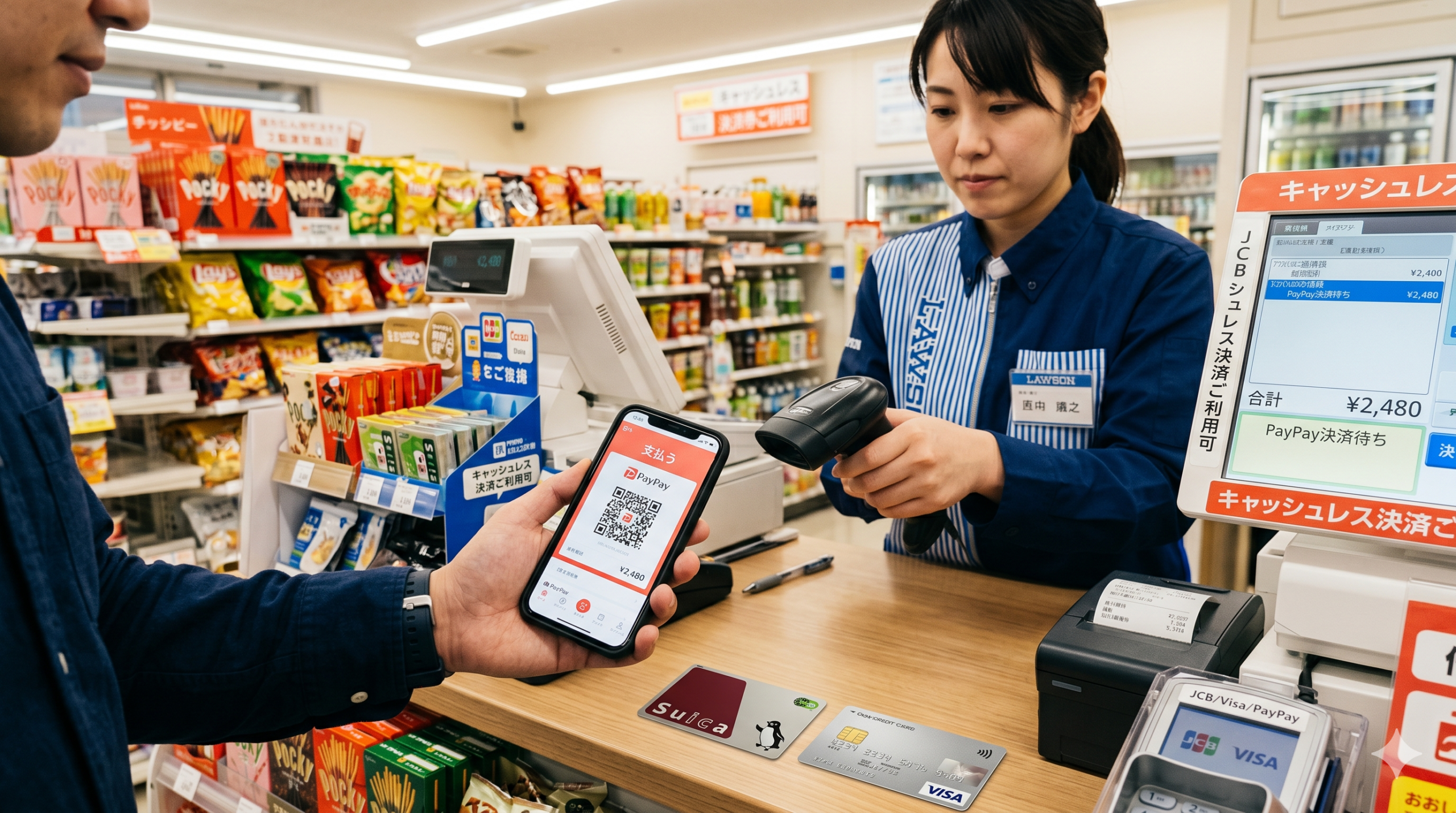
    PayPay has become Japan’s dominant digital payment platform, accepted at over 4 million locations nationwide โ€” from convenience stores and supermarkets to restaurants, taxis, and even some temples and shrines. If you’re visiting or living in Japan in 2026, knowing how to use PayPay can save you time, earn you cashback rewards, and help you navigate the country’s evolving cashless payment landscape.

    In this comprehensive guide, we’ll walk you through everything: setting up PayPay, adding money, paying at stores, and maximizing the cashback rewards that make PayPay so popular among Japanese consumers and savvy expats alike.

    ๐Ÿ’ณ Japan Payment Setup Quiz

    3 questions. Honest answers โ€” including โ€œyou don’t need to buy anything.โ€

    What is PayPay?

    PayPay is a QR code-based mobile payment app launched in 2018 by SoftBank and Yahoo Japan (now LY Corporation). It works similarly to Venmo or WeChat Pay โ€” you load money into the app and pay by scanning a QR code at participating merchants. As of 2026, PayPay has over 65 million registered users and is accepted at more than 4.1 million stores across Japan.

    PayPay is particularly popular because of its frequent cashback campaigns โ€” you can earn 0.5% to 5%+ back on purchases, and during special campaigns, cashback can reach up to 30%. These promotions make it significantly cheaper than paying with cash or credit cards at participating merchants.

    Can Tourists Use PayPay in Japan?

    Yes! As of 2024, PayPay allows registration with overseas phone numbers and international credit/debit cards. Tourists can register and use PayPay without a Japanese bank account, making it genuinely accessible for short-term visitors. However, some features (like sending money to friends) may require identity verification with a Japanese address.

    How to Set Up PayPay: Step-by-Step

    Step 1: Download the PayPay App

    PayPay is available on the App Store and Google Play. Search for “PayPay” or “ใƒšใ‚คใƒšใ‚ค” and download the official app. The app is available in Japanese and English (you can switch languages in settings).

    Tip: If you’re in Japan using a foreign iTunes/Google Play account, you may need to switch your App Store region to Japan to find the app easily.

    Step 2: Create Your Account

    Open the app and tap “New Registration” (ๆ–ฐ่ฆ็™ป้Œฒ). Enter your mobile phone number โ€” both Japanese and international numbers work. You’ll receive an SMS verification code. Enter the code to verify your number, then set a 4-digit passcode for the app.

    For tourists: You can use your home country phone number as long as it can receive international SMS.

    Step 3: Add Money to PayPay

    There are several ways to load money into your PayPay balance:

    Option A: Credit or Debit Card (Easiest for Tourists)

    Go to “Charge” โ†’ “Credit/Debit Card” and add your Visa, Mastercard, or JCB card. Note: Some foreign-issued cards may be declined. Visa and Mastercard from major banks generally work. American Express cards are not supported.

    Option B: Bank Transfer (For Residents)

    Link a Japanese bank account (Japan Post Bank, most major banks, and many online banks like Rakuten Bank or PayPay Bank) for free bank transfers. This is the most convenient method for residents.

    Option C: PayPay Card

    The PayPay Card (issued by PayPay Card Co.) is a Japanese credit card that integrates seamlessly with the app. If you’re a long-term resident, applying for the PayPay Card gives you higher cashback rates and auto-charge functionality.

    Option D: Convenience Store ATM (Easy Cash Top-Up)

    You can add cash to PayPay at 7-Eleven ATMs (Seven Bank) and other convenience store ATMs that support PayPay. This is perfect for tourists who prefer using cash as their source of funds.

    Step 4: Pay at Stores

    There are two payment methods in PayPay:

    Method 1: Show Your QR Code (ใŠๅฎขๆง˜ๆ็คบใ‚ณใƒผใƒ‰ๆฑบๆธˆ)

    Tap the main “Pay” button on the home screen. A QR code and barcode appear. The cashier scans your screen. Payment is complete in seconds. This is the most common method at convenience stores, supermarkets, and chain restaurants.

    Method 2: Scan the Store’s QR Code (ใ‚นใƒˆใ‚ขใ‚นใ‚ญใƒฃใƒณ)

    Some smaller shops display a static PayPay QR code at the register. Tap “Scan” in PayPay, point your camera at their QR code, enter the amount, and confirm payment. Popular at small restaurants, food stalls, and market vendors.

    Where Can You Use PayPay in Japan?

    Category Examples PayPay Accepted?
    Convenience Stores7-Eleven, Lawson, FamilyMart, MiniStopโœ… Yes (all)
    SupermarketsAEON, Ito-Yokado, Seiyu, Lifeโœ… Most locations
    RestaurantsMcDonald’s, Yoshinoya, Matsuya, most izakayasโœ… Widely accepted
    TaxisMost Tokyo taxis, Japan Taxi appโœ… Yes
    DrugstoresMatsumoto Kiyoshi, Tsuruha, Welciaโœ… Yes
    Electronics StoresYodobashi Camera, Bic Camera, Yamada Denkiโœ… Yes
    Online ShoppingYahoo! Shopping, PayPay Mall, PayPay Flea Marketโœ… Yes
    Public TransportMost trains & busesโŒ Use Suica instead
    Vending MachinesSome Dydo, Suntory machinesโš ๏ธ Selected machines only

    PayPay Cashback & Rewards: How to Earn More

    PayPay’s cashback system is one of its biggest draws. Here’s how rewards work:

    Standard cashback: 0.5% on all purchases paid with PayPay balance. Payments via linked credit card may earn different rates depending on the card.

    PayPay Step (ใƒšใ‚คใƒšใ‚คใ‚นใƒ†ใƒƒใƒ—): Use PayPay 30+ times or spend ยฅ30,000+ in a month to unlock 1.5% cashback (or 2% with a PayPay Card).

    Campaign bonuses: PayPay regularly runs regional campaigns where local shops offer 10-30% cashback. Check the PayPay app’s “Campaign” tab for current promotions in your area.

    PayPay Points: Earned points can be used like cash for future payments or converted to Yahoo! Points for shopping on Yahoo! Japan.

    PayPay for Tourists: Important Limitations

    Foreign credit card limitations: Some international cards don’t work for PayPay top-up. If your card is declined, try the convenience store ATM cash top-up method.

    Identity verification: Some PayPay features require eKYC (identity verification) with a Japanese residence card (ๅœจ็•™ใ‚ซใƒผใƒ‰). Tourists can use basic features without this.

    Balance limits: Without identity verification, your PayPay balance is capped at ยฅ100,000. For most tourists, this is more than sufficient.

    Merchant QR vs. app QR: Make sure you’re in the right mode. When paying at convenience stores, use the “Show QR Code” mode. When paying at small vendors with a printed QR, use “Scan” mode.

    PayPay vs. Other Payment Apps in Japan

    App Acceptance Tourist-Friendly Best For
    PayPay4.1M+ locationsโœ… HighEveryday shopping, cashback
    Suica (IC Card)Very wideโœ… Very HighTransport + convenience stores
    d-Barai2.9M+ locationsโš ๏ธ Mediumdocomo users
    au PAY2.6M+ locationsโš ๏ธ Mediumau mobile users
    LINE PayMerged with PayPayN/AMerged into PayPay in 2024

    Frequently Asked Questions

    Q: Can I use PayPay at train stations and on buses?
    A: No, PayPay is not accepted on JR trains or most city buses. Use a Suica or Pasmo IC card for public transport โ€” they’re also accepted at convenience stores and more.

    Q: Is PayPay available in English?
    A: The app has limited English support. Main payment functions are easy to use even in Japanese. Settings offer a language toggle for English.

    Q: What happens if I leave Japan with money in my PayPay balance?
    A: Your balance stays in your account indefinitely. You can use it on your next visit or for online purchases on Yahoo! Shopping from abroad.

    Q: Can I use PayPay with Apple Pay or Google Pay?
    A: PayPay is a separate app and doesn’t integrate directly with Apple Pay or Google Pay. It uses its own QR code system.

    Q: Are there transaction fees?
    A: No transaction fees for users. Merchants pay a fee, but it’s free to pay with PayPay as a consumer.

    Conclusion

    PayPay is genuinely useful for anyone spending time in Japan โ€” whether you’re a tourist for a week or an expat building a life here. Its massive acceptance network, regular cashback campaigns, and ease of use make it the smartest way to pay in Japan’s increasingly cashless society.

    Set it up before your trip, load it with your international card or cash at a convenience store ATM, and start earning cashback on everything from your morning convenience store coffee to your izakaya dinner. Welcome to cashless Japan!

    Related guides you might find helpful:
    How to Use Suica in Japan 2026 | Best SIM Cards for Japan 2026

    ๐Ÿ“ถ Need mobile data in Japan?

    Get an eSIM and stay connected the moment you land โ€” no SIM swapping, instant activation, covers Japan & 100+ countries.

    Get a Japan eSIM โ†’
    ๐Ÿ‡ฏ๐Ÿ‡ต

    Japan Expat Starter Kit 2026

    Banking ยท Health Insurance ยท Housing ยท Mobile Plans ยท Suica ยท Taxes ยท 50+ Japanese Phrases โ€” everything in one 60-page PDF guide.

    ๐Ÿ“ฅ Get the Complete Guide โ€” $9

    โœ… Instant download ยท 30-day money-back guarantee

  • Best Portable Fans for Japan Summer 2026: Handheld, Neck & Desk Fans Ranked

    Best Portable Fans for Japan Summer 2026: Handheld, Neck & Desk Fans Ranked

    Why You Need a Portable Fan in Japan

    Japanese summers are no joke. From late June through September, temperatures regularly climb above 35ยฐC (95ยฐF) with humidity levels that make it feel even hotter. If you’re living in or visiting Japan during summer, a portable fan isn’t a luxury โ€” it’s a survival tool.

    Japan has embraced portable cooling technology like nowhere else in the world. Walk down any street in Tokyo in July and you’ll see locals sporting sleek neck fans, handheld mini fans, and clip-on desk fans everywhere. These aren’t just trendy gadgets โ€” they genuinely make the heat manageable, especially on crowded trains, outdoor events, and during the daily commute.

    Whether you’re an expat living in Japan year-round or a tourist planning a summer trip, this guide covers the best portable fans you can buy in Japan in 2026, with honest reviews, specs, and where to find them.

    How to Choose the Best Portable Fan for Japan’s Summer

    1. Fan Type: Neck Fan vs. Handheld vs. Desk Fan

    Neck fans are hands-free and perfect for commuting or outdoor activities. Handheld fans are compact and powerful. Desk fans are best for home or office use. Think about your primary use case โ€” most people in Japan opt for neck fans for daily use and a handheld for travel.

    2. Battery Life

    Japan’s summer days are long and hot. Look for at least 8 hours of battery life on low settings. Top models like the Baseus Neck Fan F40 offer up to 20+ hours. USB-C charging is now the standard, making it easy to recharge on the go.

    3. Airflow (CFM) and Noise Level

    Japanese offices and trains can be quiet environments. Look for fans with a low-noise mode under 30dB. Bladeless neck fan designs tend to be quieter and safer, especially if you have long hair.

    4. Weight and Portability

    A neck fan you’ll actually wear needs to be light โ€” ideally under 150g. Anything heavier gets uncomfortable within an hour. Check the weight specs carefully before buying.

    5. Price and Availability in Japan

    Quality portable fans in Japan range from ยฅ3,000 to ยฅ15,000. Chinese brands like Baseus and JISULIFE offer excellent value, while Japanese brands like Panasonic and Iris Ohyama are trusted for reliability. All options below are available on Amazon Japan.

    Top 5 Best Portable Fans in Japan 2026

    1. Baseus Neck Fan F40 โ€” Best Overall

    The Baseus F40 is the runaway bestseller for portable fans in Japan in 2026. Its bladeless design is safe, whisper-quiet (as low as 25dB), and delivers surprisingly powerful airflow thanks to dual turbine motors. The ergonomic arc shape sits comfortably around your neck, and the silicone padding prevents irritation even during long wear.

    Battery life is exceptional โ€” up to 20 hours on low speed and 8 hours on high, thanks to the 4000mAh built-in battery. USB-C charging means you can top it up during your lunch break. It’s available in black, white, and gray, and is one of the most popular neck fan choices across Amazon Japan and Japanese electronics stores like Yodobashi and Bic Camera.

    For expats spending long hours commuting on the Yamanote Line or attending outdoor summer festivals (matsuri), the Baseus F40 is the go-to choice. It folds flat for easy storage in a bag when not in use.

    Battery4000mAh, up to 20 hours
    Noise25โ€“45dB (3 speed settings)
    Weight148g
    ChargingUSB-C
    Price~ยฅ4,500
    โœ… Pros
    • Bladeless design โ€” safe & quiet
    • Exceptional 20-hour battery life
    • Lightweight at 148g
    • USB-C fast charging
    • Folds flat for storage
    • Strong brand support in Japan
    โŒ Cons
    • Limited airflow direction adjustment
    • Not waterproof
    • Counterfeits exist โ€” buy from official sellers

    2. Iris Ohyama HDX-CY3 โ€” Best Japanese Brand Neck Fan

    If you prefer a trusted Japanese brand, Iris Ohyama’s HDX-CY3 is the top pick. Iris Ohyama is a household name in Japan known for reliable, practical home appliances at reasonable prices. The HDX-CY3 features a 360ยฐ airflow design that cools both the neck and face simultaneously, with 3 fan speeds and a battery life of up to 14 hours.

    What sets this apart is the Japanese quality control โ€” it’s quieter and more consistent than many cheaper Chinese alternatives. It’s also widely available across Japan at electronics stores and major supermarkets. For expats who want something they can easily replace or buy locally in Japan, Iris Ohyama is the safest bet.

    The HDX-CY3 weighs just 135g, making it one of the lightest neck fans available. Its simple white design fits in anywhere โ€” from the office to the konbini (convenience store) run.

    Battery3000mAh, up to 14 hours
    Noise28โ€“42dB
    Weight135g
    ChargingUSB-C
    Price~ยฅ5,800
    โœ… Pros
    • Trusted Japanese brand
    • 360ยฐ airflow (face + neck)
    • Lightest option at 135g
    • Available at Japanese stores
    • Quiet operation
    • Good after-sales support in Japan
    โŒ Cons
    • Shorter battery life than Baseus
    • Higher price per performance
    • Limited international availability

    3. VANKYO Breeze 500 โ€” Best Handheld Fan for Travel

    Not everyone wants to wear a fan around their neck. The VANKYO Breeze 500 is the best compact handheld fan for Japan travelers in 2026. It fits in a pocket or small bag, charges via USB-C, and delivers strong airflow for its size. With 3 fan speeds, it can run for up to 12 hours on the lowest setting.

    The Breeze 500 is particularly popular with tourists visiting Japan during summer for its portability. It also doubles as a power bank โ€” though we’d recommend keeping it for cooling rather than draining the battery charging your phone. The compact design means it easily fits in a fanny pack or backpack outer pocket.

    For those exploring Japan’s summer festivals, hiking Mt. Fuji, or queuing outside a popular ramen shop, having the VANKYO Breeze 500 in hand is a small comfort that makes a big difference.

    Battery5200mAh, up to 12 hours
    Noise30โ€“50dB
    Weight165g
    ChargingUSB-C
    Price~ยฅ3,800
    โœ… Pros
    • Ultra-portable handheld design
    • Large 5200mAh battery
    • Functions as power bank
    • Strong airflow for size
    • Affordable price point
    • Widely available on Amazon Japan
    โŒ Cons
    • Not hands-free like neck fans
    • Louder than bladeless designs
    • Gets warm during extended use

    4. Panasonic F-CPB01 โ€” Best Premium Japanese Fan

    For those who want the absolute best in portable fan technology from Japan’s most trusted electronics brand, the Panasonic F-CPB01 stands alone. Panasonic has engineered this personal fan with Nanoe X technology โ€” the same air purification found in their premium home appliances โ€” which not only cools you down but also moisturizes the air around your face.

    The F-CPB01 has a unique wearable design that sits around your shoulders rather than your neck, providing broader air coverage. It’s significantly more expensive than the competition, but for those who suffer in Japan’s humid heat and want both cooling and skin-care benefits, it’s worth every yen. This is particularly popular among Japanese office workers and people with sensitive skin.

    Available at major Japanese electronics retailers, this is the fan that Japanese tech enthusiasts save up for. If you’re an expat planning to stay in Japan long-term, the investment pays off across multiple summer seasons.

    Battery2500mAh, up to 8 hours
    Noise22โ€“38dB
    Weight200g
    ChargingUSB-C
    Price~ยฅ14,000
    โœ… Pros
    • Premium Panasonic quality
    • Nanoe X air purification technology
    • Quietest fan on this list (22dB)
    • Shoulder-wear design for maximum coverage
    • Built to last multiple seasons
    • Available at Japanese retailers
    โŒ Cons
    • Premium price (~ยฅ14,000)
    • Heavier at 200g
    • Shorter battery life than competitors
    • Bulkier design

    5. JISULIFE FA13 โ€” Best Budget Fan for Expats

    If you’re just arriving in Japan and need a solid portable fan without breaking the bank, the JISULIFE FA13 is your answer. At around ยฅ2,500โ€“ยฅ3,000, it’s one of the most affordable neck fans that actually works well. It features a 360ยฐ bladeless design, 3 speed settings, and up to 15 hours on low speed โ€” impressive for the price point.

    JISULIFE has built a strong reputation for value-for-money portable fans, and the FA13 is their bestseller in Japan. It’s available on Amazon Japan with Prime delivery and is frequently recommended on expat forums and Japan travel communities. The build quality isn’t on par with Panasonic or Iris Ohyama, but for one or two summer seasons, it does the job extremely well.

    Perfect for tourists visiting Japan for the first time who want to stay cool without spending too much, or for newcomer expats who want to test the neck fan lifestyle before committing to a premium model.

    Battery4000mAh, up to 15 hours
    Noise28โ€“46dB
    Weight155g
    ChargingUSB-C
    Price~ยฅ2,800
    โœ… Pros
    • Excellent price-to-performance ratio
    • Long 15-hour battery life
    • Bladeless safe design
    • USB-C charging
    • Amazon Japan Prime eligible
    • Perfect for first-time buyers
    โŒ Cons
    • Lower build quality than Japanese brands
    • Less consistent airflow
    • Shorter lifespan (1โ€“2 seasons)

    Comparison Table: Best Portable Fans in Japan 2026

    FanTypeBatteryWeightNoisePriceBest For
    Baseus F40Neck20h148g25dB~ยฅ4,500Best Overall
    Iris Ohyama HDX-CY3Neck14h135g28dB~ยฅ5,800Japanese Brand
    VANKYO Breeze 500Handheld12h165g30dB~ยฅ3,800Travel
    Panasonic F-CPB01Shoulder8h200g22dB~ยฅ14,000Premium
    JISULIFE FA13Neck15h155g28dB~ยฅ2,800Budget

    Where to Buy Portable Fans in Japan

    You can find portable fans at most major electronics retailers in Japan: Yodobashi Camera, Bic Camera, Yamada Denki, and Kojima all carry a wide selection. For the best prices and widest selection, Amazon Japan (Amazon.co.jp) is typically the easiest option, especially for expats who want Prime delivery.

    Convenience stores like 7-Eleven, FamilyMart, and Lawson also sell small portable fans during summer, though the selection is limited and quality varies. For premium models like Panasonic, dedicated electronics stores are recommended.

    Final Verdict: Best Portable Fan in Japan for 2026

    For most people living in or visiting Japan, the Baseus Neck Fan F40 is the best portable fan in 2026. It strikes the ideal balance of battery life, airflow, noise level, and price. If you prefer a Japanese brand, the Iris Ohyama HDX-CY3 is the top domestic choice. Budget-conscious travelers and newcomer expats will find the JISULIFE FA13 delivers excellent value at under ยฅ3,000.

    Japan’s summer heat is intense, but with the right portable fan, it becomes much more manageable. Order before June โ€” by July, the best models sell out fast!

    ๐Ÿ‡ฏ๐Ÿ‡ต Looking for Japanese Gadget Reviews?

    Check ใ‚ฌใ‚ธใ‚งใƒŠใƒ“ โ€” Japan’s #1 Japanese-language gadget comparison site

    175+ in-depth reviews of Japanese electronics, home appliances & smart devices. Amazon Japan links included.

    Visit ใ‚ฌใ‚ธใ‚งใƒŠใƒ“ (Japanese) โ†’

๐Ÿ“–

0 guides available
NEWThe Japan Expat Starter Kit 2026 โ€” banking, visas, 100 phrases & more in one PDF$19 $9.90 code JLL30Get it โ†’×