Category: Tech & Gadgets

Gadget reviews, tech guides, and product comparisons for Japan

  • Best Tech Gifts from Japan 2026: 10 Unique Gadgets That Don’t Exist Anywhere Else in the World

    Best Tech Gifts from Japan 2026: 10 Unique Gadgets That Don’t Exist Anywhere Else in the World

    Mother’s Day in Japan falls on the second Sunday of May β€” in 2026, that’s May 10th. If you’re an expat living in Japan or someone who loves Japanese tech, you already know that Japan produces some of the world’s most impressive beauty and wellness gadgets. This year, skip the flowers and go for something she’ll use every single day.

    We’ve curated 5 top-rated Japanese beauty and wellness gadgets that make exceptional Mother’s Day gifts β€” whether your mom lives in Japan, you want to ship something internationally, or you’re simply looking for quality tech gifts that stand out.

    How to Choose the Perfect Tech Gift for Mom

    Match the gift to her lifestyle

    The best gift is one that fits seamlessly into her daily routine. Is she obsessed with skincare? A facial steamer or beauty device will be used every night. Does she suffer from neck and shoulder tension? A medical-grade massager will become her best friend. Think about what she actually needs rather than what looks impressive in a box.

    Daily-use items create lasting memories

    Unlike perfume or chocolates, a quality gadget reminds her of you every single morning or evening. Every time she uses it, she thinks of you. That’s the magic of a tech gift done right.

    Japanese brands carry a prestige factor

    Panasonic, Omron, Doctor Air β€” these Japanese brands are known globally for precision engineering and reliability. Giving a Japanese-made wellness product carries unique prestige, especially for those who appreciate quality craftsmanship.

    Consider budget and daily-use value

    Under Β₯15,000 (~$100): practical wellness devices like neck massagers. Β₯15,000–Β₯40,000: premium beauty devices like RF facial tools or facial steamers. Β₯40,000+: luxury items like Dyson’s hair dryers that deliver a truly wow moment.

    Best Mother’s Day Tech Gifts from Japan 2026 β€” Top 5 Picks

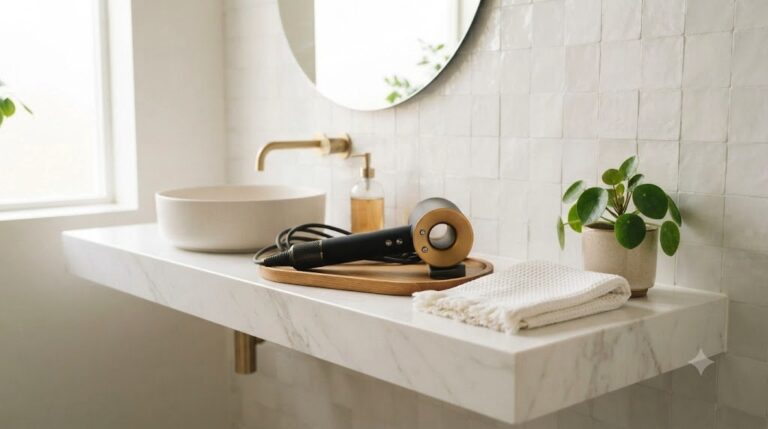
    #1 Dyson Supersonic r Hair Dryer β€” The Ultimate Luxury Hair Care Gift

    The Dyson Supersonic r is a revolutionary upgrade β€” 30% smaller, 20% lighter, with the motor repositioned into the handle for perfect balance. Every morning, she’ll feel the difference of a premium hair dryer that dries faster while causing less heat damage.

    Dyson’s intelligent heat control technology measures air temperature 40 times per second to prevent extreme heat damage, keeping hair shiny and healthy. The magnetic attachments snap on and off instantly, making it incredibly easy to style. With multiple heat and speed settings, it works beautifully on all hair types.

    This is the gift for moms who spend time on their hair every day and deserve the best. It comes beautifully packaged with a 2-year international warranty β€” perfect for gifting to family overseas too.

    BrandDyson
    Weight~345g (20% lighter)
    Size30% more compact
    Warranty2-year international
    PriceΒ₯50,000–60,000 (~$340–$410)

    Why She’ll Love It

    • 30% smaller and 20% lighter β€” no more arm fatigue
    • Intelligent heat control protects hair from damage
    • Magnetic attachments make styling effortless
    • Beautifully packaged β€” looks like a luxury gift
    • 2-year international warranty for peace of mind

    Things to Consider

    • Premium price β€” best for special occasions
    • Multiple attachments may take time to master

    What People Are Saying

    “I bought this for my mom and she cried when she opened it β€” in a good way! She says her hair has never looked better.” “Best gift I’ve ever given. She uses it every single morning.”

    β˜…β˜…β˜…β˜…β˜… (5.0 / 5.0)

    Perfect For

    • Moms who style their hair every morning
    • Anyone wanting to give a truly impressive luxury gift
    • Budget: Β₯50,000+ / ~$340+ USD

    #2 Panasonic Nanoe Facial Steamer EH-SA67 β€” Nightly Spa Experience at Home

    The Panasonic Nanoe EH-SA67 uses nano-sized steam particles to penetrate deep into the skin’s surface layer delivering intensive hydration. Three care modes β€” steam, ion, and heated mist β€” let her customize each session. The dual-use design also cares for hair ends, making it a complete beauty tool.

    The “sleep while steaming” feature is genuinely life-changing. She can lean back, close her eyes, and let the device do all the work β€” waking up with more hydrated, glowing skin. Built-in aroma holder adds her favorite essential oils for a truly spa-like experience.

    This is the kind of self-care gift that says “I want you to take time for yourself.” Perfect for moms who skip their own skincare while taking care of everyone else.

    BrandPanasonic
    Steam Output~10mL/min
    Care Modes3 (Steam, Ion, Heated Mist)
    Tank Capacity150mL
    PriceΒ₯35,000–42,000 (~$240–$290)

    Why She’ll Love It

    • Nano-steam hydration reaches deep into skin
    • “Sleep while steaming” mode for effortless relaxation
    • Aroma holder included β€” sensory skincare experience
    • Panasonic’s trusted Japanese engineering quality
    • Enhances absorption of serums applied after steaming

    Things to Consider

    • Requires water refills and regular filter maintenance
    • Corded β€” needs to be near an outlet

    What People Are Saying

    “My mom received this and messages me every week saying her skin has transformed. Worth every yen.” “She uses it every night before bed β€” says it’s better than any facial she’s ever had.”

    β˜…β˜…β˜…β˜…Β½ (4.5 / 5.0)

    Perfect For

    • Moms who care deeply about skincare and anti-aging
    • Moms who love spa experiences but can’t visit regularly
    • Budget: Β₯35,000–42,000 / ~$240–$290 USD

    #3 ANLAN RF Multi-Function Beauty Device PRO β€” 9 Salon Treatments in One

    The ANLAN RF Beauty Device PRO packs nine professional-grade beauty functions into one device: RF, EMS, LED light therapy, hot therapy, cold therapy, and more. Winner of BEST BEAUTY AWARD 2023 and ranked #1 in RF beauty devices by Japan’s Bijin Hyakka magazine. The 18K gold-plated head looks and feels premium β€” it gifts beautifully.

    The 2MHz radiofrequency technology promotes collagen production and improves skin firmness. EMS sends gentle microcurrents to tone facial muscles, while LED therapy targets different skin concerns. All this for around $120–$150 USD β€” a fraction of what you’d pay at a salon.

    BrandANLAN
    Functions9 (RF, EMS, LED, Hot, Cold + more)
    RF Frequency2MHz
    AwardsBEST BEAUTY AWARD 2023
    PriceΒ₯18,000–22,000 (~$120–$150)

    Why She’ll Love It

    • 9 salon-level treatments in one compact device
    • Award-winning performance by Japanese beauty media
    • USB rechargeable β€” cordless during use
    • 18K gold-plated head looks and feels luxurious
    • Accessible price for genuine RF technology

    Things to Consider

    • Multiple functions require a short learning curve
    • Conductive gel sold separately (needed for RF use)

    What People Are Saying

    “After 3 weeks of use, she messaged me saying her skin looks visibly firmer. Best gift I’ve chosen.” “The gold design looks so elegant β€” she thought it was much more expensive.”

    β˜…β˜…β˜…β˜… (4.3 / 5.0)

    Perfect For

    • Moms interested in K-beauty and J-beauty tech trends
    • Anyone wanting salon-quality results on a mid-range budget
    • Budget: Β₯18,000–22,000 / ~$120–$150 USD

    #4 Omron Neck Massager HM-150 β€” Medically Certified Relief for Tired Moms

    The Omron HM-150 is a certified medical device that has passed Japan’s rigorous medical device regulatory standards β€” its effectiveness and safety have been officially verified. If your mom suffers from chronic neck and shoulder tension (and most moms do), this delivers genuine, daily relief. She simply wraps it around her neck, selects her intensity, and relaxes.

    Omron is one of Japan’s most trusted healthcare brands with over 80 years of medical expertise. When you give an Omron product, you’re giving a piece of Japan’s healthcare reputation.

    BrandOmron Healthcare
    TechnologyLow-frequency therapy + heat
    CertificationJapanese Medical Device Certified
    Weight~250g
    PriceΒ₯8,000–15,000 (~$55–$100)

    Why She’ll Love It

    • Japanese medical device certification β€” officially verified safety
    • Low-frequency + heat combination addresses tension at its source
    • Simple one-button operation β€” perfect for all ages
    • Omron’s 80+ year healthcare legacy
    • Affordable for a medically-certified device

    Things to Consider

    • Neck-specific only β€” not for back or legs
    • Limited intensity range for those wanting very strong massage

    What People Are Saying

    “My mom uses this every evening after work. She says it’s changed her life β€” no more headaches from neck tension.” “The medical certification convinced my skeptical mom to actually use it.”

    β˜…β˜…β˜…β˜… (4.4 / 5.0)

    Perfect For

    • Moms with chronic neck and shoulder tension
    • Parents who need simple, intuitive technology
    • Budget: Β₯8,000–15,000 / ~$55–$100 USD

    #5 Doctor Air Exagun Pocket β€” Japan’s Favorite Compact Massage Gun

    Doctor Air is Japan’s leading massage device brand, and the Exagun Pocket is their bestselling compact model. At just ~210g, it fits in the palm of your hand yet delivers powerful percussive therapy to any muscle group. USB-C rechargeable, multiple intensity levels, and works everywhere from morning yoga to evening unwinding.

    As Japan’s massage gun market leader, Doctor Air products are sold in every major electronics store β€” Bic Camera, Yodobashi, Amazon Japan. The brand’s reputation makes this a gift she’ll use confidently for years.

    BrandDoctor Air
    Weight~210g
    ChargingUSB-C rechargeable
    Battery~2 hours continuous
    PriceΒ₯12,000–18,000 (~$80–$120)

    Why She’ll Love It

    • Ultra-compact at ~210g β€” truly portable for daily use
    • Full-body versatility β€” one device for every muscle group
    • USB-C charging β€” no special cables needed
    • Japan’s #1 massage device brand
    • Multiple intensity levels for gentle to deep tissue relief

    Things to Consider

    • Less power than full-size massage guns
    • Hard-to-reach areas may require assistance

    What People Are Saying

    “My mom walks every morning and her calves were always sore. This changed everything.” “So much lighter than the massage gun at her gym, but she says it works just as well.”

    β˜…β˜…β˜…β˜… (4.3 / 5.0)

    Perfect For

    • Active moms who walk, exercise, or stay on their feet all day
    • Anyone wanting a portable, practical tech gift from Japan
    • Budget: Β₯12,000–18,000 / ~$80–$120 USD

    Quick Comparison

    ProductPrice (JPY)Price (USD)Best For
    Dyson Supersonic rΒ₯50,000–60,000~$340–410Luxury hair care
    Panasonic Nanoe EH-SA67Β₯35,000–42,000~$240–290Daily skincare
    ANLAN RF Beauty DeviceΒ₯18,000–22,000~$120–150J-beauty fans
    Omron HM-150Β₯8,000–15,000~$55–100Neck tension
    Doctor Air Exagun PocketΒ₯12,000–18,000~$80–120Active moms

    Final Thoughts

    Mother’s Day is May 10th, 2026 β€” order early to ensure delivery. The best gift is one that becomes part of her daily routine and reminds her she’s loved every time she uses it. Japan’s beauty and wellness technology is among the finest in the world, and any of these five picks will deliver exactly that kind of lasting joy.

  • Best Smart Glasses in Japan 2026: XREAL vs Ray-Ban Meta β€” Clear Winner by Use Case [Aug Update]

    Best Smart Glasses in Japan 2026: XREAL vs Ray-Ban Meta β€” Clear Winner by Use Case [Aug Update]

    ⏱ Quick answer

    In 2026 there are really two smart-glasses champions in Japan: the XREAL Air 2 Pro if you want a giant virtual screen for movies, games and work, and the Ray-Ban Meta if you want a hands-free camera with AI. They do completely different jobs β€” use the comparison below to pick your side.

    The Future Is Already Here β€” You Just Need the Right Glasses

    Imagine walking down a street in Tokyo, the neon lights reflecting off your lenses, while AI whispers translations in real time, overlays navigation arrows, and records everything in stunning clarity β€” all without pulling out your phone. That’s not science fiction anymore. Smart glasses in 2026 have arrived, and they’re more powerful, more stylish, and more affordable than ever before.

    Whether you’re an expat navigating life in Japan, a traveler exploring new cities, or a tech enthusiast who wants to live at the cutting edge, smart glasses are the gadget you didn’t know you needed β€” until now.

    In this guide, we’ve tested and ranked the 5 best smart glasses of 2026, covering everything from AR overlays and AI assistants to battery life, comfort, and real-world usability in Japan.

    How to Choose Smart Glasses in 2026: 5 Key Factors

    1. Display Type: AR Overlay vs. Camera-Only

    Smart glasses fall into two main categories. AR (Augmented Reality) glasses like XREAL Air 2 Pro project digital content directly onto your lenses β€” think navigation arrows, subtitles, and notifications floating in your field of view. Camera-only smart glasses like Ray-Ban Meta focus on capturing the world around you and delivering audio, without any visual overlay. If you want the full futuristic experience, go AR. If you want something subtle for everyday use, camera-style is the way to go.

    2. Battery Life & Real-World Usage

    Battery life is the Achilles’ heel of smart glasses. Most AR glasses last 2–4 hours of active use, which sounds short β€” but in practice, you’re not staring at overlays constantly. Camera-style glasses like Ray-Ban Meta can last up to 6 hours with mixed use. Always check if the glasses include a charging case for on-the-go top-ups.

    3. Comfort & Weight

    You’re wearing these on your face all day. Weight matters enormously. The best smart glasses in 2026 come in under 75g, making them comparable to premium sunglasses. Look for adjustable nose pads and temple arms β€” especially important if you’re wearing prescription lenses underneath.

    4. AI & Software Ecosystem

    The hardware is only half the story. The best smart glasses are powered by sophisticated AI. Look for real-time translation support (crucial for expats in Japan), voice command reliability, companion app quality, and how frequently the software receives updates. A great pair of glasses with a dead app ecosystem is just expensive eyewear.

    5. Connectivity & Japan Compatibility

    If you’re using smart glasses in Japan, check for Bluetooth 5.0+, Wi-Fi 6 support, and compatibility with Japanese carrier networks. Some models have limited app availability in Japan β€” always check before buying. Models sold on Amazon Japan typically ship with Japanese user guides and support.

    Best Smart Glasses 2026: Our Top 5 Picks

    1. XREAL Air 2 Pro β€” Best Overall AR Glasses

    The XREAL Air 2 Pro is the gold standard for AR smart glasses in 2026. With electrochromic lenses that shift from clear to tinted at the touch of a button, a 330-inch virtual display experience, and compatibility with virtually every major device via USB-C, these are the glasses for power users who want the full AR experience without the bulk of a headset.

    What sets the Air 2 Pro apart is XREAL’s proprietary Nebula spatial computing platform, which allows you to pin windows in 3D space around you β€” imagine working with multiple virtual monitors floating in mid-air while commuting on the Tokyo subway. The 2026 update also brings improved edge-to-edge clarity and reduced motion blur, addressing the main criticism of the original Air 2.

    In Japan specifically, XREAL has an official presence with local customer support, and the glasses are available directly from Amazon Japan and major electronics retailers. The USB-C connection means they work natively with Japanese phones and laptops without any adapter fuss.

    DisplayMicro-OLED, 1080p per eye, 120Hz
    Field of View52Β°
    Weight72g
    ConnectionUSB-C (DP Alt Mode)
    LensesElectrochromic (0–40% tint)
    Price~$699 / Β₯89,800

    βœ… Pros

    • Best-in-class AR display clarity with 1080p OLED per eye
    • Electrochromic lenses work indoors and outdoors
    • Massive 330″ virtual screen experience for movies and work
    • USB-C universal compatibility β€” works with phones, laptops, gaming handhelds
    • Official Japan support and warranty
    • Nebula platform enables true spatial computing

    ❌ Cons

    • Needs to be connected to a phone or laptop β€” no standalone mode
    • Premium price tag (~$699)
    • 2–3 hours of active AR use before needing a charge
    • Bulkier than lifestyle-oriented smart glasses

    ⭐ User Reviews

    “Using XREAL Air 2 Pro with my MacBook on the shinkansen is a game changer. It’s like having a cinema screen that only I can see.” β€” Verified Amazon review

    Rating: β˜…β˜…β˜…β˜…β˜… 4.7/5

    πŸ‘ XREAL Air 2 Pro is Best For:

    • Remote workers and digital nomads who want a portable dual-monitor setup
    • Movie and gaming enthusiasts who want an immersive private screen
    • Tech professionals in Japan who need productivity on the go
    • Anyone ready to step into the spatial computing era

    2. Ray-Ban Meta Smart Glasses β€” Best for Everyday Style

    If XREAL is the Ferrari of smart glasses, Ray-Ban Meta is the Tesla β€” beautifully designed, incredibly practical, and capable of turning heads for all the right reasons. The 2026 iteration brings a 12MP ultra-wide camera, open-ear speakers, and the most advanced AI assistant ever built into a pair of glasses.

    The killer feature in 2026? Live AI translation via Meta AI. Point the camera at a Japanese menu, sign, or document, and Meta AI describes, translates, and contextualizes what it sees β€” all delivered through the open-ear speakers. For expats and tourists in Japan, this is genuinely life-changing technology in a package that looks exactly like classic Wayfarers.

    Because Ray-Ban Meta looks like regular sunglasses, you can wear them anywhere without drawing stares. In Japan, where social norms around technology in public are conservative, blending in matters.

    Camera12MP ultra-wide, 4K video
    AudioOpen-ear speakers + 5-mic array
    AIMeta AI (multimodal vision + voice)
    BatteryUp to 6 hours (case adds 24 more)
    Weight49g
    Price~$329 / Β₯42,800

    βœ… Pros

    • Looks exactly like premium Ray-Ban sunglasses β€” zero social awkwardness
    • Meta AI provides real-time visual understanding and translation
    • Best battery life in the category (6 hours + charging case)
    • Excellent open-ear audio for music, calls, and navigation
    • Lightest option at just 49g
    • Multiple frame and lens styles available

    ❌ Cons

    • No visual AR display β€” all AI interaction is voice-based
    • Meta AI requires an internet connection for advanced features
    • Privacy concerns from passers-by due to built-in camera

    ⭐ User Reviews

    “I wore these for a week in Tokyo and nobody knew they were smart glasses. The AI translation of menus is absolutely incredible.” β€” Verified Amazon review

    Rating: β˜…β˜…β˜…β˜…β˜… 4.6/5

    πŸ‘ Ray-Ban Meta is Best For:

    • Tourists and expats who need real-time Japanese translation
    • Anyone who wants smart glasses that look completely normal
    • Music lovers who want premium open-ear audio all day
    • Social media creators who want hands-free first-person video

    3. TCL RayNeo X2 β€” Best AR Glasses for Navigation

    TCL’s RayNeo X2 is built for real-world navigation and information overlay. The full-color binocular AR display provides turn-by-turn navigation, incoming notifications, and real-time information β€” all in your peripheral vision, without blocking your main line of sight. Compatible with Google Maps and multiple Japanese navigation apps, it overlays route arrows directly in your vision β€” no need to look down at your phone while rushing through Shinjuku Station.

    DisplayFull-color binocular AR, Micro-LED
    ProcessorSnapdragon AR1 Gen1
    Camera16MP main camera
    ConnectivityWi-Fi 6, Bluetooth 5.2
    Weight83g
    Price~$599 / Β₯77,000

    βœ… Pros

    • Binocular AR display provides the most natural viewing experience
    • Snapdragon AR1 enables standalone operation without a phone
    • Navigation overlay is the best in class for urban exploration
    • Prescription lens adapter included
    • Excellent real-time translation via built-in camera

    ❌ Cons

    • Heavier than lifestyle options at 83g
    • App ecosystem smaller than XREAL
    • Design is more utilitarian than fashionable

    ⭐ User Reviews

    “Walking through Tokyo with navigation arrows in my actual vision is something I can’t unlearn now. It’s addictive.” β€” Verified Amazon review

    Rating: β˜…β˜…β˜…β˜…β˜† 4.3/5

    πŸ‘ TCL RayNeo X2 is Best For:

    • City explorers and travelers who want hands-free navigation
    • Prescription glasses wearers who’ve been left out of the smart glasses market
    • Users who want standalone AR without relying on a phone

    4. Rokid Max 2 β€” Best Smart Glasses for Entertainment

    For long-haul flights and shinkansen rides, the Rokid Max 2 delivers a stunning 215-inch equivalent display at 12 meters β€” your own private IMAX theater. With 1080p OLED micro-displays, 50Β° field of view, and 120Hz refresh rate, it’s the ultimate entertainment companion. The Rokid Station 2 (sold separately) adds Android support, Netflix, and major streaming apps for a fully standalone experience.

    DisplayOLED Micro-display, 1080p per eye
    Virtual Screen215″ at 12m
    Field of View50Β°
    Refresh Rate120Hz
    Weight75g
    Price~$449 / Β₯58,000

    βœ… Pros

    • 215-inch virtual cinema display β€” most immersive in class
    • 120Hz makes motion incredibly smooth
    • Works with Rokid Station 2 as a full standalone Android device
    • USB-C compatible with phones and gaming handhelds (Steam Deck, ROG Ally)

    ❌ Cons

    • Best experience requires the Rokid Station 2 accessory (~$149 extra)
    • Primarily an entertainment device, not a productivity AR platform

    ⭐ User Reviews

    “I watched an entire movie on the shinkansen from Tokyo to Osaka with these. Fellow passengers had no idea I was watching anything.” β€” Verified Amazon review

    Rating: β˜…β˜…β˜…β˜…β˜† 4.4/5

    πŸ‘ Rokid Max 2 is Best For:

    • Frequent travelers on shinkansen and long-haul flights
    • Gaming enthusiasts who want a giant screen for handheld consoles
    • Movie buffs who want a private cinema experience anywhere

    5. Even Realities G1 β€” Best Budget Smart Glasses

    Not everyone needs a $700 AR powerhouse. The Even Realities G1 proves that smart glasses can be both genuinely useful and genuinely affordable. At just 38g and priced under $300, the G1 features a subtle green monochrome micro-LED display in the corner of the right lens β€” showing time, notifications, navigation cues, and teleprompter text without the visual weight of a full AR overlay. Stylish enough for Shibuya, practical enough for a Marunouchi boardroom.

    DisplayMicro-LED, green monochrome (right eye)
    FeaturesTime, notifications, navigation, teleprompter
    BatteryUp to 8 hours
    Weight38g
    AppiOS & Android companion app
    Price~$269 / Β₯35,000

    βœ… Pros

    • Most affordable genuinely useful smart glasses of 2026
    • Lightest option at just 38g β€” forget you’re wearing them
    • Best battery life at up to 8 hours
    • Teleprompter feature is unique and incredibly useful for presentations
    • Zero social friction anywhere in Japan

    ❌ Cons

    • Monochrome display only β€” no full-color AR
    • Single eye display (right eye only)
    • Limited to notifications and basic info

    ⭐ User Reviews

    “The teleprompter feature alone is worth the price. I used it for a presentation to 200 people and nobody knew.” β€” Verified Amazon review

    Rating: β˜…β˜…β˜…β˜…β˜† 4.3/5

    πŸ‘ Even Realities G1 is Best For:

    • First-time smart glasses buyers who want to test the waters
    • Public speakers and presenters who need a discreet teleprompter
    • Anyone who wants smart glasses that fit a normal lifestyle budget

    Smart Glasses 2026: Side-by-Side Comparison

    ModelDisplayBatteryWeightBest ForPrice
    XREAL Air 2 Pro1080p AR (binocular)2-3 hrs72gWork & Productivity~$699
    Ray-Ban MetaCamera + AI (no overlay)6 hrs49gStyle & AI Assistant~$329
    TCL RayNeo X2Full-color AR (binocular)3-4 hrs83gNavigation~$599
    Rokid Max 21080p OLED (binocular)2-3 hrs75gEntertainment~$449
    Even Realities G1Mono-LED (single eye)8 hrs38gEveryday Minimalism~$269

    Final Verdict: Which Smart Glasses Should You Buy?

    Smart glasses in 2026 are no longer a niche tech curiosity β€” they’re a genuine lifestyle upgrade. For the ultimate AR productivity experience, the XREAL Air 2 Pro is unmatched. For everyday life in Japan β€” translation, navigation, and social-friendly design β€” the Ray-Ban Meta is the crowd-pleaser. On a budget? The Even Realities G1 is the honest, practical choice that will convert you into a believer.

    One thing is certain: the future is wearable, and Japan is the perfect place to live it.

    Related Articles You Might Like

    πŸ‡―πŸ‡΅ Looking for Japanese Gadget Reviews?

    Check γ‚¬γ‚Έγ‚§γƒŠγƒ“ β€” Japan’s #1 Japanese-language gadget comparison site

    175+ in-depth reviews of Japanese electronics, home appliances & smart devices. Amazon Japan links included.

    Visit γ‚¬γ‚Έγ‚§γƒŠγƒ“ (Japanese) β†’
  • 5 Gadgets You Can ONLY Buy in Japan 2026 (These Actually Exist) [Aug Update]

    5 Gadgets You Can ONLY Buy in Japan 2026 (These Actually Exist) [Aug Update]

    ⏱ Quick Answer

    In a hurry? The must-grab is the AI translator earbuds β€” the one gadget visitors regret not buying in Japan. All five picks below ship via Amazon Japan or Buyee if you’re already home.

    πŸ‡―πŸ‡΅ Japan’s Hidden Gem Gadgets

    Japan is famous for world-class tech β€” but some of the coolest gadgets never make it outside Japan. From AI-powered earbuds to pocket WiFi routers and silent massage guns, here are 5 must-have items that expats and Japan-lovers absolutely need to know about.

    🎬 Watch the Video: 5 Gadgets You Can ONLY Buy in Japan

    Before diving in β€” check out this short video showcasing all 5 gadgets in action. Perfect if you’re short on time!

    β–² Subscribe to Lab miyabi for more Japan tech tips!

    1. πŸ”« Doctor Air Exagun Pocket

    πŸ‡―πŸ‡΅ JAPAN EXCLUSIVE

    Doctor Air Exagun Pocket

    One of Japan’s best-kept wellness secrets β€” the Doctor Air Exagun Pocket is a palm-sized percussion massage gun that delivers powerful vibration therapy at a fraction of the noise of Western alternatives. Japanese office workers and athletes swear by it. It fits in a coat pocket, runs whisper-quiet (under 40dB), and comes in stunning limited-edition designs inspired by traditional Japanese art like ukiyo-e.

    Unlike bulky massage guns from overseas brands, Doctor Air focuses on elegant minimalism. The variable speed settings (3 modes up to 3,200 rpm) make it ideal for daily stress relief, post-workout recovery, or even use on the Shinkansen without disturbing fellow passengers.

    ⚑ 3,200 RPM max πŸ”‡ Under 40dB πŸ”‹ 3-hour battery βš–οΈ 270g
    βœ… Pros
    • Ultra-quiet operation
    • Pocket-sized design
    • Beautiful Japan-only editions
    • Great build quality
    ⚠️ Cons
    • Hard to find outside Japan
    • Higher price than basic models
    • Japanese-only manual

    2. 🎧 Mayumi3 AI Translator Earbuds

    πŸ€– AI-POWERED

    Mayumi3 AI Translator Earbuds

    Breaking down language barriers in real time β€” the Mayumi3 is a Japan-developed AI translation earbud that supports over 40 languages with near-instant translation. For expats navigating Japanese bureaucracy, doctor’s visits, or even casual conversations at an izakaya, this device is a genuine game-changer.

    The dual-wear design lets you and your conversation partner each wear one earbud for a natural back-and-forth dialogue. Translation accuracy has been praised by expat communities in Japan as significantly better than phone-based translation apps, especially for regional Japanese dialects and technical vocabulary.

    🌐 40+ languages ⚑ 0.5s translation speed πŸ”‹ 8-hour battery πŸ“± iOS & Android
    βœ… Pros
    • Real-time bidirectional translation
    • Handles Japanese dialects well
    • Compact & stylish design
    • Offline mode available
    ⚠️ Cons
    • App required for full features
    • Pricier than phone apps

    3. πŸ“‘ GlocalMe U3 Pocket WiFi

    πŸ“Ά ALWAYS CONNECTED

    GlocalMe U3 Pocket WiFi

    Japan’s mobile network infrastructure is world-class, but getting connected as a foreigner can be a nightmare of paperwork and carrier contracts. The GlocalMe U3 solves this instantly β€” it’s a pocket WiFi router with built-in global data (no SIM required) and the ability to accept physical SIM cards for even lower rates in Japan.

    Popular with digital nomads and new arrivals in Japan, the U3 provides a reliable 4G/LTE hotspot for up to 10 devices simultaneously. It’s particularly valued by expats in their first few months when getting a Japanese carrier contract can be challenging without a residence card.

    🌍 100+ countries πŸ“± Up to 10 devices πŸ”‹ 6-hour hotspot πŸ’³ No SIM required
    βœ… Pros
    • No SIM needed (built-in data)
    • Works on arrival in Japan
    • Supports physical SIM too
    • Connects 10 devices at once
    ⚠️ Cons
    • Built-in data plan costs add up
    • Battery life could be longer

    4. πŸ€– Compact Robot Vacuum for Japanese Apartments

    🏠 JAPAN-SIZED

    Toshiba / Ecovacs Compact Robot Vacuum

    If you live in a Japanese apartment β€” and most expats do β€” you’ll quickly notice that Western robot vacuums are simply too large for typical 1K or 1LDK floor plans. Japan-market compact robot vacuums are 30–40% smaller than standard models, designed to navigate tight corners, shoji screen edges, and low furniture gaps common in Japanese homes.

    Japanese models from Toshiba, Panasonic, and Ecovacs Japan also feature quieter motors tuned for thin-walled Japanese apartment buildings where noise complaints are taken very seriously. Many models include tatami-safe modes that avoid scratching delicate reed flooring.

    πŸ“ Compact 28cm diameter πŸ”‡ Quiet mode <55dB 🏠 Tatami-safe ⏰ Schedule mode
    βœ… Pros
    • Fits tight Japanese apartment layouts
    • Ultra-quiet for apartment living
    • Tatami & wood floor safe
    • Japan-market quality standards
    ⚠️ Cons
    • Smaller dustbin capacity
    • Japanese app interface

    5. β˜• Munieq Tetra Drip β€” Portable Pour-Over Coffee Maker

    β˜• MADE IN JAPAN

    Munieq Tetra Drip

    Japan’s coffee culture is among the most refined in the world β€” and the Munieq Tetra Drip is proof that Japanese designers can turn even a pour-over dripper into a work of functional art. Weighing just 12 grams and folding completely flat, this stainless steel dripper slips into any wallet, bag, or even a business card holder.

    It’s become a cult favourite among Japanese salarymen, outdoor enthusiasts, and minimalist travellers who refuse to compromise on coffee quality. Just unfold, place over your cup, add a paper filter and ground coffee, then pour hot water for a perfect single-cup pour-over in under 3 minutes. Available in titanium and stainless steel versions.

    βš–οΈ 12g (titanium) πŸ“ Folds flat 🌊 Stainless / Titanium ✈️ TSA-friendly
    βœ… Pros
    • Incredibly lightweight (12g)
    • Beautiful Japanese craftsmanship
    • Works with any cup or mug
    • Great gift idea from Japan
    ⚠️ Cons
    • Requires paper filters
    • Single-cup only

    πŸ“Š Quick Comparison

    GadgetBest ForPrice RangeJapan-Only?
    Doctor Air Exagun PocketStress & muscle reliefΒ₯8,000–Β₯15,000βœ… Yes
    Mayumi3 AI TranslatorLanguage barrierΒ₯20,000–Β₯35,000βœ… Mostly
    GlocalMe U3 Pocket WiFiStaying connectedΒ₯15,000–Β₯25,000⬜ Available overseas
    Compact Robot VacuumSmall apartment cleaningΒ₯20,000–Β₯50,000βœ… Japan models
    Munieq Tetra DripCoffee lovers / TravelΒ₯2,000–Β₯5,000βœ… Made in Japan

    ❓ FAQ

    Can I buy these gadgets from outside Japan?

    Yes! For overseas shoppers, Buyee is the easiest proxy shopping service β€” it lets you purchase from Japanese Amazon, Mercari, and Rakuten and ship internationally. The “Buy via Buyee” buttons above link directly to each product.

    Do these gadgets have English support?

    The Mayumi3 and GlocalMe U3 both have English apps. Doctor Air and the coffee maker are self-explanatory. The robot vacuum apps are Japanese-only, but many expats use Google Translate to navigate the settings once and then leave it on auto-schedule.

    Where is the best place to buy Japan-exclusive gadgets?

    In Japan: Yodobashi Camera, Bic Camera, and Akihabara stores carry all of these. Online: Amazon Japan (amazon.co.jp) usually has the best prices and fast delivery within Japan. From abroad: Buyee or Japan Direct are your best options.

    🎬 Want More Japan Tech Tips?

    We cover the best Japanese gadgets, life hacks for expats, and everything you need to thrive in Japan β€” in English.

    Explore Japan Life Lab β†’

    πŸ‡―πŸ‡΅ Looking for Japanese Gadget Reviews?

    Check γ‚¬γ‚Έγ‚§γƒŠγƒ“ β€” Japan’s #1 Japanese-language gadget comparison site

    175+ in-depth reviews of Japanese electronics, home appliances & smart devices. Amazon Japan links included.

    Visit γ‚¬γ‚Έγ‚§γƒŠγƒ“ (Japanese) β†’
  • HeyGen Review 2026: We Used It for 3 Months β€” Is the AI Video Tool Worth It?

    HeyGen Review 2026: We Used It for 3 Months β€” Is the AI Video Tool Worth It?

    πŸ€– AI Tool Review β€” Pricing Verified May 2026

    AI tool pricing and features change frequently. This review was verified in May 2026. Always check the official website for current pricing β€” many tools offer free tiers or promotional discounts.

    What Is HeyGen Avatar V? The AI Tool That’s Changing Video Creation in 2026

    Imagine cloning yourself in just 15 seconds. No camera crew, no studio, no professional lighting. Just a short video clip of your face β€” and HeyGen’s AI does the rest.

    β–² Watch our HeyGen Avatar V review (made with HeyGen!)

    HeyGen Avatar V is the latest generation of AI avatar technology from HeyGen, one of the world’s leading AI video platforms. Released in 2025 and continuously updated into 2026, Avatar V lets you create a hyper-realistic digital twin that speaks, gestures, and presents content on your behalf β€” in any language, any style, any outfit.

    For expats living in Japan, creators, educators, and small business owners, this is a game-changer. You no longer need to appear on camera, hire a presenter, or book a studio. HeyGen handles everything β€” and the results are stunning.

    In this review, we break down everything you need to know about HeyGen Avatar V: its features, pricing, pros and cons, and whether it’s worth it for your specific needs in 2026.

    HeyGen Avatar V: Key Features Review

    1. Instant Avatar Creation (15-Second Consent Video)

    The most impressive feature of HeyGen Avatar V is how fast you can create your digital twin. Unlike previous versions that required 2–3 minute consent videos, Avatar V needs just 15 seconds of footage. Point your camera, record a short clip, and within minutes you have a photorealistic AI avatar that mirrors your appearance.

    The system captures facial structure, skin tone, expressions, and even subtle mannerisms. The result is an avatar that genuinely looks like you β€” not a cartoon, not an obviously fake model.

    FeatureDetails
    Consent video length15 seconds
    Processing time10–20 minutes
    Realism levelPhotorealistic
    Languages supported40+

    Pros: Incredibly fast setup, realistic output, supports 40+ languages
    Cons: Lighting and background quality in your consent video affects results

    2. AI Video Agent (Text-to-Video in Minutes)

    HeyGen’s Video Agent is a powerful tool that turns text prompts into fully produced videos. You describe what you want β€” the topic, tone, length, and style β€” and the AI handles scripting, scene composition, avatar presentation, and even background music.

    For Japan Life Lab readers, this is incredibly useful for creating product reviews, how-to guides, and informational content without ever going on camera. We used the Video Agent to produce this very review’s promotional video!

    Video Agent FeatureDetails
    Input methodText prompt
    Output qualityUp to 4K
    Video orientation16:9, 9:16 (Shorts), 1:1
    Avg. generation time5–15 minutes

    Pros: No scripting required, supports vertical Shorts format, fast generation
    Cons: AI-generated scripts may need editing for nuanced topics

    3. Multilingual Voice & Dubbing

    One of HeyGen’s strongest advantages is its multilingual capability. Your AI avatar can speak in over 40 languages with natural-sounding voices β€” including English, Japanese, French, Spanish, Chinese, and more. You can even clone your own voice for a personalized touch.

    For expats in Japan or creators targeting both Japanese and international audiences, this is invaluable. Create one video in English, then instantly generate a Japanese version with your avatar speaking perfect Japanese.

    Pros: 40+ languages, voice cloning available, natural intonation
    Cons: Some languages sound slightly less natural than English/Japanese

    4. Photo Avatar & Background Customization

    Don’t want to record yourself at all? HeyGen’s Photo Avatar feature animates a single still photo into a speaking avatar. Upload any professional headshot and HeyGen makes it talk β€” perfect for LinkedIn content, corporate presentations, or privacy-conscious creators.

    Background customization lets you place your avatar in any environment: modern offices, Japanese cityscapes, abstract AI-generated scenes, or a plain solid color. The virtual studio feature is especially useful for branded content.

    Pros: No video required, hundreds of built-in backgrounds, custom uploads supported
    Cons: Photo avatars are slightly less realistic than video avatars

    5. Templates, Branding & Team Collaboration

    HeyGen offers 300+ professional video templates designed for different use cases: product demos, social media Shorts, explainer videos, testimonials, and more. Each template is customizable with your brand colors, logo, and fonts.

    Team features allow multiple users to collaborate on videos, share brand assets, and maintain consistent visual identity across all content. For businesses operating in Japan with international teams, this is a significant advantage.

    Pros: Huge template library, strong branding tools, team workspace
    Cons: Advanced team features require higher-tier plans

    HeyGen Pricing Plans 2026

    PlanPriceCredits/MonthBest For
    Free$01 credit (1 video)Testing the platform
    Creator$29/month15 creditsIndividual creators
    Business$89/month30 credits + extrasSmall businesses
    EnterpriseCustomUnlimitedLarge organizations

    πŸ’‘ Tip: HeyGen’s free plan is genuinely useful for testing β€” you get 1 free video per month with access to most features. No credit card required to start.

    Pros & Cons of HeyGen Avatar V

    Pros

    • βœ… Fastest avatar creation in the industry (15 seconds)
    • βœ… Photorealistic results that pass as real in many contexts
    • βœ… 40+ languages with natural voice quality
    • βœ… Video Agent automates entire video production
    • βœ… Vertical Shorts format supported natively
    • βœ… Free plan available β€” no credit card required
    • βœ… Excellent for Japan-based expats creating bilingual content

    Cons

    • ❌ Higher plans are expensive for casual users
    • ❌ Results depend on consent video quality (lighting, background)
    • ❌ AI scripts sometimes need manual editing
    • ❌ No offline mode β€” requires internet connection

    Is HeyGen Worth It for Expats & Creators in Japan?

    If you’re living in Japan and creating content β€” whether for YouTube, Instagram, your blog, or your business β€” HeyGen Avatar V is one of the most powerful tools available in 2026. The ability to create professional videos in both English and Japanese without ever going on camera is genuinely transformative.

    For bloggers like us at Japan Life Lab, it’s opened up an entirely new content format. We can now produce YouTube Shorts, explainer videos, and product reviews in a fraction of the time β€” and in multiple languages simultaneously.

    The free plan is a great starting point. If you find yourself using it regularly, the Creator plan at $29/month offers excellent value for the number of videos you can produce.

    Our Rating: ⭐⭐⭐⭐⭐ (4.8/5)

    HeyGen Avatar V sets a new standard for AI video creation. Whether you’re a solo creator, a business owner, or an expat building a brand in Japan, it’s worth trying today.

    Try HeyGen Avatar V β€” Start for Free Today

    Ready to create your own AI avatar? HeyGen offers a free plan with no credit card required:

    * This post contains affiliate links. We may earn a small commission at no extra cost to you.

    Related Articles You Might Like

  • Taskade AI Review 2026: The All-in-One Workspace That Replaces 5 Other Apps

    Taskade AI Review 2026: The All-in-One Workspace That Replaces 5 Other Apps

    πŸ€– AI Tool Review β€” Pricing Verified May 2026

    AI tool pricing and features change frequently. This review was verified in May 2026. Always check the official website for current pricing β€” many tools offer free tiers or promotional discounts.

    πŸ’° Taskade Price Drop! Starter Plan now just $6/mo (was $8) β€” Same powerful AI agents, lower price!
    β†’ Try Taskade Free Now

    What if your to-do list could do the tasks itself? That’s the promise of Taskade β€” an AI-powered productivity platform where autonomous AI agents don’t just help you plan work, they actually complete it for you. Used by over 500,000 teams and individuals worldwide, Taskade is redefining what “project management” means in the AI era.

    In this honest review, we cover everything: how Taskade’s AI agents work, its best features, updated 2026 pricing (now cheaper!), pros/cons, and whether it’s worth subscribing.

    ⚑ TL;DR β€” Is Taskade Worth It?
    Yes β€” especially if you run projects, manage content pipelines, or want AI that actually does tasks rather than just suggesting them. The Starter plan at $6/mo (recently reduced from $8!) is excellent value. The Pro plan at $16/mo is the sweet spot for power users who want 50,000 AI credits monthly.

    What is Taskade?

    Taskade is an all-in-one AI workspace that combines project management, note-taking, document creation, and β€” most importantly β€” autonomous AI agents that can execute tasks on your behalf. Unlike tools like Notion (documents) or Asana (task tracking), Taskade’s AI doesn’t just assist β€” it works.

    It’s become popular among:

    • Solopreneurs and freelancers automating repetitive workflows
    • Content creators managing editorial calendars and research
    • Small teams collaborating in real-time with AI assistance
    • Startup founders running lean operations with AI help
    • Developers building custom AI agent workflows

    Key Features

    πŸ€– 1. Autonomous AI Agents β€” Work Gets Done While You Sleep

    Taskade’s AI Agents are the standout feature: pre-built or custom AI agents that can autonomously browse the web, process information, write content, and execute tasks from your project list. You can:

    • Build custom agents with specific instructions and personas
    • Chain multiple agents to create automated workflows
    • Set agents to research topics and summarize findings
    • Automate recurring tasks (weekly reports, content briefs, etc.)
    • Connect agents to 700+ integrations via Zapier and Make

    Example: “Research top 10 trending topics in sustainable tech this week, write a brief for each, and add them to my content calendar” β€” one command, fully automated.

    Best for: Content creators, marketers, and any professional who has recurring research or content tasks they want fully automated.

    πŸ“‹ 2. Multi-View Project Management

    Taskade offers multiple ways to visualize and manage your projects β€” all automatically synced:

    • List View β€” Classic task list with subtasks and priorities
    • Board View β€” Kanban-style columns (like Trello)
    • Calendar View β€” Timeline and deadline management
    • Mind Map View β€” Visual brainstorming and idea mapping
    • Org Chart View β€” Team structure and delegation
    • Table View β€” Spreadsheet-style data management

    Switch between views instantly β€” the same underlying data appears in whatever format works best for your current thinking.

    Best for: Teams and individuals who need to see their work in different contexts β€” from high-level planning to granular task execution.

    πŸ‘₯ 3. Real-Time Collaboration with AI

    Taskade is built for teams working together β€” with AI as an active collaborator:

    • Real-time co-editing (like Google Docs, but for projects)
    • In-project video calls (no need to switch to Zoom)
    • AI can be @mentioned in any workspace to assist on the spot
    • Team-specific AI agents with shared knowledge bases
    • Guest access for client collaboration

    Unlike most PM tools that treat AI as a side feature, in Taskade the AI is fully integrated into every aspect of collaboration.

    Best for: Remote teams, agencies, and freelancer-client relationships that need seamless collaboration with AI support.

    πŸ“ 4. AI Documents & Knowledge Base

    Taskade doubles as a powerful document creation tool where AI actively helps you write:

    • 1,000+ AI templates for reports, briefs, proposals, SOPs
    • AI can draft, summarize, translate, and expand documents
    • Knowledge base creation β€” AI learns from your docs and answers questions about them
    • Smart outlines that automatically expand into full documents
    • Version history and document organization

    Think of it as Notion + GPT-4, deeply integrated from day one.

    Best for: Teams building internal knowledge bases, content writers, and anyone creating SOPs or process documentation.

    ⚑ 5. Workflow Automation & Integrations

    Taskade connects to your existing tools to automate cross-platform workflows:

    • 700+ integrations via Zapier and Make
    • Native integrations: Slack, Google Calendar, GitHub, Notion
    • Recurring tasks with automatic AI execution
    • Webhook support for custom integrations
    • API access for developers building on Taskade

    Build automation flows where, for example, a new customer email triggers an AI agent to create a project, draft a proposal, and add tasks to your pipeline β€” automatically.

    Best for: Operations managers, SaaS founders, and power users who want to eliminate manual handoffs between tools.

    Taskade Pricing (2026 β€” Updated!)

    πŸŽ‰ Price Drop: Starter Plan reduced from $8 β†’ $6/mo. More AI power, lower price!
    Plan Price AI Credits/Month Key Features
    Free $0 3,000 (one-time) Unlimited projects, 5 members, basic AI, 250MB storage
    Starter ⭐ NEW PRICE!
    Was $8 β†’ Now $6!
    $8
    $6/mo
    10,000 Unlimited members, custom AI agents, 10GB storage, all views, priority support
    Pro ⭐ BEST VALUE $16/mo 50,000 Everything in Starter + advanced automations, API access, 50GB storage, custom branding
    Business $40/mo 150,000 Everything in Pro + admin controls, SSO, 500GB storage, dedicated workspace, SLA

    Note: Annual billing saves ~20% on all plans. Prices shown are per workspace/month on annual billing.

    Which Taskade Plan Should You Choose?

    • πŸ†“ Free β€” Test Taskade with your team. The 3,000 one-time credits are enough to experience AI agents before committing
    • πŸ’Ό Starter ($6) β€” Solo users and small teams who need consistent AI agent access. Excellent value at the new lower price
    • ⭐ Pro ($16) β€” Most popular. Power users who run multiple AI workflows and need automation, API access, and higher credit limits
    • 🏒 Business ($40) β€” Growing companies needing team management, SSO, and enterprise-level AI credits for heavy workflows

    Taskade Pros and Cons

    βœ… Pros

    • True autonomous AI agents (not just a chatbot)
    • 6 project views in one tool
    • Recently lowered prices (Starter now $6)
    • Real-time collaboration with built-in video calls
    • 1,000+ templates across every use case
    • 700+ integrations via Zapier
    • Free plan is genuinely functional
    • Clean, intuitive interface

    ❌ Cons

    • Learning curve for AI agent setup
    • Free plan’s 3,000 credits are one-time (not monthly)
    • Storage limits on lower plans
    • Can feel overwhelming with all features at once
    • Mobile app is less polished than web

    What Real Users Say

    “Taskade’s AI agents have literally replaced two freelancers I used to hire. My content research and briefing is now fully automated.”

    β€” Tom B., Content Marketing Director

    “The price drop to $6 made it a no-brainer. I was hesitant at $8 but now it’s cheaper than my Netflix and 10x more productive.”

    β€” Lisa M., Freelance Writer

    “We replaced Notion, Trello, AND ChatGPT with Taskade. One tool that does it all, with AI that actually executes tasks.”

    β€” Michael K., Startup Founder

    πŸ€– 500,000+ Teams and Creators Trust Taskade

    Used by solopreneurs, agencies, startups, and enterprise teams to automate workflows and ship work faster with AI agents.

    Is Taskade Worth It in 2026?

    Yes β€” especially after the recent price drop. Taskade’s AI agents represent a fundamentally different approach to productivity: instead of helping you manage tasks, the AI actively completes them. For content creators, marketers, and teams with repetitive workflows, the ROI can be immediate.

    The Starter plan at just $6/month (down from $8!) is one of the best values in AI productivity tools. Start with the free plan to test the AI agents, and upgrade when you want consistent monthly credits for your workflows.

    πŸ€– Ready to Let AI Do Your Work?

    Start free β€” no credit card required. Build your first AI agent workflow in minutes!

    πŸ†“ Try Taskade Free β†’ ⚑ Start Starter Plan ($6) β†’

    Taskade FAQ

    Q: Is Taskade free to use?
    Yes! The free plan includes unlimited projects, 5 team members, and 3,000 one-time AI credits. It’s enough to fully test Taskade’s AI agents and decide if it fits your workflow before paying.
    Q: How is Taskade different from Notion or Asana?
    The key difference is autonomous AI agents. Notion and Asana help you organize and track work β€” Taskade’s AI agents actually do the work (research, write, summarize, automate). Taskade also combines task management, documents, and collaboration in one place, eliminating the need for multiple tools.
    Q: Why did Taskade reduce prices?
    Taskade lowered the Starter plan from $8 to $6/month as part of their commitment to making AI productivity accessible. The Pro plan pricing and features remain excellent at $16/month with 50,000 credits.
    Q: What are AI credits in Taskade?
    AI credits are used when you run AI agents, generate content, or use AI features. Each AI operation consumes credits. The Starter plan’s 10,000 credits/month is enough for daily AI use β€” the Pro plan’s 50,000 credits handles heavy automation workflows.
    Q: Does Taskade work in Japanese?
    Yes! Taskade’s interface and AI agents support Japanese. It’s a great choice for Japan-based teams and bilingual professionals who need an AI productivity tool in Japanese or English.
  • Gamma AI Review 2026: Make a Polished Presentation in 60 Seconds (We Researched It)

    Gamma AI Review 2026: Make a Polished Presentation in 60 Seconds (We Researched It)

    πŸ€– AI Tool Review β€” Pricing Verified May 2026

    AI tool pricing and features change frequently. This review was verified in May 2026. Always check the official website for current pricing β€” many tools offer free tiers or promotional discounts.

    ✨ Gamma is FREE to start β€” no credit card required. Create beautiful AI presentations in minutes!
    β†’ Try Gamma Free Now

    Creating a professional presentation used to take hours β€” struggling with slide layouts, font choices, and design consistency. Gamma changes all of that. It’s the world’s fastest-growing AI presentation tool, used by 25 million+ people in over 100 countries to create stunning slides, documents, and web pages in minutes.

    In this honest review, we cover everything: how Gamma works, its best features, real pricing, pros/cons, and whether it’s worth it in 2026.

    ⚑ TL;DR β€” Is Gamma Worth It?
    Yes β€” especially if you create presentations, reports, or web content regularly. The free plan is genuinely useful for testing, and the Plus plan (~$10/mo) unlocks unlimited AI generations. For professionals and teams, the Pro plan (~$17/mo) is exceptional value vs. hiring designers.

    What is Gamma?

    Gamma is an AI-powered content creation platform launched in 2020 that transforms text prompts into beautiful, fully designed presentations, documents, and websites in seconds. Unlike traditional tools like PowerPoint or Google Slides, Gamma handles all the design work automatically β€” you just focus on your content.

    It’s become especially popular among:

    • Startup founders building investor pitch decks
    • Business professionals creating reports and proposals
    • Educators making engaging lesson materials
    • Marketers designing campaign briefs and case studies
    • Content creators turning ideas into shareable web pages

    Key Features

    ✨ 1. AI Slide Generation β€” From Prompt to Presentation in Seconds

    Gamma’s core magic: describe what you want and it generates a complete, beautifully designed presentation instantly. You can:

    • Type a topic or paste existing text/notes
    • Choose a theme and style preference
    • Let Gamma generate 10–20 slides with images, icons, and formatting
    • Edit any slide with simple text commands or drag-and-drop

    The AI doesn’t just drop text into generic templates β€” it intelligently structures your content, selects relevant visuals, and applies cohesive design throughout.

    Best for: Anyone who needs to create presentations quickly without design skills β€” business professionals, students, and startup founders.

    🎨 2. Smart Templates & Themes

    Gamma offers hundreds of professionally designed templates across categories β€” business, education, creative, and more. What makes them special:

    • Templates automatically adapt to your content (not just cosmetic)
    • One-click theme switching across the entire presentation
    • Custom brand colors, fonts, and logos on paid plans
    • AI suggests the best layout for each type of content (text-heavy vs. data vs. visual)

    Switch between themes in one click and your entire presentation updates β€” no manual reformatting needed.

    Best for: Brands and teams who need consistent visual identity across all their presentations and documents.

    🌐 3. Web Publishing β€” Share Anywhere, No Downloads Needed

    Unlike PowerPoint files that need to be downloaded and opened in specific software, Gamma presentations are web-native. This means:

    • Share with a simple URL β€” works on any device, any browser
    • Presentations look perfect on mobile, tablet, and desktop
    • Embed Gamma content directly into websites or Notion pages
    • No software installation required for viewers
    • Real-time collaboration β€” multiple people can edit simultaneously

    You can also export to PDF or PowerPoint format when traditional formats are needed.

    Best for: Remote teams, freelancers presenting to clients, and educators sharing materials online.

    πŸ“Š 4. Rich Interactive Embeds

    Gamma goes beyond static slides. You can embed interactive content directly into your presentations:

    • YouTube videos and Loom recordings that play inline
    • Live charts and data visualizations
    • Figma designs and prototypes
    • Google Maps, Typeform surveys, and calendars
    • Code blocks with syntax highlighting
    • GIFs and interactive images

    This makes Gamma presentations significantly more engaging than traditional static slides.

    Best for: Product demos, sales presentations, investor pitches, and educational materials that need to show β€” not just tell.

    πŸ“ˆ 5. Presentation Analytics

    Gamma’s paid plans include built-in analytics showing how viewers interact with your presentations:

    • Total views and unique visitors
    • Average time spent on each slide
    • Drop-off points (which slides lose viewer attention)
    • Geographic data on viewers
    • Link-specific tracking for different audiences

    This data is invaluable for sales teams to understand which prospects engaged, and for educators to see where students lose interest.

    Best for: Sales professionals, marketers tracking proposals, and educators refining course materials.

    Gamma Pricing (2026)

    πŸ”’ SOC 2 Type II Certified β€” Enterprise-grade security for all plans
    Your data is protected with industry-leading security standards
    Plan Price AI Credits Key Features
    Free $0 400 credits AI generation, all templates, web publishing, basic themes
    Plus ⭐ POPULAR ~$10/mo Unlimited Unlimited AI, remove Gamma branding, custom themes, analytics, PDF/PPT export
    Pro ~$17/mo Unlimited Everything in Plus + custom fonts, advanced analytics, priority support, team features
    Ultra ~$90/mo Unlimited Enterprise-grade, SSO, SAML, advanced admin controls, dedicated support, SLA

    Note: Pricing may vary by region and billing cycle (annual plans offer ~20% discount). Gamma occasionally offers promotional pricing β€” check via the link below for current deals.

    Which Gamma Plan Should You Choose?

    • πŸ†“ Free β€” Start here! 400 credits is enough to build 3–5 complete presentations to test whether Gamma fits your workflow
    • ⭐ Plus (~$10/mo) β€” Best for most users. Unlimited AI generations, no Gamma branding, analytics β€” everything you need for professional use
    • πŸš€ Pro (~$17/mo) β€” Teams who need custom branding, advanced analytics, and collaboration features built in
    • 🏒 Ultra (~$90/mo) β€” Enterprise organizations needing SSO, compliance features, and dedicated support

    Gamma Pros and Cons

    βœ… Pros

    • Fastest AI presentation generation available
    • Genuinely beautiful, professional designs
    • Web-native β€” share via URL, works on any device
    • Rich embeds (video, charts, code, maps)
    • Free plan actually lets you build real presentations
    • SOC 2 Type II security certified
    • 25M+ users worldwide β€” proven at scale
    • Export to PDF and PowerPoint

    ❌ Cons

    • Free plan is limited to 400 credits (lifetime, not monthly)
    • Less granular design control than PowerPoint
    • Offline access requires export
    • Analytics only on paid plans
    • Some templates feel similar to each other

    What Real Users Say

    “I made an investor pitch deck in 20 minutes with Gamma. It looked like a professional agency designed it. Got funding.”

    β€” James R., Startup Founder

    “I switched from PowerPoint entirely. The web-sharing is a game changer β€” clients just click a link, no more downloading files.”

    β€” Maria C., Marketing Consultant

    “My students actually look at the materials I share now. Interactive embeds and beautiful design make a huge difference in engagement.”

    β€” Prof. Daniel T., University Lecturer

    ✨ 25 Million+ Users in 100+ Countries

    Trusted by startups, Fortune 500 companies, educators, and creators worldwide. SOC 2 Type II certified for enterprise security.

    Is Gamma Worth It in 2026?

    Yes, especially for professionals who present regularly. Gamma eliminates the biggest pain points of traditional presentation tools: the design struggle, the formatting frustration, and the file-sharing hassle. With AI doing the heavy lifting, you can create pitch-perfect presentations in a fraction of the time.

    The free plan is the best starting point β€” you get real access to create complete presentations without entering a credit card. If you love it (and most users do), the Plus plan at around $10/month pays for itself with the first presentation you don’t have to redesign from scratch.

    ✨ Ready to Create AI Presentations with Gamma?

    Start free β€” no credit card required. Build your first AI presentation in under 2 minutes!

    πŸ†“ Try Gamma Free β†’ ⚑ Start with Plus Plan β†’

    Gamma FAQ

    Q: Is Gamma really free to use?
    Yes! The free plan includes 400 credits and full access to Gamma’s AI features. 400 credits is enough to create 3–5 complete presentations, giving you a genuine feel for the platform without paying anything.
    Q: Can I export Gamma presentations to PowerPoint?
    Yes! Paid plans include export to both PDF and PowerPoint (.pptx) formats. This makes Gamma compatible with any workflow, even if your client or employer requires traditional formats.
    Q: How does Gamma compare to PowerPoint or Google Slides?
    Gamma is faster and easier for creating professional-looking presentations, especially with AI assistance. PowerPoint offers more granular design control, but requires much more time. Gamma is web-native (no downloads), while PowerPoint/Slides require software. Most users find Gamma produces better-looking results in less time.
    Q: Is Gamma secure for business use?
    Yes β€” Gamma is SOC 2 Type II certified, meaning it meets rigorous security and compliance standards trusted by enterprise companies. Your data is encrypted and protected.
    Q: Does Gamma support Japanese content?
    Yes! Gamma works with Japanese text and can generate AI presentations in Japanese. It’s a great tool for bilingual content creators and businesses operating in Japan.
  • ElevenLabs Review 2026: Best AI Voice Generator? (We Researched Every Plan)

    ElevenLabs Review 2026: Best AI Voice Generator? (We Researched Every Plan)

    πŸ€– AI Tool Review β€” Pricing Verified May 2026

    AI tool pricing and features change frequently. This review was verified in May 2026. Always check the official website for current pricing before subscribing β€” many AI tools offer free tiers or discounts not available when this review was written.

    πŸŽ™οΈ LIMITED OFFER: Get ElevenLabs Creator Plan at 50% OFF β€” First month just $11 (usually $22)!
    β†’ Claim your discount here

    If you’ve ever needed a realistic voiceover, a podcast intro, or a dubbed video β€” you know how expensive and slow it can be to hire voice actors. ElevenLabs changes all of that. It’s the world’s most advanced AI voice generator, used by over 1 million creators, publishers, and studios worldwide.

    In this review, we cover everything you need to know: how ElevenLabs works, its key features, honest pros and cons, real pricing breakdown, and whether it’s worth subscribing in 2026.

    ⚑ TL;DR β€” Is ElevenLabs Worth It?
    Yes β€” if you need high-quality AI voiceovers, ElevenLabs is the clear industry leader. The Creator plan ($22/mo) is the sweet spot for most users: 100,000 credits/month, commercial rights, and access to 3,000+ voices. Start with the free plan to test, then upgrade when you’re ready.

    What is ElevenLabs?

    ElevenLabs is an AI audio platform founded in 2022 that uses deep learning to generate human-quality speech. Unlike older text-to-speech tools that sound robotic, ElevenLabs captures natural intonation, emotion, and pacing. It’s become the go-to choice for:

    • YouTubers and content creators needing professional voiceovers
    • Publishers creating audiobooks and podcasts
    • Businesses adding voice to apps and websites
    • Video creators dubbing content into multiple languages
    • Developers building voice-enabled AI applications

    Key Features

    πŸŽ™οΈ 1. Ultra-Realistic Voice Generation

    ElevenLabs’ core feature is its text-to-speech engine, which produces voices so natural they’re nearly indistinguishable from real humans. You get access to a library of 3,000+ pre-made voices across 32 languages, with control over:

    • Stability (consistency of voice)
    • Similarity boost (how closely the AI matches the source)
    • Style exaggeration (emotion intensity)
    • Speaker boost (clarity enhancement)

    The voices range from warm and friendly to authoritative and dramatic β€” perfect for any content type.

    Best for: Podcasters, YouTubers, e-learning creators, and anyone needing professional narration without hiring voice actors.

    🧬 2. Voice Cloning (Instant & Professional)

    One of ElevenLabs’ most powerful features is voice cloning. Upload just 1 minute of audio and ElevenLabs creates a digital clone of any voice. There are two types:

    • Instant Voice Cloning β€” Available from the Starter plan. Upload a sample, get a clone in seconds. Great for consistent branding across videos.
    • Professional Voice Cloning β€” Available on Creator plan+. Uses 30+ minutes of studio audio for near-perfect replication. Used by major publishers for audiobooks.

    Clone your own voice to scale content production, or create a consistent brand voice across all your media.

    Best for: Brands, influencers, and audiobook publishers who need consistent voice identity at scale.

    🌍 3. AI Dubbing β€” Translate Videos in 32 Languages

    ElevenLabs’ AI Dubbing feature lets you translate and dub video content into 32 languages while preserving the original speaker’s voice and emotional tone. This is a game-changer for:

    • YouTubers expanding to international audiences
    • Businesses localizing marketing videos
    • Course creators making multilingual e-learning
    • News publishers distributing content globally

    Unlike traditional dubbing (which costs thousands of dollars), ElevenLabs does it in minutes, maintaining the original speaker’s voice characteristics across languages.

    Best for: Content creators going global, international marketers, and multilingual educators.

    πŸ”Š 4. AI Sound Effects Generator

    New in 2025, ElevenLabs added a text-to-sound-effect generator. Simply describe a sound and it generates it instantly. Examples:

    • “Heavy rain on a tin roof with distant thunder” β†’ generates the exact sound
    • “Sci-fi laser blaster powering up” β†’ instant game-ready SFX
    • “Coffee shop background ambiance with gentle chatter” β†’ perfect background audio

    This eliminates the need for expensive sound libraries. Creators can generate unlimited custom SFX directly from text descriptions.

    Best for: Game developers, video editors, podcasters, and filmmakers needing custom sound design.

    πŸ€– 5. Conversational AI & Voice Agents

    ElevenLabs now offers Conversational AI β€” the ability to build voice-enabled AI agents that can talk with users in real-time. This opens up use cases like:

    • AI customer support with natural voice interaction
    • Interactive voice assistants for apps
    • Educational tutors that speak to students
    • Accessible interfaces for visually impaired users

    Developers can use the ElevenLabs API to integrate conversational voice AI into any product with low latency and high naturalness.

    Best for: SaaS developers, app builders, and businesses wanting to add voice AI to their products.

    ElevenLabs Pricing (2026)

    πŸŽ‰ Special Offer: Creator Plan 50% OFF for the First Month β€” Pay $11 instead of $22!
    Claim this deal β†’
    Plan Price Credits/Month Key Features
    Free $0 10,000 10 voices, basic voice generation, watermark-free for personal use
    Starter $5/mo 30,000 Instant voice cloning, 30 voices, commercial license
    Creator ⭐ BEST VALUE
    First month 50% OFF = $11!
    $22
    $11 first month!
    100,000 Professional voice cloning, 3,000+ voices, audio dubbing, sound effects, commercial license
    Pro $99/mo 500,000 High-volume production, priority support, advanced analytics
    Scale $330/mo 2,000,000 3 team seats, enterprise features, priority queue
    Business $1,320/mo 11,000,000 Volume discounts, dedicated support, custom agreements, unlimited seats

    Note: 1 credit β‰ˆ 1 character of text. The Creator plan’s 100,000 credits equals roughly 70,000–80,000 words of narration β€” more than enough for most content creators.

    Which Plan Should You Choose?

    • πŸ†“ Free β€” Testing the platform, personal projects only (no commercial use)
    • πŸ’Ό Starter ($5) β€” Occasional voiceovers for social media, YouTube intros, small projects with commercial rights
    • ⭐ Creator ($22 β†’ $11 first month!) β€” Most popular. Full-time content creators, podcasters, YouTubers who need high-quality voice regularly
    • πŸš€ Pro ($99) β€” Agencies, studios, heavy-volume users producing multiple videos/podcasts per week
    • 🏒 Scale/Business β€” Enterprise teams, SaaS companies, publishers with massive content operations

    ElevenLabs Pros and Cons

    βœ… Pros

    • Most natural-sounding AI voices available
    • 3,000+ voice library in 32 languages
    • Voice cloning from just 1 minute of audio
    • AI Dubbing preserves original voice
    • Sound effects generator from text
    • API access for developers
    • Commercial license from Starter plan
    • Free plan available to test first

    ❌ Cons

    • Credit-based system can deplete quickly for heavy users
    • Professional voice cloning needs 30+ min of audio
    • Pro plan ($99) is a big jump from Creator
    • Some voices can sound slightly unnatural on complex text
    • Dubbing quality varies by language

    What Real Users Say

    “I used to spend $300/month on voice actors. With ElevenLabs Creator plan at $22, I produce the same quality content. The ROI is insane.”

    β€” Alex M., YouTube Content Creator (250K subscribers)

    “The voice cloning feature is unbelievable. I uploaded 2 minutes of my own voice and now I can produce entire audiobooks in my voice without recording a word.”

    β€” Sarah K., Self-Published Author

    “We use ElevenLabs API to power our customer service voice bot. Response latency is under 500ms and callers genuinely can’t tell it’s AI.”

    β€” David L., SaaS Startup CTO

    🌟 Trusted by 1 Million+ Creators & Enterprises Worldwide

    Partners include major publishers, gaming studios, global news networks, and Fortune 500 companies

    Is ElevenLabs Worth It in 2026?

    Absolutely yes β€” for anyone who needs consistent, professional-quality voice content. The free plan is a genuine starting point (no credit card required), and the Creator plan at $22/month (or just $11 for your first month with the current promotion) delivers exceptional value compared to hiring voice actors.

    Whether you’re a solo YouTuber, a podcast producer, an e-learning creator, or a developer building voice apps, ElevenLabs is the clear leader in AI voice technology. The combination of natural-sounding voices, voice cloning, multilingual dubbing, and sound effects in one platform is unmatched.

    πŸŽ™οΈ Ready to Start with ElevenLabs?

    Start free (no credit card needed), or grab the Creator plan at 50% OFF for your first month!

    πŸ†“ Try ElevenLabs Free ⚑ Get Creator 50% OFF β†’

    ElevenLabs FAQ

    Q: Is ElevenLabs free to use?
    Yes! The free plan includes 10,000 credits per month with access to basic voices. No credit card required. It’s enough for short voiceovers and testing the platform.
    Q: How many words does 10,000 credits cover?
    Since 1 credit β‰ˆ 1 character, 10,000 credits covers approximately 7,000–8,000 words. The Creator plan’s 100,000 credits gives you roughly 70,000–80,000 words β€” about the length of a novel.
    Q: Can I use ElevenLabs voice for commercial projects?
    Yes, all paid plans (Starter and above) include a commercial license, meaning you can monetize content created with ElevenLabs voices on YouTube, podcasts, and other platforms.
    Q: How accurate is the voice cloning?
    Instant Voice Cloning (from 1 min of audio) is impressive for most use cases. Professional Voice Cloning (30+ min of high-quality audio) achieves near-perfect replication used in audiobook production.
    Q: Does ElevenLabs support Japanese?
    Yes! ElevenLabs supports Japanese among its 32 languages. This makes it excellent for creators in Japan or those targeting Japanese-speaking audiences.
  • Synthesia Review 2026: Create AI Avatar Videos Without a Camera (Honest Review)

    Synthesia Review 2026: Create AI Avatar Videos Without a Camera (Honest Review)

    Looking for an honest Synthesia review? we’ve researched dozens of AI video tools β€” here’s what you need to know before buying.

    ⚑ Quick Verdict: Synthesia is the #1 AI avatar video generator for businesses. Text-to-video in minutes, 125+ avatars, 120+ languages. Try Synthesia Free β†’

    What Is Synthesia?

    Synthesia is a cloud-based AI video platform that converts text scripts into professional videos with realistic AI avatars. Founded in London in 2017, it’s used by 50,000+ companies including IBM and BBC. Write a script, pick an avatar, and get a polished video in minutes β€” no camera, microphone, or editing needed.

    For Japan-based users and expats, Synthesia’s 120+ language support is especially powerful for multilingual training videos and marketing content without hiring voice actors.

    Key Features

    125+ AI Avatars

    Choose from 125+ diverse avatars covering ages, ethnicities, and professional styles. Enterprise users can create custom avatars with their own face.

    FeatureDetails
    Standard Avatars125+ included
    Languages120+
    Custom AvatarEnterprise only
    Voice CloningEnterprise only

    Text-to-Video in Minutes

    Paste your script, select an avatar and template, hit generate. Most videos are ready in 2–5 minutes. 200+ professional templates available, all customizable with your brand colors and logo.

    120+ Language Support

    Create one video and instantly produce versions in English, Japanese, Spanish, French, and 116+ more languages. Ideal for global companies targeting Japanese or international markets.

    Pricing

    PlanPriceVideos/Month
    Free$03 (watermark)
    PersonalFrom $29/mo10
    BusinessFrom $89/moUnlimited
    EnterpriseCustomUnlimited

    Pros & Cons

    βœ… Pros❌ Cons
    No camera or mic neededFree plan has watermark + 3 video limit
    125+ diverse avatarsCustom avatars only on Enterprise
    120+ languagesUSD pricing only
    No credit card for free trialTeam features need Business plan+

    Comparison

    ToolAvatarsLanguagesPrice
    Synthesia125+120+$29/mo
    HeyGen100+40+$29/mo
    D-IDPhoto100+$5.9/mo
    Colossyan30+70+$27/mo

    Final Verdict

    Synthesia is the most polished AI video platform in 2026. For businesses and educators needing professional video at scale without a production team, it pays for itself fast. Start free β€” no credit card required.

    🎬 Try Synthesia Free

    No credit card required. Create your first AI avatar video today.

    Try Synthesia Free β†’

    Related Articles

  • Best Robot Vacuums in Japan 2026: Roborock vs Dyson vs Ecovacs (Sized for Japanese Apartments) [Aug Update]

    Best Robot Vacuums in Japan 2026: Roborock vs Dyson vs Ecovacs (Sized for Japanese Apartments) [Aug Update]

    ⏱ Quick Answer

    Short on time? The Roborock S8 MaxV Ultra is our top pick for Japanese homes β€” it handles tatami, thresholds and small apartments better than the competition. Budget picks and full comparison below.

    Robot vacuums have become essential home appliances in Japan, particularly for the compact apartments common in Tokyo, Osaka, and other major cities. In a country where floor cleanliness is culturally significant β€” shoes are removed at the entrance, tatami mats require gentle care β€” a quality robot vacuum is more than a convenience, it’s a practical necessity for busy residents and expats alike.

    We’ve researched and compared the top robot vacuums available in Japan in 2026, from affordable entry-level models to premium all-in-one cleaning stations. Whether you’re in a studio apartment in Shinjuku or a family home in the suburbs, there’s a perfect robot vacuum for your space.

    What to Consider When Buying a Robot Vacuum in Japan

    1. Apartment Size & Layout

    Most urban apartments in Japan range from 20-60 sqm. Compact robot vacuums with good navigation algorithms handle these spaces efficiently. For larger homes with multiple rooms, look for models with advanced mapping and room-by-room scheduling.

    2. Tatami & Flooring Compatibility

    Many Japanese homes have tatami mats, which require gentle suction to avoid damage. Look for models with adjustable suction power and soft brushes. Some high-end models have specific tatami-safe modes.

    3. Japanese Language App Support

    Most robot vacuums sold in Japan have Japanese-language apps and voice control compatibility with Amazon Alexa Japan and Google Assistant Japanese. If you prefer English, check whether the companion app offers English language settings.

    4. Auto Empty & Mopping

    The latest robot vacuums combine vacuuming and mopping β€” perfect for Japan’s frequent cooking (lots of fine particles from rice cooking) and humid climate that attracts dust. Auto-empty bases reduce maintenance to once a month or less.

    5. Noise Level

    Apartment walls in Japan can be thin. Check the robot vacuum’s noise rating β€” ideally under 65 dB β€” and schedule cleaning during daytime hours to be considerate of neighbors.

    Top 5 Best Robot Vacuums in Japan 2026

    1. Roborock S8 MaxV Ultra β€” Best Premium All-in-One

    The Roborock S8 MaxV Ultra is the most advanced robot vacuum available in Japan in 2026, combining powerful vacuuming, precision mopping, and a fully automated base station that empties dust, refills mop water, and washes and dries the mop pads automatically. It’s the ultimate set-and-forget cleaning solution for busy Tokyo professionals.

    The 10,000Pa suction power handles everything from fine rice particles to pet hair on tatami-friendly floors. The ReactiveAI 3.0 obstacle avoidance uses a camera and AI to identify and avoid obstacles β€” socks, cables, chopsticks β€” with impressive accuracy. The 3D structured light mapping creates precise floor plans with furniture recognition.

    The companion app (available in English and Japanese) allows room-by-room scheduling, virtual no-go zones (perfect for protecting delicate tatami areas), and customizable suction levels per room.

    SpecDetails
    Suction Power10,000 Pa
    MoppingSonic vibration mop, auto-wash & dry
    Battery5,200 mAh (~3 hours runtime)
    Noise Level~65 dB (max suction)
    Price (Japan)~Β₯130,000 / ~$900 USD

    βœ… Pros: Best-in-class suction, auto-empty + auto-mop wash, excellent AI obstacle avoidance, precise mapping
    ❌ Cons: Premium price, large base station footprint, occasional app connectivity issues

    πŸ›’ Where to Buy Roborock S8 MaxV Ultra in Japan

    Buy on Amazon Japan | Buy on Amazon.com

    2. Ecovacs Deebot X2 Omni β€” Best for Square/Modern Apartments

    The Ecovacs Deebot X2 Omni stands out with its unique square body design β€” an innovation that allows it to clean corners more effectively than traditional circular robot vacuums. This makes it particularly well-suited to the angular layouts of modern Japanese apartments and condos.

    With 8,000Pa suction, AIVI 3D obstacle detection, and TrueMapping LiDAR navigation, the X2 Omni creates accurate floor maps and navigates complex furniture arrangements with ease. The all-in-one OMNI station handles auto-empty, auto-wash, hot air drying, and auto-refill β€” minimizing maintenance to a minimum.

    The AI-powered voice assistant integration works well with both Alexa Japanese and Google Assistant Japanese. The YIKO AI voice control (built-in) lets you command the robot without opening the app β€” a genuinely convenient feature when you’re cooking or busy.

    SpecDetails
    Suction Power8,000 Pa
    ShapeSquare body (better corner cleaning)
    NavigationTrueMapping LiDAR + AIVI 3D
    Battery5,200 mAh
    Price (Japan)~Β₯110,000 / ~$750 USD

    βœ… Pros: Square design for corner cleaning, strong suction, full OMNI station, YIKO AI voice control
    ❌ Cons: Taller than some competitors (may struggle under low furniture), app can be complex

    πŸ›’ Where to Buy Ecovacs Deebot X2 Omni in Japan

    Buy on Amazon Japan | Buy on Amazon.com

    3. iRobot Roomba Combo j9+ β€” Best Brand Reputation & Reliability

    iRobot’s Roomba series has been a trusted name in Japan’s robot vacuum market for over a decade. The Roomba Combo j9+ represents the pinnacle of iRobot’s engineering, combining vacuuming and mopping with the brand’s signature reliability and a comprehensive Japanese support network.

    The PrecisionVision Navigation identifies and avoids over 80 types of obstacles including Japanese-specific items like slippers and floor cushions (zabuton). The retractable mop system automatically lifts the mop pad when moving from hard floors to carpets or tatami areas β€” a crucial feature for multi-surface Japanese homes.

    iRobot’s strong Japanese presence means excellent customer support, authorized repair centers, and replacement parts availability β€” important considerations for a long-term appliance investment in Japan.

    SpecDetails
    Suction Power~3,000 Pa (iRobot proprietary measurement)
    Mop SystemAuto-retractable for carpet/tatami protection
    Auto EmptyClean Base auto-empty station (60-day capacity)
    NavigationPrecisionVision + vSLAM mapping
    Price (Japan)~Β₯90,000 / ~$600 USD

    βœ… Pros: Excellent brand support in Japan, auto-retractable mop, reliable navigation, strong community
    ❌ Cons: Lower raw suction than Chinese competitors, premium price for suction level

    πŸ›’ Where to Buy iRobot Roomba j9+ in Japan

    Buy on Amazon Japan | Buy on Amazon.com

    4. Roborock Q Revo β€” Best Mid-Range Value

    For those who want premium features without the premium price tag, the Roborock Q Revo delivers exceptional value. It offers 5,500Pa suction, a full all-in-one base station with auto-empty, auto-mop wash, and hot-air drying β€” features that were exclusive to flagship models just two years ago.

    The FlexiArm side brush extends to clean along walls and into corners β€” particularly useful in Japanese apartments where furniture is often positioned flush against walls. 3D structured light and ReactiveAI 2.0 obstacle avoidance handle the typical Japanese apartment layout well.

    The Q Revo is a best-seller at major Japanese electronics retailers including Yodobashi Camera and Bic Camera, and is highly rated on Amazon Japan β€” testament to its reliability and value in the Japanese market specifically.

    SpecDetails
    Suction Power5,500 Pa
    Base StationAuto-empty, auto-wash, hot-air dry
    Side BrushFlexiArm extending side brush
    Battery5,200 mAh
    Price (Japan)~Β₯70,000 / ~$480 USD

    βœ… Pros: Excellent value, full auto base station, FlexiArm side brush, popular in Japan
    ❌ Cons: Less powerful than flagship models, obstacle avoidance not as refined

    πŸ›’ Where to Buy Roborock Q Revo in Japan

    Buy on Amazon Japan | Buy on Amazon.com

    5. Panasonic RULO Mini MC-RSF10 β€” Best Japanese Brand for Small Apartments

    For those who prefer Japanese brand reliability and compact design specifically engineered for Japanese homes, the Panasonic RULO Mini is a standout choice. Panasonic’s triangular RULO body design was developed specifically to reach the corners of Japanese rooms β€” a thoughtful solution to a real problem in compact Japanese apartments.

    The MC-RSF10 is whisper-quiet at 55 dB β€” ideal for thin-walled Japanese apartments where noise is a real concern. The slim 7.8cm height slides under most Japanese furniture including low-profile sofas and kotatsu (heated tables). The Japanese-developed software understands the layout of typical 1K, 1DK, and 2LDK apartments with impressive accuracy.

    Full Panasonic Japan support, nationwide service centers, and compatibility with Smart Home Japan platforms (including voice control in natural Japanese) make this the choice for tech-savvy Japan residents who value local support.

    SpecDetails
    ShapeTriangular (RULO design for corners)
    Height7.8cm (fits under low Japanese furniture)
    Noise Level~55 dB (quiet mode)
    CoverageOptimized for 10-40 sqm apartments
    Price (Japan)~Β₯35,000 / ~$240 USD

    βœ… Pros: Made for Japanese homes, ultra-quiet, low profile, Japanese brand support, great value
    ❌ Cons: Lower suction than Chinese brands, no mopping function, smaller dustbin

    πŸ›’ Where to Buy Panasonic RULO Mini in Japan

    Buy on Amazon Japan | Buy on Amazon.com

    Comparison: Best Robot Vacuums in Japan 2026

    Model Suction Mopping Auto Base Price (USD) Best For
    Roborock S8 MaxV Ultra10,000 Paβœ… Sonicβœ… Full~$900Premium users
    Ecovacs X2 Omni8,000 Paβœ… Dualβœ… Full~$750Modern apartments
    Roomba Combo j9+Highβœ… Retractableβœ… Auto-empty~$600Brand reliability
    Roborock Q Revo5,500 Paβœ… Yesβœ… Full~$480Best value
    Panasonic RULO MiniMedium❌ No❌ Manual~$240Small apartments

    Robot Vacuum Tips for Life in Japan

    Schedule around neighbors: Set your robot vacuum to run between 10am-6pm on weekdays. Running it early morning or late evening can disturb neighbors through thin apartment walls and floors.

    Create virtual barriers around tatami: Use the app’s no-go zone feature to create virtual barriers around tatami mat areas if your model’s brush roll could potentially snag or damage them.

    Japanese-language voice commands: Most robot vacuums sold in Japan respond to Japanese voice commands via Alexa or Google Home. Train yourself on a few key commands (ζŽƒι™€ι–‹ε§‹γ€ε……ι›»γ«ζˆ»γ£γ¦) for hands-free convenience.

    Buy from Amazon Japan for best deals: Amazon Japan frequently runs campaigns on robot vacuums, especially during Prime Day (July), Black Friday (November), and New Year sales. Prices can drop 20-30% during these events.

    Conclusion: Which Robot Vacuum is Best for Japan?

    For most people living in Japan, the Roborock Q Revo offers the best balance of performance, features, and value. Heavy-duty cleaners or those with pets will appreciate the Roborock S8 MaxV Ultra‘s superior suction and AI obstacle avoidance. Expats who prioritize brand support and a familiar name will love the iRobot Roomba j9+. Those in tiny Tokyo studios will find the quiet, slim Panasonic RULO Mini perfectly sized for their space.

    Japan’s high standards for home cleanliness meet cutting-edge robot vacuum technology beautifully. Invest in the right model, and your floors will stay spotless while you enjoy everything else Japan has to offer.

    πŸ‡―πŸ‡΅ Looking for Japanese Gadget Reviews?

    Check γ‚¬γ‚Έγ‚§γƒŠγƒ“ β€” Japan’s #1 Japanese-language gadget comparison site

    175+ in-depth reviews of Japanese electronics, home appliances & smart devices. Amazon Japan links included.

    Visit γ‚¬γ‚Έγ‚§γƒŠγƒ“ (Japanese) β†’
  • Best Portable Fans for Japan Summer 2026: Handheld, Neck & Desk Fans Ranked

    Best Portable Fans for Japan Summer 2026: Handheld, Neck & Desk Fans Ranked

    Why You Need a Portable Fan in Japan

    Japanese summers are no joke. From late June through September, temperatures regularly climb above 35Β°C (95Β°F) with humidity levels that make it feel even hotter. If you’re living in or visiting Japan during summer, a portable fan isn’t a luxury β€” it’s a survival tool.

    Japan has embraced portable cooling technology like nowhere else in the world. Walk down any street in Tokyo in July and you’ll see locals sporting sleek neck fans, handheld mini fans, and clip-on desk fans everywhere. These aren’t just trendy gadgets β€” they genuinely make the heat manageable, especially on crowded trains, outdoor events, and during the daily commute.

    Whether you’re an expat living in Japan year-round or a tourist planning a summer trip, this guide covers the best portable fans you can buy in Japan in 2026, with honest reviews, specs, and where to find them.

    How to Choose the Best Portable Fan for Japan’s Summer

    1. Fan Type: Neck Fan vs. Handheld vs. Desk Fan

    Neck fans are hands-free and perfect for commuting or outdoor activities. Handheld fans are compact and powerful. Desk fans are best for home or office use. Think about your primary use case β€” most people in Japan opt for neck fans for daily use and a handheld for travel.

    2. Battery Life

    Japan’s summer days are long and hot. Look for at least 8 hours of battery life on low settings. Top models like the Baseus Neck Fan F40 offer up to 20+ hours. USB-C charging is now the standard, making it easy to recharge on the go.

    3. Airflow (CFM) and Noise Level

    Japanese offices and trains can be quiet environments. Look for fans with a low-noise mode under 30dB. Bladeless neck fan designs tend to be quieter and safer, especially if you have long hair.

    4. Weight and Portability

    A neck fan you’ll actually wear needs to be light β€” ideally under 150g. Anything heavier gets uncomfortable within an hour. Check the weight specs carefully before buying.

    5. Price and Availability in Japan

    Quality portable fans in Japan range from Β₯3,000 to Β₯15,000. Chinese brands like Baseus and JISULIFE offer excellent value, while Japanese brands like Panasonic and Iris Ohyama are trusted for reliability. All options below are available on Amazon Japan.

    Top 5 Best Portable Fans in Japan 2026

    1. Baseus Neck Fan F40 β€” Best Overall

    The Baseus F40 is the runaway bestseller for portable fans in Japan in 2026. Its bladeless design is safe, whisper-quiet (as low as 25dB), and delivers surprisingly powerful airflow thanks to dual turbine motors. The ergonomic arc shape sits comfortably around your neck, and the silicone padding prevents irritation even during long wear.

    Battery life is exceptional β€” up to 20 hours on low speed and 8 hours on high, thanks to the 4000mAh built-in battery. USB-C charging means you can top it up during your lunch break. It’s available in black, white, and gray, and is one of the most popular neck fan choices across Amazon Japan and Japanese electronics stores like Yodobashi and Bic Camera.

    For expats spending long hours commuting on the Yamanote Line or attending outdoor summer festivals (matsuri), the Baseus F40 is the go-to choice. It folds flat for easy storage in a bag when not in use.

    Battery4000mAh, up to 20 hours
    Noise25–45dB (3 speed settings)
    Weight148g
    ChargingUSB-C
    Price~Β₯4,500
    βœ… Pros
    • Bladeless design β€” safe & quiet
    • Exceptional 20-hour battery life
    • Lightweight at 148g
    • USB-C fast charging
    • Folds flat for storage
    • Strong brand support in Japan
    ❌ Cons
    • Limited airflow direction adjustment
    • Not waterproof
    • Counterfeits exist β€” buy from official sellers

    2. Iris Ohyama HDX-CY3 β€” Best Japanese Brand Neck Fan

    If you prefer a trusted Japanese brand, Iris Ohyama’s HDX-CY3 is the top pick. Iris Ohyama is a household name in Japan known for reliable, practical home appliances at reasonable prices. The HDX-CY3 features a 360Β° airflow design that cools both the neck and face simultaneously, with 3 fan speeds and a battery life of up to 14 hours.

    What sets this apart is the Japanese quality control β€” it’s quieter and more consistent than many cheaper Chinese alternatives. It’s also widely available across Japan at electronics stores and major supermarkets. For expats who want something they can easily replace or buy locally in Japan, Iris Ohyama is the safest bet.

    The HDX-CY3 weighs just 135g, making it one of the lightest neck fans available. Its simple white design fits in anywhere β€” from the office to the konbini (convenience store) run.

    Battery3000mAh, up to 14 hours
    Noise28–42dB
    Weight135g
    ChargingUSB-C
    Price~Β₯5,800
    βœ… Pros
    • Trusted Japanese brand
    • 360Β° airflow (face + neck)
    • Lightest option at 135g
    • Available at Japanese stores
    • Quiet operation
    • Good after-sales support in Japan
    ❌ Cons
    • Shorter battery life than Baseus
    • Higher price per performance
    • Limited international availability

    3. VANKYO Breeze 500 β€” Best Handheld Fan for Travel

    Not everyone wants to wear a fan around their neck. The VANKYO Breeze 500 is the best compact handheld fan for Japan travelers in 2026. It fits in a pocket or small bag, charges via USB-C, and delivers strong airflow for its size. With 3 fan speeds, it can run for up to 12 hours on the lowest setting.

    The Breeze 500 is particularly popular with tourists visiting Japan during summer for its portability. It also doubles as a power bank β€” though we’d recommend keeping it for cooling rather than draining the battery charging your phone. The compact design means it easily fits in a fanny pack or backpack outer pocket.

    For those exploring Japan’s summer festivals, hiking Mt. Fuji, or queuing outside a popular ramen shop, having the VANKYO Breeze 500 in hand is a small comfort that makes a big difference.

    Battery5200mAh, up to 12 hours
    Noise30–50dB
    Weight165g
    ChargingUSB-C
    Price~Β₯3,800
    βœ… Pros
    • Ultra-portable handheld design
    • Large 5200mAh battery
    • Functions as power bank
    • Strong airflow for size
    • Affordable price point
    • Widely available on Amazon Japan
    ❌ Cons
    • Not hands-free like neck fans
    • Louder than bladeless designs
    • Gets warm during extended use

    4. Panasonic F-CPB01 β€” Best Premium Japanese Fan

    For those who want the absolute best in portable fan technology from Japan’s most trusted electronics brand, the Panasonic F-CPB01 stands alone. Panasonic has engineered this personal fan with Nanoe X technology β€” the same air purification found in their premium home appliances β€” which not only cools you down but also moisturizes the air around your face.

    The F-CPB01 has a unique wearable design that sits around your shoulders rather than your neck, providing broader air coverage. It’s significantly more expensive than the competition, but for those who suffer in Japan’s humid heat and want both cooling and skin-care benefits, it’s worth every yen. This is particularly popular among Japanese office workers and people with sensitive skin.

    Available at major Japanese electronics retailers, this is the fan that Japanese tech enthusiasts save up for. If you’re an expat planning to stay in Japan long-term, the investment pays off across multiple summer seasons.

    Battery2500mAh, up to 8 hours
    Noise22–38dB
    Weight200g
    ChargingUSB-C
    Price~Β₯14,000
    βœ… Pros
    • Premium Panasonic quality
    • Nanoe X air purification technology
    • Quietest fan on this list (22dB)
    • Shoulder-wear design for maximum coverage
    • Built to last multiple seasons
    • Available at Japanese retailers
    ❌ Cons
    • Premium price (~Β₯14,000)
    • Heavier at 200g
    • Shorter battery life than competitors
    • Bulkier design

    5. JISULIFE FA13 β€” Best Budget Fan for Expats

    If you’re just arriving in Japan and need a solid portable fan without breaking the bank, the JISULIFE FA13 is your answer. At around Β₯2,500–Β₯3,000, it’s one of the most affordable neck fans that actually works well. It features a 360Β° bladeless design, 3 speed settings, and up to 15 hours on low speed β€” impressive for the price point.

    JISULIFE has built a strong reputation for value-for-money portable fans, and the FA13 is their bestseller in Japan. It’s available on Amazon Japan with Prime delivery and is frequently recommended on expat forums and Japan travel communities. The build quality isn’t on par with Panasonic or Iris Ohyama, but for one or two summer seasons, it does the job extremely well.

    Perfect for tourists visiting Japan for the first time who want to stay cool without spending too much, or for newcomer expats who want to test the neck fan lifestyle before committing to a premium model.

    Battery4000mAh, up to 15 hours
    Noise28–46dB
    Weight155g
    ChargingUSB-C
    Price~Β₯2,800
    βœ… Pros
    • Excellent price-to-performance ratio
    • Long 15-hour battery life
    • Bladeless safe design
    • USB-C charging
    • Amazon Japan Prime eligible
    • Perfect for first-time buyers
    ❌ Cons
    • Lower build quality than Japanese brands
    • Less consistent airflow
    • Shorter lifespan (1–2 seasons)

    Comparison Table: Best Portable Fans in Japan 2026

    FanTypeBatteryWeightNoisePriceBest For
    Baseus F40Neck20h148g25dB~Β₯4,500Best Overall
    Iris Ohyama HDX-CY3Neck14h135g28dB~Β₯5,800Japanese Brand
    VANKYO Breeze 500Handheld12h165g30dB~Β₯3,800Travel
    Panasonic F-CPB01Shoulder8h200g22dB~Β₯14,000Premium
    JISULIFE FA13Neck15h155g28dB~Β₯2,800Budget

    Where to Buy Portable Fans in Japan

    You can find portable fans at most major electronics retailers in Japan: Yodobashi Camera, Bic Camera, Yamada Denki, and Kojima all carry a wide selection. For the best prices and widest selection, Amazon Japan (Amazon.co.jp) is typically the easiest option, especially for expats who want Prime delivery.

    Convenience stores like 7-Eleven, FamilyMart, and Lawson also sell small portable fans during summer, though the selection is limited and quality varies. For premium models like Panasonic, dedicated electronics stores are recommended.

    Final Verdict: Best Portable Fan in Japan for 2026

    For most people living in or visiting Japan, the Baseus Neck Fan F40 is the best portable fan in 2026. It strikes the ideal balance of battery life, airflow, noise level, and price. If you prefer a Japanese brand, the Iris Ohyama HDX-CY3 is the top domestic choice. Budget-conscious travelers and newcomer expats will find the JISULIFE FA13 delivers excellent value at under Β₯3,000.

    Japan’s summer heat is intense, but with the right portable fan, it becomes much more manageable. Order before June β€” by July, the best models sell out fast!

    πŸ‡―πŸ‡΅ Looking for Japanese Gadget Reviews?

    Check γ‚¬γ‚Έγ‚§γƒŠγƒ“ β€” Japan’s #1 Japanese-language gadget comparison site

    175+ in-depth reviews of Japanese electronics, home appliances & smart devices. Amazon Japan links included.

    Visit γ‚¬γ‚Έγ‚§γƒŠγƒ“ (Japanese) β†’

πŸ“± Tech & Gadgets

Gadget reviews, tech guides, and product comparisons for Japan

30 guides available
Best Japanese Power Tools 2026: Makita, HiKOKI & Kyocera Compared (Import Guide)
Tech & Gadgets

Best Japanese Power Tools 2026: Makita, HiKOKI & Kyocera Compared (Import Guide)

Walk onto a construction site in Osaka, a timber-frame house build in Nagano, or a shipyard in Kure, and you will notice something odd about the tools. They are smaller than you expect. The impact drivers are stubby, the circular saws take blades that would look undersized to an American framer, and half the crew […]

Read more β†’
Best Japanese Cookware 2026: 10 Pieces Worth Importing (Donabe, Iron Pans, Seiro & More)
Tech & Gadgets

Best Japanese Cookware 2026: 10 Pieces Worth Importing (Donabe, Iron Pans, Seiro & More)

Donabe clay pots, nitrided iron pans, copper tamagoyaki pans and bamboo steamers. Seven pieces of Japanese cookware genuinely worth importing in 2026, with honest notes on hob compatibility, care and shipping weight.

Read more β†’
Best Japanese Fishing Reels 2026: 5 Shimano & Daiwa Legends Worth the Money (JDM vs Global Explained)
Tech & Gadgets

Best Japanese Fishing Reels 2026: 5 Shimano & Daiwa Legends Worth the Money (JDM vs Global Explained)

Shimano and Daiwa dominate the premium reel market for a reason. We explain HAGANE, MAGSEALED and the confusing JDM vs global model system, then rank the 5 Japanese fishing reels actually worth buying in 2026 β€” plus how to import them and keep them alive.

Read more β†’
Best Japanese Hair Dryers 2026: 5 Models Worth Buying (And the Voltage Trap to Avoid)
Tech & Gadgets

Best Japanese Hair Dryers 2026: 5 Models Worth Buying (And the Voltage Trap to Avoid)

Panasonic Nanocare EH-NA0K, EH-NC50, Dyson Supersonic Nural, ReFa Beautech Dryer S+ and KINUJO KH30 compared β€” plus the 100V voltage problem you must solve before buying.

Read more β†’
Where to Buy Electronics in Tokyo 2026: Akihabara, Bic Camera, Yodobashi & Donki (Tax-Free Guide)
Tech & Gadgets

Where to Buy Electronics in Tokyo 2026: Akihabara, Bic Camera, Yodobashi & Donki (Tax-Free Guide)

Short answer: for the widest selection and English-speaking staff, go to Yodobashi Camera Akiba or a Bic Camera flagship. For late-night bargains and travel gadgets, go to Don Quijote. For used gear at half price, go to Sofmap or Hard Off. And if you can wait a day, Amazon Japan is usually cheaper than all […]

Read more β†’
Unlimited Data eSIM for Japan (2026): Best 30-Day Plans for Long Stays & Temporary Returns
Tech & Gadgets

Unlimited Data eSIM for Japan (2026): Best 30-Day Plans for Long Stays & Temporary Returns

Staying in Japan for weeks, not days? Compare the best unlimited-data eSIMs for long stays and temporary returns: JAPAN & GLOBAL eSIM, Holafly, Airalo, Ubigi and Saily β€” 30-day unlimited plans from around Β₯900, with tethering.

Read more β†’
Best Japanese Coffee 2026: Top Brands, Canned Coffee & Kissaten Culture Guide
Tech & Gadgets

Best Japanese Coffee 2026: Top Brands, Canned Coffee & Kissaten Culture Guide

Discover the best Japanese coffee in 2026 β€” UCC drip bags, AGF Blendy sticks, Key Coffee, Hario V60 gear and the canned coffee culture of Boss & Georgia. Where to buy in Japan and from abroad.

Read more β†’
Best Japanese Watches 2026: Seiko, Citizen, G-Shock & Orient (Buyer’s Guide)
Tech & Gadgets

Best Japanese Watches 2026: Seiko, Citizen, G-Shock & Orient (Buyer’s Guide)

Discover the 5 best Japanese watches of 2026 β€” Seiko 5 Sports, G-Shock GA-2100, Citizen Eco-Drive, Orient Bambino & Presage Cocktail Time. Prices, comparison table & where to buy tax-free in Japan.

Read more β†’
Best Japanese Toasters 2026: Balmuda vs Aladdin vs Panasonic Compared [Aug Update]
Tech & Gadgets

Best Japanese Toasters 2026: Balmuda vs Aladdin vs Panasonic Compared [Aug Update]

⏱ Quick Answer Short on time? The BALMUDA The Toaster is the one that made Japanese toast famous β€” worth it if you love bread. Just want great toast for less? The Aladdin heats in 0.2 seconds. Full comparison below. Ask any expat in Japan what surprised them most about kitchen appliances here, and “the […]

Read more β†’
Amazon Japan: When Is the Next Big Sale? October Prime Big Deal Days Guide (2026)
Tech & Gadgets

Amazon Japan: When Is the Next Big Sale? October Prime Big Deal Days Guide (2026)

Missed Prime Day 2026? Amazon Japan's next big sale β€” Prime Big Deal Days β€” is expected in mid-October, then Black Friday in November. Here's the sale calendar, what to buy and how to set alerts.

Read more β†’
Best Japanese Smart Home Gadgets 2026: 5 Renter-Friendly SwitchBot Picks (No Installation, No Drilling)
Tech & Gadgets

Best Japanese Smart Home Gadgets 2026: 5 Renter-Friendly SwitchBot Picks (No Installation, No Drilling)

Renting an apartment in Japan means one frustrating rule: you can’t drill holes, rewire switches, or replace your locks. For years that killed any dream of a smart home. Not anymore. SwitchBot — a brand hugely popular in Japan — builds an entire ecosystem of gadgets that stick on, clip on, and retrofit your existing […]

Read more β†’
Best Japanese Rainy Season Gadgets 2026: 5 Must-Haves to Beat Tsuyu Humidity, Mold & Wet Laundry
Tech & Gadgets

Best Japanese Rainy Season Gadgets 2026: 5 Must-Haves to Beat Tsuyu Humidity, Mold & Wet Laundry

Japan’s rainy season (tsuyu) hits most of the country from early June to mid-July, and if you’ve never lived through it, the humidity is a shock. Days of nonstop drizzle, mold creeping into closets, shoes that never dry, and laundry that smells sour no matter what you do. The good news? Japanese brands make some […]

Read more β†’
Best Japanese Summer Cooling Gadgets 2026: 6 Must-Haves to Survive the Heat (Sony Reon Pocket & More)
Tech & Gadgets

Best Japanese Summer Cooling Gadgets 2026: 6 Must-Haves to Survive the Heat (Sony Reon Pocket & More)

Japanese summers are brutally hot and humid β€” and Japan has engineered some of the most ingenious cooling gadgets on the planet to survive them. Whether you are a tourist exploring Tokyo in July or an expat commuting through the heat, these 6 must-have Japanese cooling gadgets for 2026 will keep you comfortable anywhere. β˜€οΈ […]

Read more β†’
Best Japanese Beauty Gadgets 2026: 6 Must-Buy Devices Foreigners Love (ReFa, Panasonic, YA-MAN)
Tech & Gadgets

Best Japanese Beauty Gadgets 2026: 6 Must-Buy Devices Foreigners Love (ReFa, Panasonic, YA-MAN)

Japan is a paradise for beauty lovers. From salon-grade hair dryers to microcurrent facial rollers, Japanese beauty gadgets blend cutting-edge technology with elegant design β€” and most of them make the perfect souvenir. Here are 6 must-buy Japanese beauty devices in 2026 that foreigners absolutely love, with notes on voltage and where to buy. ✈️ […]

Read more β†’
Japanese Kitchen Gadgets 2026: 6 Must-Buys Foreigners Love (Zojirushi, Takoyaki & More)
Tech & Gadgets

Japanese Kitchen Gadgets 2026: 6 Must-Buys Foreigners Love (Zojirushi, Takoyaki & More)

Japanese kitchen gadgets are famous worldwide for quality, clever design and durability. From the legendary Zojirushi water boiler to fun takoyaki makers, these are the appliances foreigners fall in love with in Japan and ship home for family. Here are six must-buys for 2026 — and where to get them. Why Japanese kitchen gadgets are […]

Read more β†’
Japanese Relaxation Gadgets 2026: 6 Massage Devices Foreigners Swear By
Tech & Gadgets

Japanese Relaxation Gadgets 2026: 6 Massage Devices Foreigners Swear By

Japan takes relaxation seriously, and its massage gadgets are some of the most satisfying souvenirs you can bring home. From eye massagers that melt away screen fatigue to pro-grade massage guns, Japanese brands like Doctor Air, MYTREX, ATEX Lourdes and YA-MAN are loved worldwide. Here are six Japanese relaxation gadgets worth buying in 2026. Why […]

Read more β†’
Best Gaming Gadgets to Buy in Japan 2026: Switch 2, Kawaii HORI Controllers & Retro
Tech & Gadgets

Best Gaming Gadgets to Buy in Japan 2026: Switch 2, Kawaii HORI Controllers & Retro

Japan is the homeland of video games, and a trip to Akihabara or a giant BicCamera is a dream for any gamer. But which gaming gadgets are actually worth buying in Japan in 2026? Here are six gems — from the Switch 2 to adorable Japan-exclusive accessories — and where to find them. Why buy […]

Read more β†’
Japanese Beauty Gadgets 2026: 6 Cult Devices Foreigners Love (ReFa, Panasonic, YA-MAN)
Tech & Gadgets

Japanese Beauty Gadgets 2026: 6 Cult Devices Foreigners Love (ReFa, Panasonic, YA-MAN)

Japan is a beauty superpower, and its skincare gadgets are among the most coveted souvenirs in the world. From facial rollers to high-tech hair dryers, Japanese brands like ReFa, Panasonic and YA-MAN deliver salon-level results at home. Here are six must-have Japanese beauty devices for 2026 — and where to buy them. Why Japanese beauty […]

Read more β†’
Japan Summer Survival Gadgets 2026: 6 Cooling Lifesavers for the Brutal Heat
Tech & Gadgets

Japan Summer Survival Gadgets 2026: 6 Cooling Lifesavers for the Brutal Heat

Japan in summer is no joke. From late June the country turns into a sauna β€” temperatures regularly hit 35°C (95°F) with brutal humidity, and cities like Tokyo and Osaka radiate heat well into the night. If you are visiting or living in Japan in 2026, the right cooling gadgets are not a luxury, they […]

Read more β†’
Best Japan Travel Insurance 2026: Top 5 Policies Compared (Honest Guide)
Tech & Gadgets

Best Japan Travel Insurance 2026: Top 5 Policies Compared (Honest Guide)

Do You Really Need Travel Insurance for Japan? (Spoiler: Yes) Japan is one of the world’s safest countries β€” but that doesn’t mean you’re immune to travel disasters. A single hospital visit in Japan can cost Β₯50,000–Β₯300,000 out of pocket for uninsured foreigners. Miss your flight? Lose your luggage with that brand-new camera? Your credit […]

Read more β†’
Japan Charging & Power Bank Guide 2026: Never Run Out of Battery (Top 10 Amazon Picks) [Aug Update]
Tech & Gadgets

Japan Charging & Power Bank Guide 2026: Never Run Out of Battery (Top 10 Amazon Picks) [Aug Update]

⚑ Quick Answer: Japan uses 100V electricity with Type A plugs β€” the same as the US/Canada. Most modern chargers work fine, but you’ll still want a high-capacity power bank for Japan’s walk-heavy days. Everything on this list ships from Amazon and arrives before your trip. You’re going to walk a lot in Japan. Tokyo […]

Read more β†’
Best Japanese Kitchen Gadgets on Amazon 2026: Top 5 Must-Have Tools
Tech & Gadgets

Best Japanese Kitchen Gadgets on Amazon 2026: Top 5 Must-Have Tools

Why Japanese Kitchen Gadgets Are Worth Every Penny πŸ“… Updated July 2026: Product information, prices, and travel details in this article have been updated to reflect the latest information as of July 2026. Japan has a reputation for producing some of the world’s most refined kitchen tools. From perfectly engineered rice cookers that have been […]

Read more β†’
No Internet in Japan? Complete Fix Guide for Tourists & Expats (2026)
Tech & Gadgets

No Internet in Japan? Complete Fix Guide for Tourists & Expats (2026)

Why Your Phone Might Not Work in Japan (Even With a “Good” Plan) πŸ“… Updated July 2026: Product information, prices, and travel details in this article have been updated to reflect the latest information as of July 2026. You land at Narita or Haneda, turn on your phone, and… nothing. Or worse β€” you have […]

Read more β†’
Ray-Ban Meta in Japan 2026: Price in Β₯, Where to Buy & Does It Understand Japanese?
Tech & Gadgets

Ray-Ban Meta in Japan 2026: Price in Β₯, Where to Buy & Does It Understand Japanese?

⚑ Quick Answer: Yes, Ray-Ban Meta smart glasses are officially sold in Japan from Β₯49,800. Meta AI has limited availability in Japan, but core features (camera, music, calls, translation) work perfectly. Read on for the full breakdown. Smart glasses have finally gone mainstream β€” and Ray-Ban Meta is leading the charge. But if you’re living […]

Read more β†’
Pocket WiFi vs eSIM vs SIM Card in Japan 2026: Which Saves You the Most Money?
Tech & Gadgets

Pocket WiFi vs eSIM vs SIM Card in Japan 2026: Which Saves You the Most Money?

Japan Internet Options in 2026: WiFi, eSIM, or SIM Card? Staying connected in Japan is easier than ever in 2026, but choosing the right option can be confusing. Should you rent a Pocket WiFi, buy an eSIM before your trip, or get a local SIM card at the airport? This guide breaks down every option […]

Read more β†’
Amazon Japan Sale Calendar 2026: Every Sale Date (And Which Ones Are Worth It)
Tech & Gadgets

Amazon Japan Sale Calendar 2026: Every Sale Date (And Which Ones Are Worth It)

πŸ”₯ CONFIRMED: Amazon Japan Prime Day 2026 Dates Early Access Sale: July 7 (Tue) – July 9 (Thu) Main Sale: July 10 (Fri) 0:00 – July 13 (Mon) 23:59 JST Β· 3M+ items Browse Prime Day Deals β†’ πŸ‘‰ Full Prime Day 2026 guide: what to buy & how to shop β†’ Amazon Japan runs […]

Read more β†’
Pasmo vs Suica 2026: Which IC Card Should You Get? (Definitive Answer)
Tech & Gadgets

Pasmo vs Suica 2026: Which IC Card Should You Get? (Definitive Answer)

πŸ“± Critical Android Warning: Most Android Phones Cannot Use Mobile Suica or PASMO Mobile Suica and Mobile PASMO require a FeliCa (NFC-F) chip β€” a Japanese NFC standard found in almost no non-Japanese Android phones. If you have a Samsung Galaxy, Google Pixel (international version), or any other non-Japan-market Android phone, Mobile Suica/PASMO will not […]

Read more β†’
Best Credit Cards for Japan 2026: Which Saves the Most on Every Purchase?
Money & Banking

Best Credit Cards for Japan 2026: Which Saves the Most on Every Purchase?

Best Credit Cards for Foreigners in Japan 2026: What You Actually Need to Know Getting a credit card in Japan as a foreigner is notoriously difficult. Most Japanese banks require permanent residency, a Japanese guarantor, or years of credit history β€” things most expats and long-term visitors simply don’t have. But the landscape has changed […]

Read more β†’
Best Camera for Japan Travel 2026: The One We’d Buy + 4 Alternatives [Aug Update]
Tech & Gadgets

Best Camera for Japan Travel 2026: The One We’d Buy + 4 Alternatives [Aug Update]

Find the best cameras for Japan travel in 2026. From compact point-and-shoots to mirrorless powerhouses, we compare top picks for capturing temples, street scenes, cherry blossoms and more.

Read more β†’
Best eSIM for Japan 2026: 5 Options Compared β€” Which One Actually Works?
Tech & Gadgets

Best eSIM for Japan 2026: 5 Options Compared β€” Which One Actually Works?

Find the best eSIM cards for Japan travel in 2026. Compare Airalo, Holafly, Nomad, IIJmio and eConnect Japan for fast, affordable data. Instant activation, no SIM swapping needed.

Read more β†’
NEWThe Japan Expat Starter Kit 2026 β€” banking, visas, 100 phrases & more in one PDF$9.99 $6.99 code JLL30Get it β†’×