This article was created with AI writing assistance (ChatGPT, Claude, etc.). Product selection, specifications, and reviews are verified by the Japan Life Lab editorial team.
This article contains promotional / affiliate links.
📌 What you will learn
You do not have to read it all — jump to what you need.
- What Is PASMO? The Complete Guide for Tokyo Tourists & Expats (2026)
- PASMO vs Suica: What’s the Difference?
- How to Get PASMO in Tokyo (2026 Step-by-Step Guide)
- How to Use PASMO (Trains, Buses, Shopping)
- Topping Up Your PASMO (Charging / Recharging)
- Best Accessories for Using PASMO & IC Cards in Japan
- PASMO Refund: How to Get Your ¥500 Deposit Back
※ Start wherever fits your situation.
Use the Japan Rail Pass calculator — enter your journeys and it tells you instantly whether the pass beats individual tickets.
What Is PASMO? The Complete Guide for Tokyo Tourists & Expats (2026)
PASMO is a rechargeable IC (Integrated Circuit) smart card used for public transportation throughout the Greater Tokyo area. Launched in 2007 by a consortium of Tokyo-area private railways, PASMO works on subways, trains, buses, and even taxis — and can also be used for shopping at convenience stores, vending machines, and participating retailers.
PASMO is very tourist-friendly, especially since the introduction (in 2020) of digital PASMO for iPhone and Android, eliminating the need to carry a physical card. Whether you’re visiting Tokyo for a week or living in Japan as an expat, understanding PASMO will make getting around the city dramatically easier and cheaper than buying individual tickets.
PASMO vs Suica: What’s the Difference?
Many visitors wonder whether to get PASMO or Suica. The honest answer: functionally, they are nearly identical. Both work on JR trains, Tokyo Metro, Toei subway, buses, and most retailers. The main practical difference is where you buy them — PASMO is issued by private railway companies (Tokyu, Odakyu, Keio, etc.) while Suica is issued by JR East.
If you arrive at Narita or Haneda airport and want to use the Narita Express or NEX, getting Suica at JR East counters is marginally more convenient. If you arrive via private rail like Odakyu Romancecar, getting PASMO at the station is easier. For daily use in Tokyo, either card works everywhere — just pick whichever is easiest to obtain on arrival.
How to Get PASMO in Tokyo (2026 Step-by-Step Guide)
Option 1: Physical PASMO Card at Station Ticket Machines
Physical PASMO cards are available at ticket machines and service counters at most private railways in Tokyo. Look for the PASMO logo on the machine. The process takes under 2 minutes:
Step 1: Select “PASMO” or “IC Card” on the ticket machine touchscreen (usually available in English). Step 2: Choose “New PASMO” and select whether you want a named card (requires ID) or unnamed card. Step 3: Insert ¥500 as a deposit (refundable when you return the card) plus your desired initial charge (minimum ¥1,000, maximum ¥20,000 per charge). Step 4: Collect your new PASMO card. You’re ready to tap and go.
Option 2: Digital PASMO on iPhone / Android
Since 2020 (iPhone) and 2023 (Android), you can add PASMO directly to Apple Wallet or Google Wallet without a physical card. This is the most convenient option for most tourists in 2026:
Open Wallet app (iPhone) or Google Wallet (Android) → Tap “+” → Search for PASMO → Follow setup instructions → Add money via credit card. Your digital PASMO lives in your phone and works by holding the phone near the IC reader at station gates. No deposit required.
Option 3: TOURIST PASMO (for visitors, since May 2026)
For short-stay tourists, the TOURIST PASMO card (sold since May 2026 at Haneda, Narita and some stations; no deposit, valid 28 days, leftover balance not refundable) replaced the discontinued PASMO PASSPORT. Separately, subway passes offer unlimited rides on Tokyo Metro for 24, 48, or 72 hours (check current prices at the counter). Available at Tokyo Metro counters at Narita Airport, Haneda Airport, and major stations. This makes sense if you plan to take many subway rides in a short time.
How to Use PASMO (Trains, Buses, Shopping)
At Train & Subway Stations
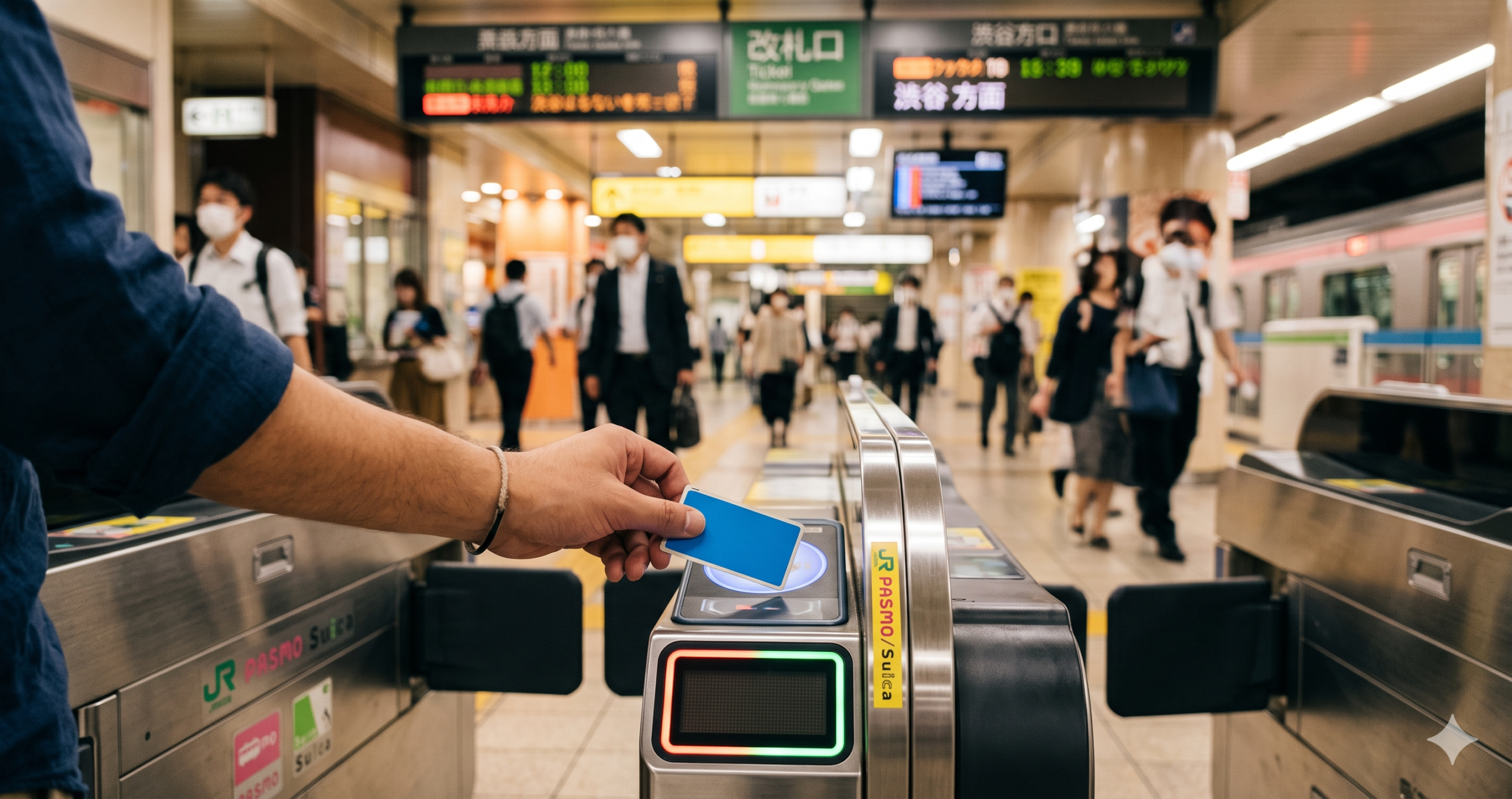
Using PASMO at train stations is beautifully simple: hold your card (or phone/watch with digital PASMO) against the IC reader on the ticket gate. Green light = entry. The fare is automatically deducted based on your destination. Tap again when you exit at your destination station. No need to buy tickets, no need to figure out fares — PASMO handles everything.
On Buses
For Tokyo buses, tap your PASMO on the reader when boarding (flat fare buses) or when boarding and alighting (distance-based fare buses). The driver will usually indicate which method applies.
At Convenience Stores & Shops
PASMO works as a contactless payment method at 7-Eleven, FamilyMart, Lawson, McDonald’s, Starbucks, and thousands of other participating shops. Simply hold your card or phone at the payment terminal when prompted. It’s faster than cash and eliminates the need to carry coins.
Topping Up Your PASMO (Charging / Recharging)
When your balance gets low (the gate display shows your remaining balance), topping up is straightforward: Find any ticket machine displaying the PASMO logo → Select “Charge” or “Add Money” → Insert cash (¥1,000–¥10,000 accepted, up to ¥20,000 balance) → Collect your card. For digital PASMO, add money through the app with a credit card.
You can also set up Auto Charge (自動チャージ) at JR East and some private railways — your card automatically tops up when the balance falls below ¥1,000. This is linked to a credit card and requires a named PASMO with Japanese address.
Best Accessories for Using PASMO & IC Cards in Japan
IC Card Holder / Passport Case
The most practical Japan travel accessory: a slim card holder that lets you tap your PASMO without removing it from your bag or wallet. The best ones hang from a lanyard or clip to a bag strap, letting you tap the gate in one motion. Look for models with RFID shielding to prevent accidental charges.
Portable Charger (for Digital PASMO Users)
If using digital PASMO on your iPhone or Android, a dead phone means you can’t enter train stations — a travel nightmare. A compact 10,000mAh power bank keeps you charged for 2+ days of travel. Anker’s compact 622 and 633 models are the most popular among Japan tourists in 2026.
PASMO Refund: How to Get Your ¥500 Deposit Back
When leaving Japan, you can return a physical PASMO and get the ¥500 deposit back plus any remaining balance (minus a ¥220 handling fee). Return it at any ticket counter (not machine) at a private railway station. Bring the card and ask for a “PASMO return” (パスモ返却 / Pasumo henkyaku). Note: the ¥220 fee means it’s not worth returning if you plan to visit Japan again — just keep the card for your next trip.
Common PASMO Questions (FAQ)
Can I use PASMO at Shinkansen (bullet train)?
No — PASMO and Suica cannot be used to pay for Shinkansen seats. You need a Shinkansen ticket or Japan Rail Pass. However, PASMO can be used on regular JR local trains.
Does PASMO work in Kyoto and Osaka?
Yes! PASMO (and Suica) can be used on subways and buses in Osaka, Kyoto, Nagoya, and most major Japanese cities. The cards are accepted nationwide on most transit systems.
What if I lose my PASMO?
For a named (registered) physical PASMO, the balance is protected and can be transferred to a new card — report it lost at any station service counter. For digital PASMO, if you lose your phone, report it via Apple/Google account and the card is suspended remotely. Unnamed physical cards have no loss protection.
Can tourists use PASMO?
Yes — both physical PASMO and digital PASMO are available to tourists. The old PASMO PASSPORT has been discontinued; its successor, the TOURIST PASMO (since May 2026), is designed for short-stay visitors as a 28-day stored-value card with no deposit (leftover balance is not refunded).
Summary: PASMO 2026 at a Glance
PASMO is essential for getting around Tokyo efficiently. For most tourists, the quickest option is to add digital PASMO to your iPhone or Android at the airport before heading to the city. For those who prefer physical cards, the ¥500 deposit + ¥1,000 minimum top-up gets you started in minutes. Either way, PASMO will become your best travel companion in Japan — tapping your way through stations, buses, and convenience stores with effortless ease.
Suica Card Guide 2026 | Japan Internet & WiFi Guide 2026 | Best eSIM Cards for Japan 2026 | Japan Cost of Living 2026
✈️ Explore Japan by Train + Flight Combo【エアトリプラス】
Using PASMO for local transit? For longer journeys, エアトリプラス lets you compare and book domestic flights + hotels in one go. Great for day trips beyond the IC card network.
Compare Japan Flights & Hotels ▶ [AD] Affiliate link — we may earn a commission at no extra cost to you.
🔥 Editor’s Picks for Life & Travel in Japan
📘 The Japan Expat Starter Kit 2026
Banking, housing, My Number, taxes, 100 phrases and a 40-kanji cheat sheet — everything from this site in one 17-chapter PDF field manual. Free lifetime 2026 updates.
Reader price: $9.99 $6.99 with code JLL30 at checkout
30-day money-back guarantee · Instant download · PR
Practical guides for life and travel in Japan — free, about once a week. No spam, unsubscribe anytime.
☕ Enjoying our Japan guides?
If this article helped you, you can support our work with a coffee!
Did this guide help you? 🍵
Japan Life Lab is a small independent blog, and every guide we publish is completely free — no paywalls, ever. If our work saved you time (or a headache), you can support us with a cup of Japanese tea. Every contribution, big or small, goes straight into keeping these guides free, accurate and up to date for everyone.
☕ Support Japan Life Lab
Leave a Reply