This article was created with AI writing assistance (ChatGPT, Claude, etc.). Product selection, specifications, and reviews are verified by the Japan Life Lab editorial team.
This article contains promotional / affiliate links.
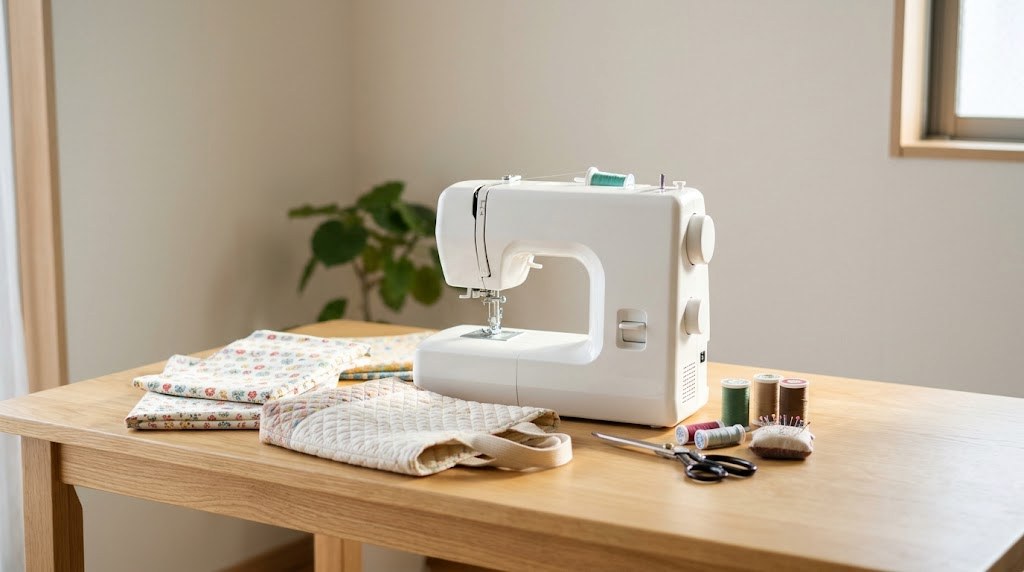
Sooner or later, many foreign parents in Japan get a list from the daycare or school: a lesson bag, a shoe bag, a lunch-box bag and a cup bag, sometimes expected to be handmade. Brother’s own guide to preparing for kindergarten and school entry shows an example list of handmade goods prepared by experienced parents, and it includes exactly these items (レッスンバッグ, 上履き入れ, お弁当袋, コップ袋). A home sewing machine (ミシン, mishin) turns that list into an evening’s work, and it keeps paying off for hems, curtains and repairs.
We picked five machines that have an Amazon Japan listing and whose makers publish specs and manuals online: four from Brother and one from Singer. We did not compare Janome or JUKI models. Prices run from ¥12,650 to ¥48,800 on kakaku.com on 24 October 2026; specs come from the makers’ own pages and manuals. New to the paperwork side of school life? Start with our guide to Japanese daycare and school for foreign kids.
📌 What you will learn
You do not have to read it all — jump to what you need.
- How to choose a sewing machine in Japan
- The 5 best machines, from ¥12,650
- Comparison table
- Setting up safely, and sewing school bags
- Frequently asked questions
- The short version
※ Start wherever fits your situation.
Prime members get fast, free delivery on millions of items, Prime Video and members-only deals. Eligible new members can try it free for 30 days.
Start your free 30-day Prime trial →Ages 18–24? See Prime for Young Adults
Paid links. As an Amazon Associate, Japan Life Lab earns from qualifying purchases. Trial eligibility and terms are set by Amazon.
How to choose a sewing machine in Japan
1. Electric or computerized
Japanese shops sort machines into 電動 (electric: a dial picks the stitch, a foot controller sets the speed) versus コンピューター (computerized: buttons, a small display, a start/stop button). The Singer SN20A in this guide is sold as an electric machine. The Brother PS202X, S71-SL and Olivia500 have a display and a start/stop button; the Brother MS-2000 has a stitch dial plus a start/stop button. For straight seams on bags, both kinds work.
2. Thick fabric and many layers
School bags are often made of quilted fabric, and seams at the handles get thick. Singer’s SN20A manual lists quilting, denim and corduroy as thick fabrics that take a size 14 to 16 needle. Brother’s picks all have a presser-foot lock pin (押え固定ピン), which Brother says keeps the foot level so that thick seams such as denim start smoothly, and six or seven feed dogs to move the fabric.
3. Threading and thread tension
Threading is where beginners lose most time. The Brother picks have a lever needle threader; the Olivia500’s is Brother’s one-step automatic type. Automatic thread tension (自動糸調子) is on the MS-2000 and the Olivia500 only. The other three set tension by hand: the PS202X colour-marks the standard settings, and the SN20A has a tension dial.
4. Foot controller or start button
A foot controller leaves both hands free for curves and bulky bags. The SN20A is run with its foot controller, as its manual describes. On the PS202X, MS-2000 and S71-SL, Brother lists the foot controller as sold separately (別売り). For the Olivia500, Brother’s sources disagree: its spec page lists a foot controller as standard, but the shared manual lists one among the optional items, so check the box contents before you buy. Some sewing-machine shops bundle a foot controller or a wide table, so read what a listing includes.
5. Bought in Japan, used in Japan
Every manual we read for these five machines says the machine is made for household use in Japan. Singer’s SN20A manual says “FOR USE IN JAPAN ONLY”, and the Brother manuals say the machine cannot be used in other countries. All five are rated at 100 V. That is why this guide links to Amazon Japan only.
6. Words you will see
| On the box | Reading | Meaning |
|---|---|---|
| ミシン | mishin | Sewing machine |
| 電動ミシン | dendō mishin | Electric (mechanical) machine, dial controls |
| コンピューターミシン | konpyūtā mishin | Computerized machine, buttons and display |
| 自動糸調子 | jidō ito-chōshi | Automatic thread tension |
| 糸通し | ito-tōshi | Needle threader |
| ボタン穴かがり | botan-ana kagari | Buttonhole |
| フットコントローラー(別売) | futto kontorōrā (betsubai) | Foot controller (sold separately) |
| ワイドテーブル | waido tēburu | Extension table |
| キルティング | kirutingu | Quilted fabric, used for many school bags |
The 5 best sewing machines to buy in Japan in 2026
Prices include tax; buttons go to Amazon Japan, where the seller and price can differ by listing. Specs come from the makers’ spec pages and manuals.
1. Singer SN20A — the budget electric machine
Singer’s Japanese site lists the SN20A as an electric machine (電動ミシン) at an open price. You choose a stitch with a pattern dial and control the speed with the foot controller; the manual covers straight and zigzag seams, overcasting, a blind hem, buttonholes and zips. Slide off the auxiliary table and you get a free arm for sleeves, hems and small bags, and the table doubles as an accessory box.
The manual is honest about the basics: you thread the needle by hand, front to back, and you set the upper tension with a dial. For thick fabric such as quilting or denim it recommends a size 14 to 16 needle. The cheapest in-stock price on kakaku.com was ¥12,650 at XPRICE, with free delivery; Amazon Japan asked ¥12,682, in stock. The shop where you buy it issues a one-year free-repair warranty, according to the manual.
| Type | Electric (dial), foot-controlled |
|---|---|
| Power | 100 V, 50/60 Hz, 70 W |
| Size | 348 × 183 × 292 mm (W × D × H) |
| Weight | About 4.35 kg (machine only) |
| Features | Free arm, buttonhole, zigzag, blind hem, LED light |
| Warranty | 1-year free repair, issued by the shop |
| Use | Japan only (manual: FOR USE IN JAPAN ONLY) |
✅ Pros
- Lowest price in this guide
- Simple dial and foot controller
- Lightest pick here on paper: about 4.35 kg
⚠️ Cons
- Threading the needle by hand
- No automatic tension
👍 Best for
- Parents who need a machine for one school-entry list
- Anyone who likes simple dials over menus
2. Brother PS202X / PS203X — the easy computerized starter
Brother sells one machine in two colours: the PS202X in pink (model CPN1001), the PS203X in blue (CPN1002). Brother built it around easy setup: a three-step lever threader, a bobbin you drop in and sew without pulling up the lower thread (下糸クイック), and bobbin winding that starts after a few turns of thread around the bobbin. A small display shows the stitch, and error messages on it flag slips in setup.
You get 20 stitches, three automatic buttonholes sized to the button, adjustable stitch width and length, six feed dogs and the presser-foot lock pin for thick seams. It can lock-stitch automatically at the start and end of a seam, and it has a slow mode of about 70 stitches a minute. Tension is manual, with the standard settings colour-marked. Both colours were ¥22,660 in stock at ミシン卸値っと on kakaku.com, and ¥24,000 in stock at Amazon Japan. A foot controller and a wide table are sold separately.
| Type | Computerized, LCD, start/stop button |
|---|---|
| Stitches | 20, incl. 3 automatic buttonholes |
| Threading | 3-step lever threader; drop-in bobbin |
| Speed | 70–750 stitches per minute |
| Power | 100 V, 50/60 Hz, 43 W |
| Size (W × D × H), weight | 413 × 169 × 310 mm; 4.8 kg |
| Sold separately | Foot controller, wide table, walking foot |
✅ Pros
- Easy setup: drop-in bobbin and lever threader
- Adjustable stitch width and length
- Two colours at the same price
⚠️ Cons
- No automatic thread tension
- Foot controller costs extra
👍 Best for
- First-time sewers who want a display and error messages
- Bags, name-free school goods and simple clothes
3. Brother MS-2000 — automatic tension, dial simplicity
The MS-2000 (model CPV0202) keeps the controls simple: one dial picks one of 16 stitch settings, and a speed lever sets the pace. Its strength is automatic thread tension: Brother says you set the dial to 自動, meaning automatic, and leave the tension to the machine. Four straight stitches are preset for different fabrics, such as thin and thick, so you do not have to adjust stitch length yourself.
Seven feed dogs and the presser-foot lock pin help with thick seams, and the cord winds into the machine on a reel. A hard case and a carrying handle make it easy to put away. Stitch width and length cannot be adjusted, which matters only if you want decorative work. It sews at 70 to 710 stitches a minute. The lowest in-stock price on kakaku.com was ¥28,000 at Dshopone; Amazon Japan asked ¥31,900, in stock.
| Type | Stitch dial, start/stop button |
|---|---|
| Stitches | 16 settings (12 types), 2 automatic buttonholes |
| Tension | Automatic |
| Speed | 70–710 stitches per minute |
| Power | 100 V, 50/60 Hz, 40 W |
| Size (W × D × H), weight | 418 × 190 × 306 mm; 6.5 kg |
| Extras | Cord reel, hard case; foot controller sold separately |
✅ Pros
- Automatic thread tension at a mid price
- Seven feed dogs
- Cord reel and hard case for storage
⚠️ Cons
- Stitch width and length fixed
- Heavier than the PS202X: 6.5 kg
👍 Best for
- Beginners who want the machine to handle tension
- Small flats where the machine lives in a cupboard
4. Brother S71-SL — sews your child’s name
This is the pick for name tags. Besides 40 stitches, the S71-SL (model CPE0001) has built-in hiragana, katakana, letters and numbers, plus common kanji such as 年 (year), 組 (class), so you can sew a child’s name and class onto a bag without an embroidery unit. Brother’s table lists 20 decorative stitches and three quilting stitches among the 40.
The rest is a solid computerized machine: two-step lever threading, the drop-in bobbin, a backlit display, adjustable width and length, three automatic buttonholes, seven feed dogs and the presser-foot lock pin. It weighs 4.6 kg and comes with a hard case. Tension is manual, and the foot controller is sold separately. On kakaku.com, 日本テレフォンショッピング asked ¥31,000, in stock; Amazon Japan asked ¥32,780, shipping within three business days.
| Type | Computerized, backlit LCD, start/stop button |
|---|---|
| Stitches | 40, plus kana, letters, numbers, common kanji |
| Threading | 2-step lever threader; drop-in bobbin |
| Speed | 70–710 stitches per minute |
| Power | AC 100 V, 50 or 60 Hz, 40 W |
| Size (W × D × H), weight | 413 × 178 × 296 mm; 4.6 kg |
| Extras | Hard case; foot controller sold separately |
✅ Pros
- Sews names in kana, letters and common kanji
- Most stitches here: 40
- Hard case included
⚠️ Cons
- No automatic thread tension
- Amazon Japan listing ships in about three business days
👍 Best for
- Parents who must label every bag and pouch
- Anyone who wants decorative stitches too
5. Brother Olivia500 — automatic threading and thread cutting
The Olivia500 (model CPH5301) is the step up. Its one-step automatic threader threads the needle with a lever, automatic tension handles the settings, and a button cuts both threads at the end of a seam; you can also program it to lock-stitch and cut automatically. Brother redesigned the presser foot and feed dogs to grip the fabric longer and climb over steps smoothly, and the large flat bed helps with quilts and big bags.
It has 20 stitches with direct-select keys, three buttonhole types, seven feed dogs and two LEDs. Brother’s spec table marks a three-year warranty and lists a foot controller as standard. However, the shared manual for the CPH45, 53 and 55 series lists the foot controller among optional items, not in the box, and the product page offers a multi-function foot controller separately. Check the listing’s box contents. It is the heaviest pick at 9.0 kg. The lowest in-stock price on kakaku.com was ¥48,800 at Dshopone; Amazon Japan asked ¥51,000, in stock.
| Type | Computerized, LCD, direct-select keys |
|---|---|
| Stitches | 20, incl. 3 buttonhole types |
| Threading | 1-step automatic threader; drop-in bobbin |
| Automatic | Thread tension, thread cutting, lock stitch |
| Speed | 70–850 stitches per minute |
| Power | 100 V, 50/60 Hz, 55 W |
| Size (W × D × H), weight | 444 × 240 × 300 mm; 9.0 kg |
✅ Pros
- Automatic threading, tension and thread cutting
- Large work space
- Three-year warranty on Brother’s spec table
⚠️ Cons
- Most expensive pick here
- Heaviest pick here: 9.0 kg
👍 Best for
- Anyone planning curtains, quilts or clothes too
- People who want to skip threading and trimming by hand
Comparison table
| Model | Type | Stitches | Threader | Auto tension | Foot controller | Weight | Price, 24 Oct 2026* |
|---|---|---|---|---|---|---|---|
| Singer SN20A | Electric (dial) | Dial selection | By hand | No | Used to run it | About 4.35 kg | ¥12,650 (Amazon ¥12,682) |
| Brother PS202X / PS203X | Computerized | 20 | 3-step lever | No | Sold separately | 4.8 kg | ¥22,660 (Amazon ¥24,000) |
| Brother MS-2000 | Dial + start button | 16 settings | Lever | Yes | Sold separately | 6.5 kg | ¥28,000 (Amazon ¥31,900) |
| Brother S71-SL | Computerized | 40 + letters | 2-step lever | No | Sold separately | 4.6 kg | ¥31,000 (Amazon ¥32,780) |
| Brother Olivia500 | Computerized | 20 | 1-step automatic | Yes | Unclear (see text) | 9.0 kg | ¥48,800 (Amazon ¥51,000) |
* Incl. tax: lowest in-stock new row on kakaku.com, then the Amazon.co.jp row. Four Brother models and one Singer; Janome and JUKI were not compared.
Setting up safely, and sewing school bags
Where to put it
Brother’s manuals for the PS202X, MS-2000, S71-SL and Olivia500 ask you to keep the machine’s vents 30 cm from the wall, to use household 100 V power, and not to overload an outlet through extension cords or multi-socket adapters (たこ足配線). The PS202X manual also rules out places that are very hot or cold, humid, dusty or unstable. Singer’s SN20A manual asks for a stable table or desk and 100 V household power.
Switch off before you touch the needle
Brother’s PS202X manual says to switch the machine off before changing the needle or presser foot, and to unplug it after use, when you leave it, during a power cut or when thunder starts. Singer’s SN20A manual says to keep your hands away from the needle, handwheel and other moving parts while sewing, and to switch off before changing the needle, presser foot or plate. Both makers ask for extra care when children use the machine or are nearby; Brother says children should use it only under close supervision and never as a toy.
Needles and thread for quilted bags
Match the needle to the fabric: Singer’s SN20A table puts quilting and denim at size 14 to 16, and Brother’s PS202X manual specifies household machine needles (HA×1). Fabric, thread and simple patterns are easy to find in Japan; our 100-yen shop guide covers the basics you can pick up cheaply. Check your school’s handout for the sizes it asks for before you cut.
Leave time
Order early enough to practise on scrap fabric before you sew the real bags, and to sew name labels if your school wants them.
Frequently asked questions
Do I really need a sewing machine for school bags in Japan?
Not always. Some schools accept bought bags, and many shops sell ready-made sets. But Brother’s school-entry guide includes lesson bags, shoe bags, lunch-box bags and cup bags in its example list of handmade goods, and a machine makes the job quick if your school expects handmade items. Follow your school’s handout for any sizes.
Which machine is easiest for a complete beginner?
The Brother PS202X / PS203X has a drop-in bobbin, a lever threader and error messages on its display. If you dread thread tension, the MS-2000 sets it automatically. The Olivia500 automates threading, tension and thread cutting, at the highest price here.
Can it sew my child’s name?
Of these five, only the Brother S71-SL has built-in lettering: hiragana, katakana, letters, numbers and common kanji such as 年 and 組, with no embroidery unit needed. The makers list no lettering function for the other four.
Can I take a Japanese sewing machine home?
We would not count on it. Singer’s SN20A manual says “FOR USE IN JAPAN ONLY”, and the Brother manuals say these household machines are for Japan and cannot be used in other countries. All five are rated at 100 V. This guide therefore links to Amazon Japan only.
Is the foot controller included?
It depends on the model. The Singer SN20A is operated with its foot controller. Brother lists it as sold separately for the PS202X, MS-2000 and S71-SL. For the Olivia500, Brother’s spec page says standard but its manual lists it as optional, so check the box contents. Some shops bundle one, so read the listing.
The short version
On a tight budget: the Singer SN20A, ¥12,650. For an easy first computerized machine: the Brother PS202X / PS203X, ¥22,660. To let the machine set the tension: the Brother MS-2000, ¥28,000. To sew names in kana and kanji: the Brother S71-SL, ¥31,000. For automatic threading and thread cutting: the Brother Olivia500, ¥48,800. Keep 30 cm from the wall, plug straight into a 100 V outlet, and practise on scraps before the real bags. Want to pass the machine on when your kids outgrow the bag lists? See our guide to secondhand shopping in Japan.
🔥 Editor’s Picks for Life & Travel in Japan
Japan Expat Starter Kit 2026 PDF guide
Your first 90 days in Japan, step by step: 17 chapters · 24 pages · 100 phrases in Japanese script · 40 kanji · printable checklists. Bank account, My Number, health insurance, apartment, phone, taxes & pension.
$9.99 $4.99 current price
📥 Get the kit →📄 Read 5 pages free: contents + Chapter 2
⚡ Instant PDF download · 🛡️ 30-day money-back guarantee · 🔄 Free 2026 updates
🛒 Ready to Buy? Shop These in Japan!
Get fast delivery across Japan — including same-day in major cities
Practical guides for life and travel in Japan — free, about once a week. No spam, unsubscribe anytime.
☕ Enjoying our Japan guides?
If this article helped you, you can support our work with a coffee!
Leave a Reply